Table of Contents
How to distinguish Nintendo 3DS from New Nintendo 3DS?
Friends, there’s a new article on the site: EZ-Flash Air Review: Features, Limitations, and Comparison with Other Models.
ChisLink - a revolution in the GBA world.
Friends, AliExpress now has:
Cool metal labels for Game Boy Advance consoles. Important: the OMEGA series will no longer be produced — it is being replaced in the lineup by the EZ-Flash Air.
Cool eXtremeRate cases for GBA SP.
Friends, help me buy (if you have) various old stuff: Help me buy.
Which Nintendo 3DS to Choose: Full Comparison of All Models
How to distinguish Nintendo 3DS from New Nintendo 3DS?
For each generation of Nintendo games, a whole range of different consoles is released.
This also happened with 3DS games. Nintendo released 6 varieties of the 3DS console:
Nintendo 3DS
Nintendo 3DS XL
Nintendo 2DS
New Nintendo 3DS
New Nintendo 3DS XL
New Nintendo 2DS XL
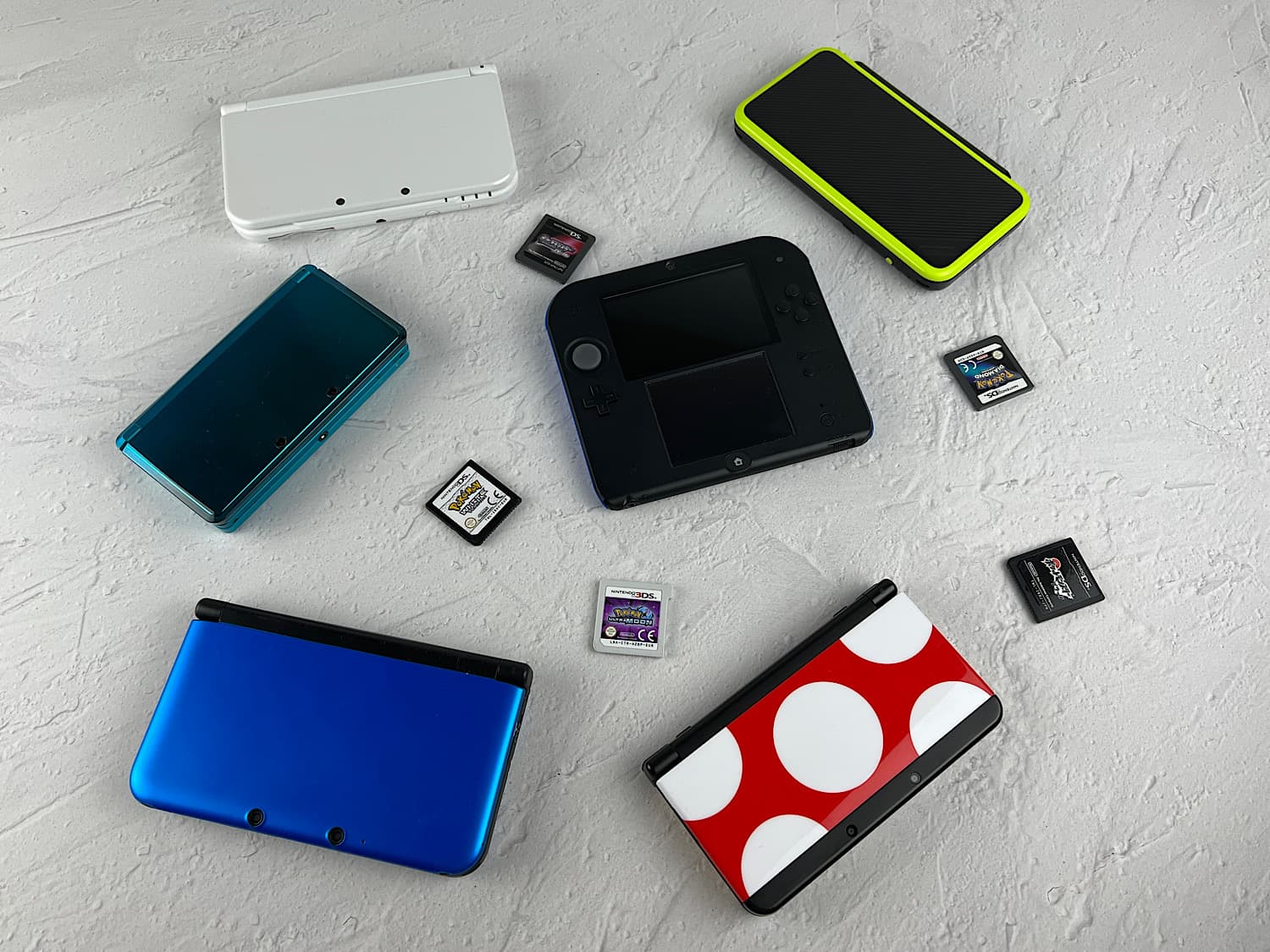
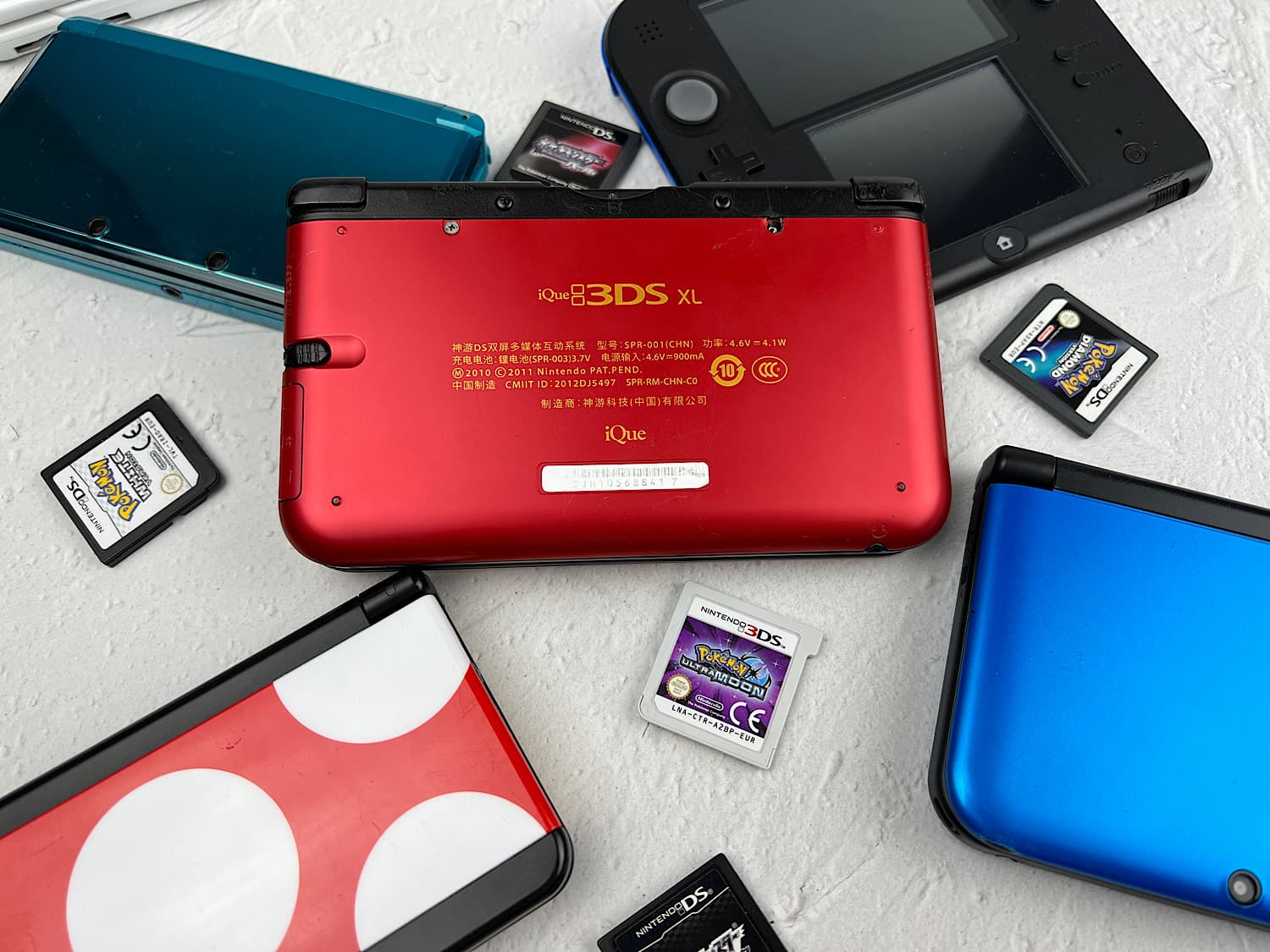
Also, the company iQue released one version: iQue 3DS XL.
The hardest part here is to choose exactly the version of the console that you need. Moreover, prices for them can reach 15 - 20 thousand rubles. To make it easier for you to choose, I wrote an article: «Which Nintendo 3DS to buy?».
This article, in turn, will help you easily distinguish between old and new versions of consoles.
But before that, let's touch on two points related to the differences between 3DS and 2DS, as well as 3DS and NEW 3DS.
Nintendo 3DS is called so for a reason. Its games are indeed displayed in 3D. And I don't mean 3D polygons and models, but real 3D, like in cinemas. Watch this video to understand what such 3D graphics look like.
Accordingly, Nintendo 2DS is exactly the same 3DS models except for that very 3D. Just such an image is very individual: it cannot be given to children, and adults may have eye or headache.
And 3DS and NEW 3DS are two subfamilies of Nintendo 3DS consoles. First, the models 3DS, 3DS XL and 2DS were released, and then improved versions of these models with the prefix NEW were released: New 3DS, New 3DS XL, New 2DS XL.
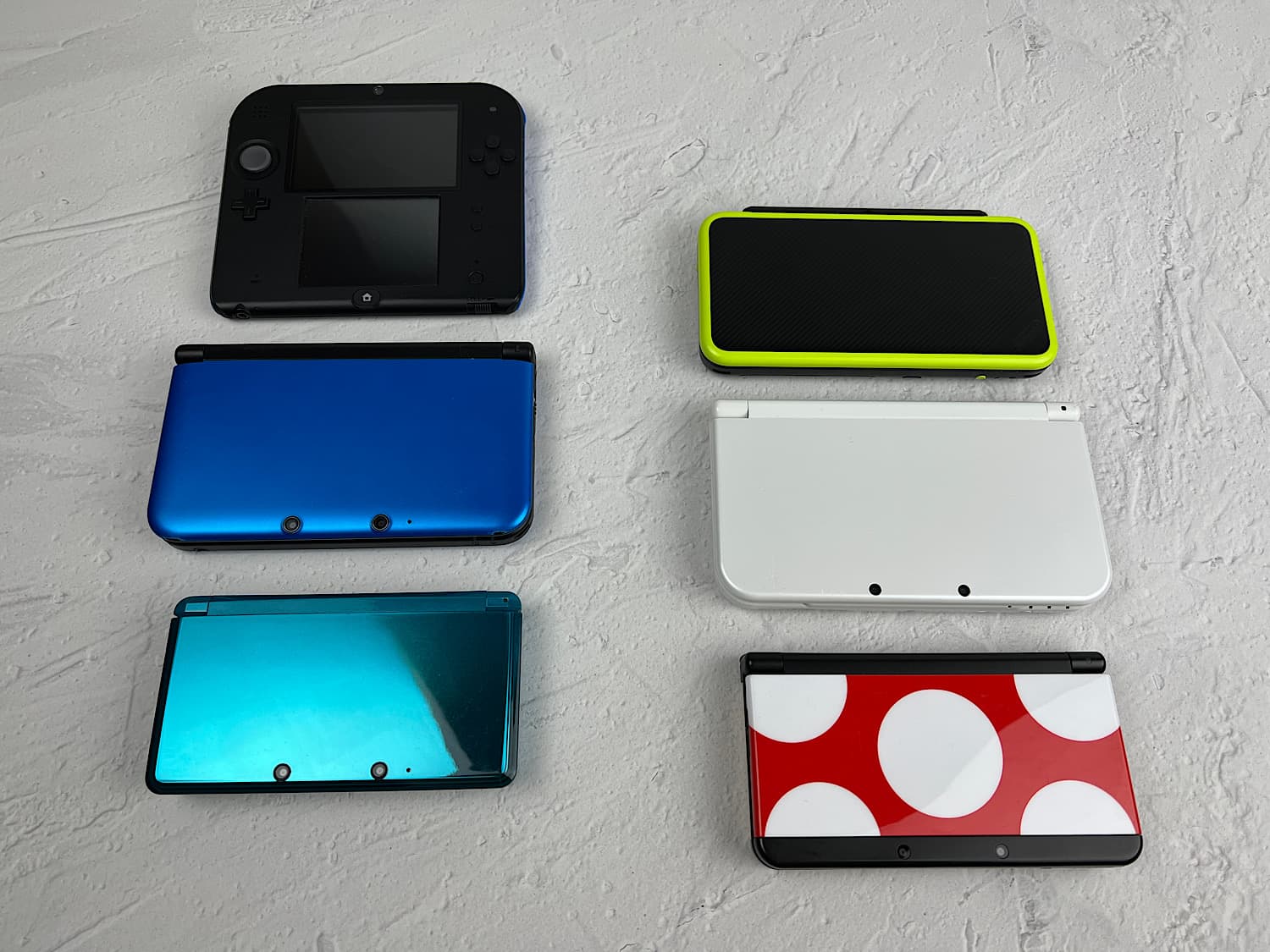
On the left are the old versions of the consoles, and on the right are the new ones.
Many simply did not delve into the difference between the consoles. Often on platforms like Avito, I come across New Nintendo 3DS consoles without the word NEW and regular Nintendo 3DS, but with the prefix NEW.
In the end, if you buy a New Nintendo 3DS instead of a Nintendo 3DS, nothing bad will happen, but if it's the other way around, it won't be very good.
How to distinguish the old version of the Nintendo 3DS console from the New Nintendo 3DS?
Let's figure out how to quickly distinguish between two subfamilies of Nintendo 3DS consoles.
There is one important feature that I use myself. The presence or absence of the C-stick.
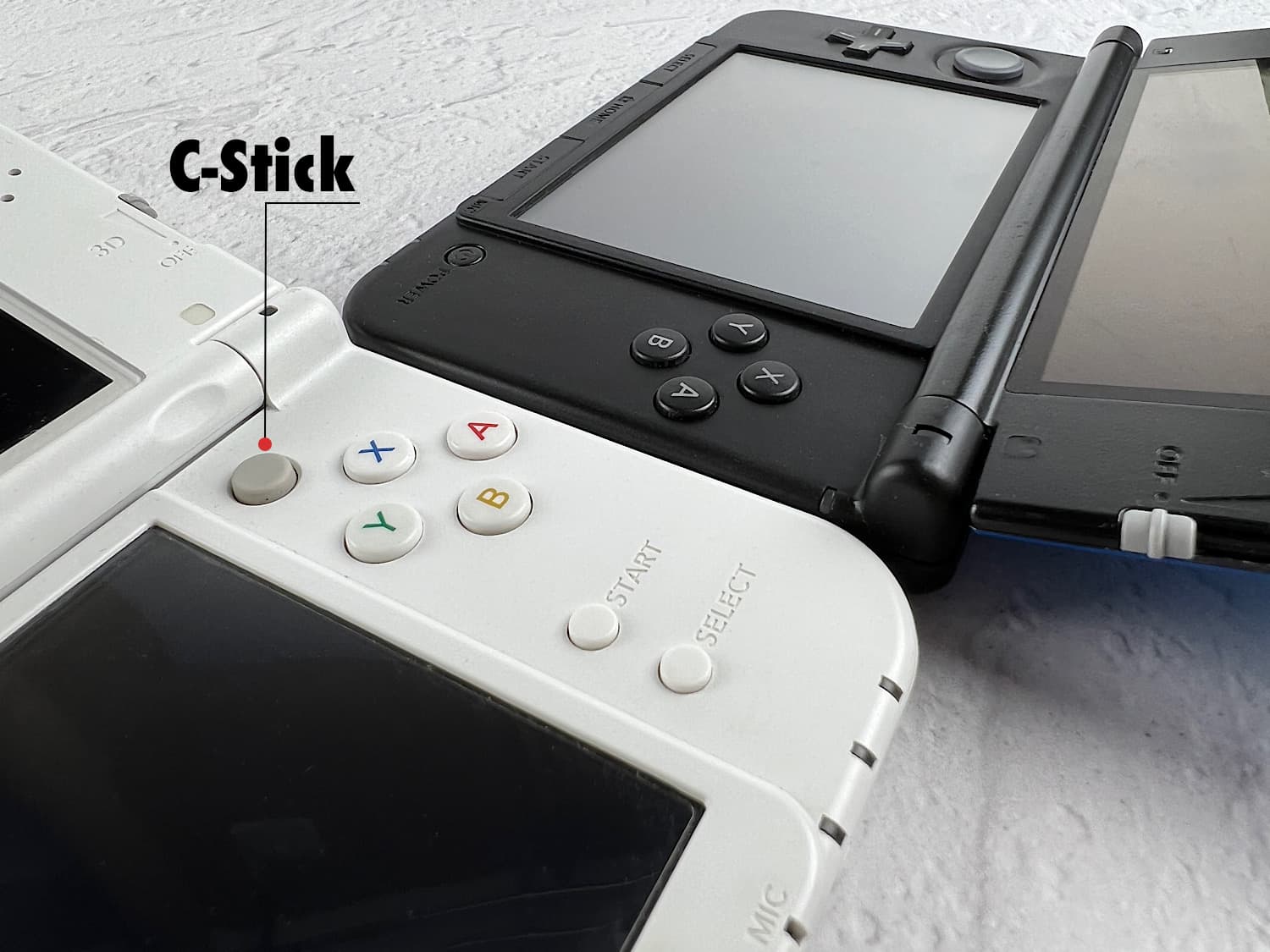
The C-stick is an additional control stick that duplicates the functionality of the left stick and is needed to control the character. That is, with the left stick you move, and with the right one you turn, for example, the head. It's much more convenient.
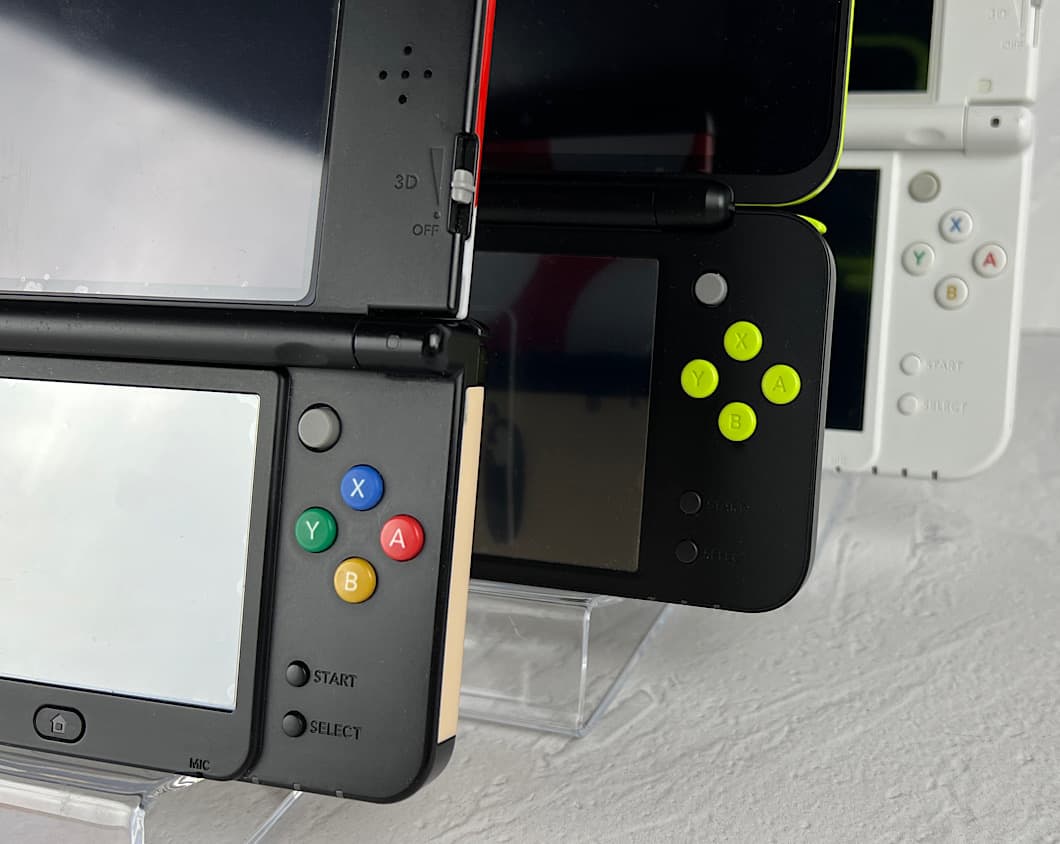
This stick is present on all new models: New Nintendo 3DS, New Nintendo 2DS XL, New Nintendo 3DS XL.
And it is absent on old models: Nintendo 2DS, Nintendo 3DS and Nintendo 3DS XL.
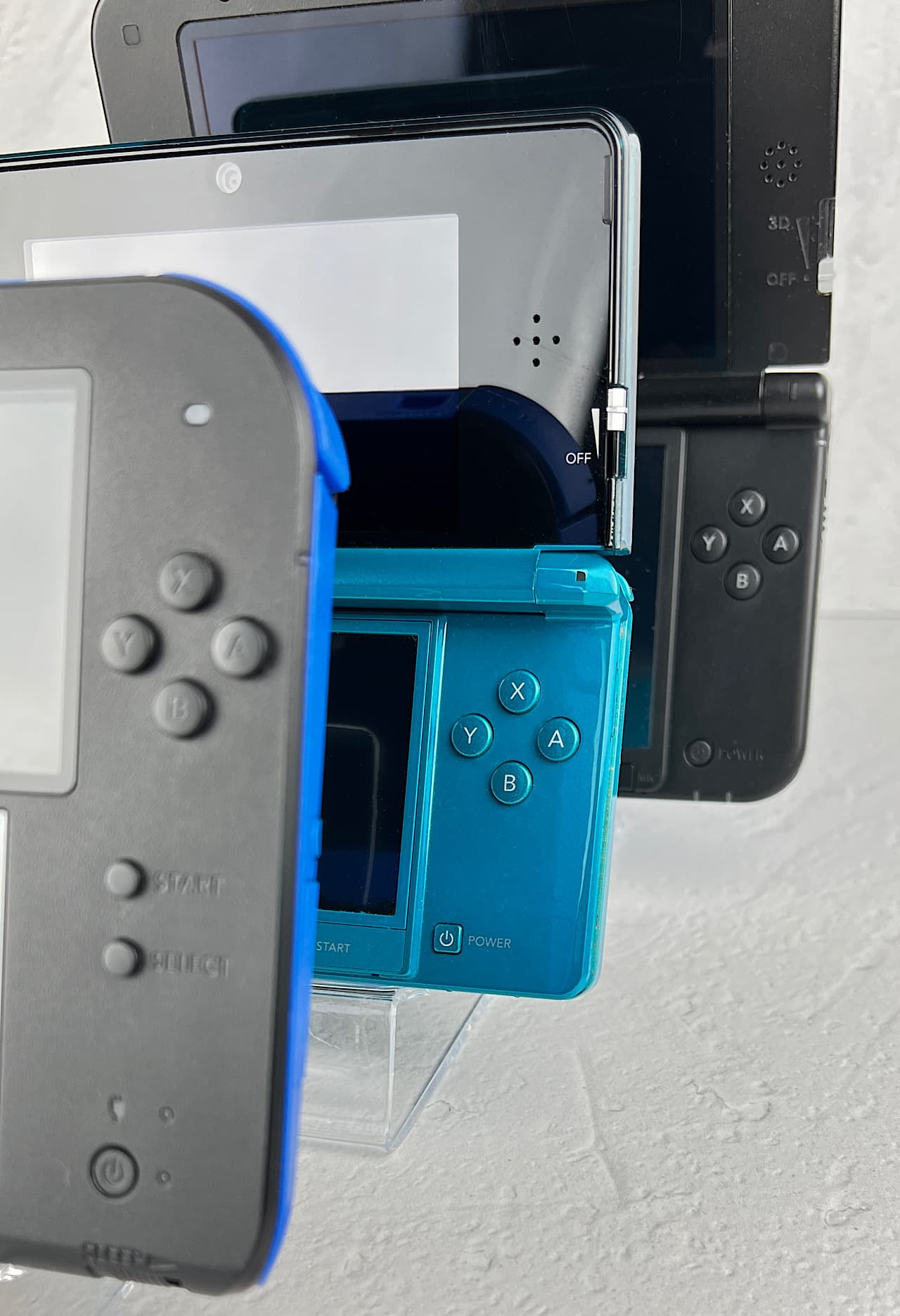
That is, to determine which version of the console is in front of you: old or New, it is enough to look at the place where the C-stick should be.
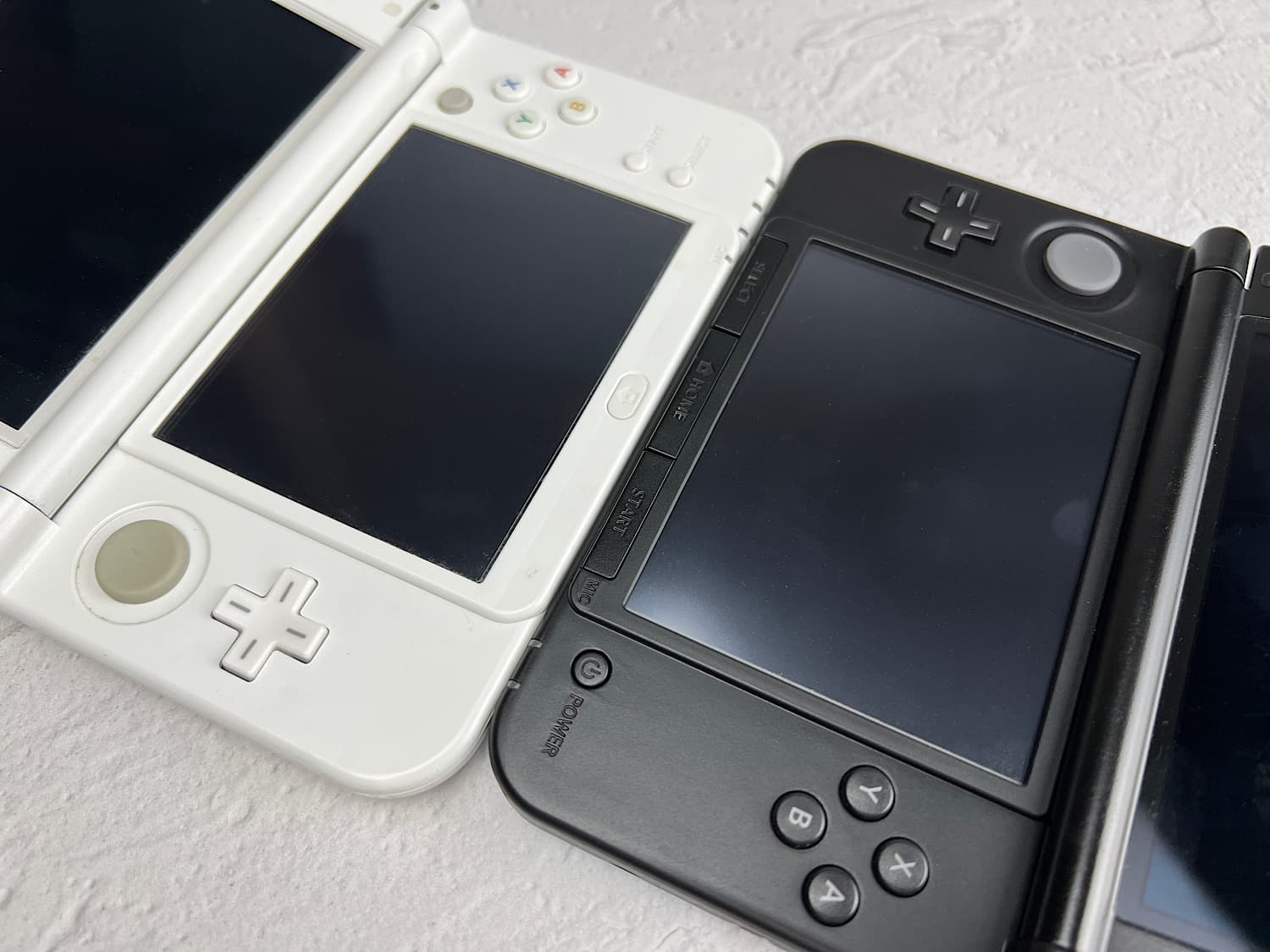
There is another feature. In addition to the C-stick, which is not on the old Nintendo 3DS, there is another noticeable feature: these are the buttons under the bottom screen. On the old 3DS (right) under the screen there is a panel with buttons: Select, Home and Start. And on the New Nintendo 3DS (left) there is only one button Home (a house is drawn).
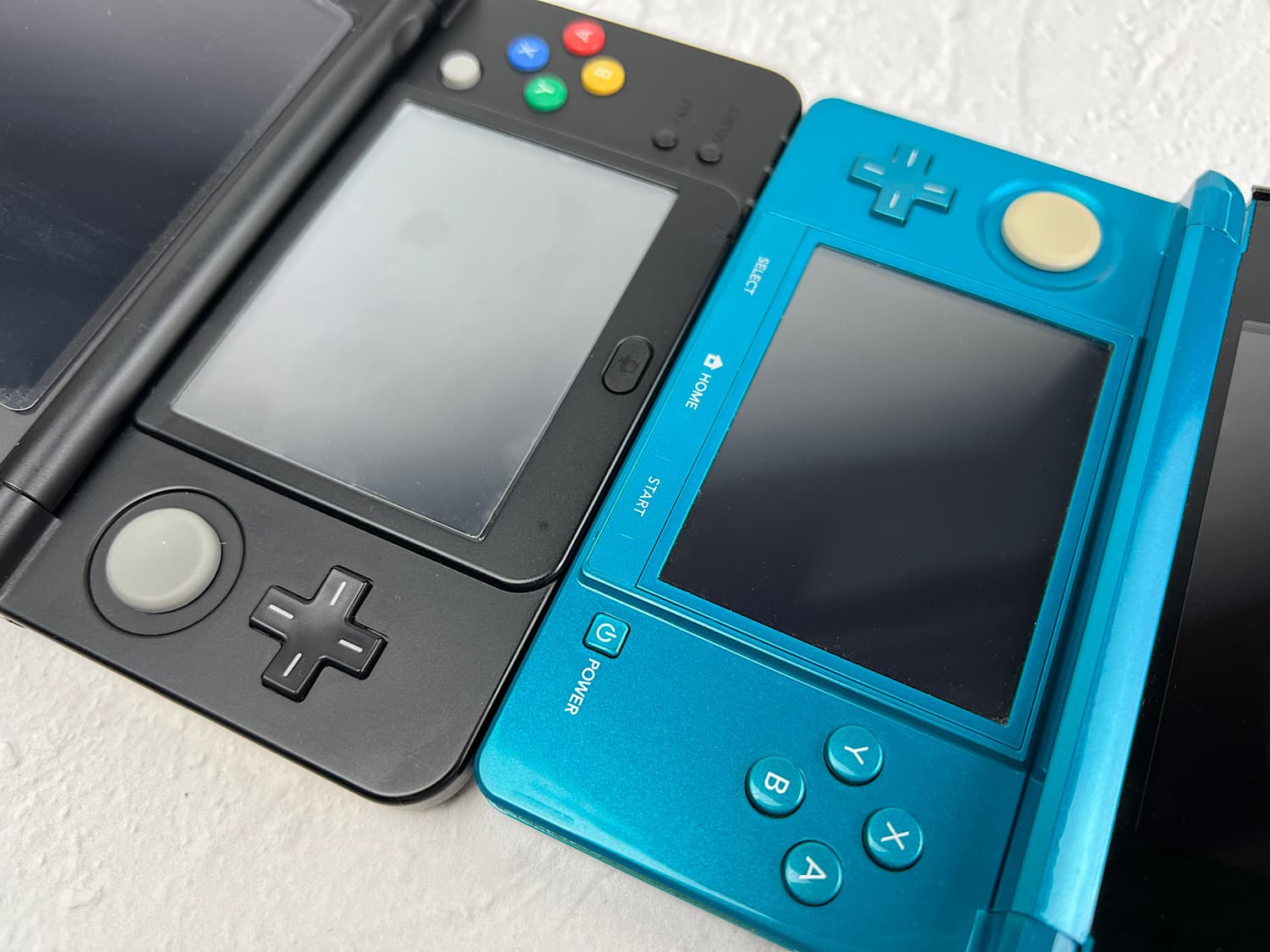
If we talk about Nintendo 3DS XL (right) and New Nintendo 3DS XL (left), then the panels under the screen also look different.
iQue
Please note, the company iQue also released one version of the 3DS console – iQue 3DS XL. No other versions of 3DS consoles were released by iQue!