Table of Contents
Review of Nintendo Family Computer (Famicom)
Friends, there’s a new article on the site: EZ-Flash Air Review: Features, Limitations, and Comparison with Other Models.
ChisLink - a revolution in the GBA world.
Friends, AliExpress now has:
Cool metal labels for Game Boy Advance consoles. Important: the OMEGA series will no longer be produced — it is being replaced in the lineup by the EZ-Flash Air.
Cool eXtremeRate cases for GBA SP.
Friends, help me buy (if you have) various old stuff: Help me buy.
Sooner or later, nostalgia for childhood hits us all—that special longing for the times when everyone was glued to their favorite games on the Dendy. For those who grew up in the '90s, this console was nothing short of a dream and the most coveted gift, without any exaggeration.
However, few of us realized back then that the Dendy was simply a pirated clone of the original Nintendo console: the legendary Family Computer (or just Famicom).
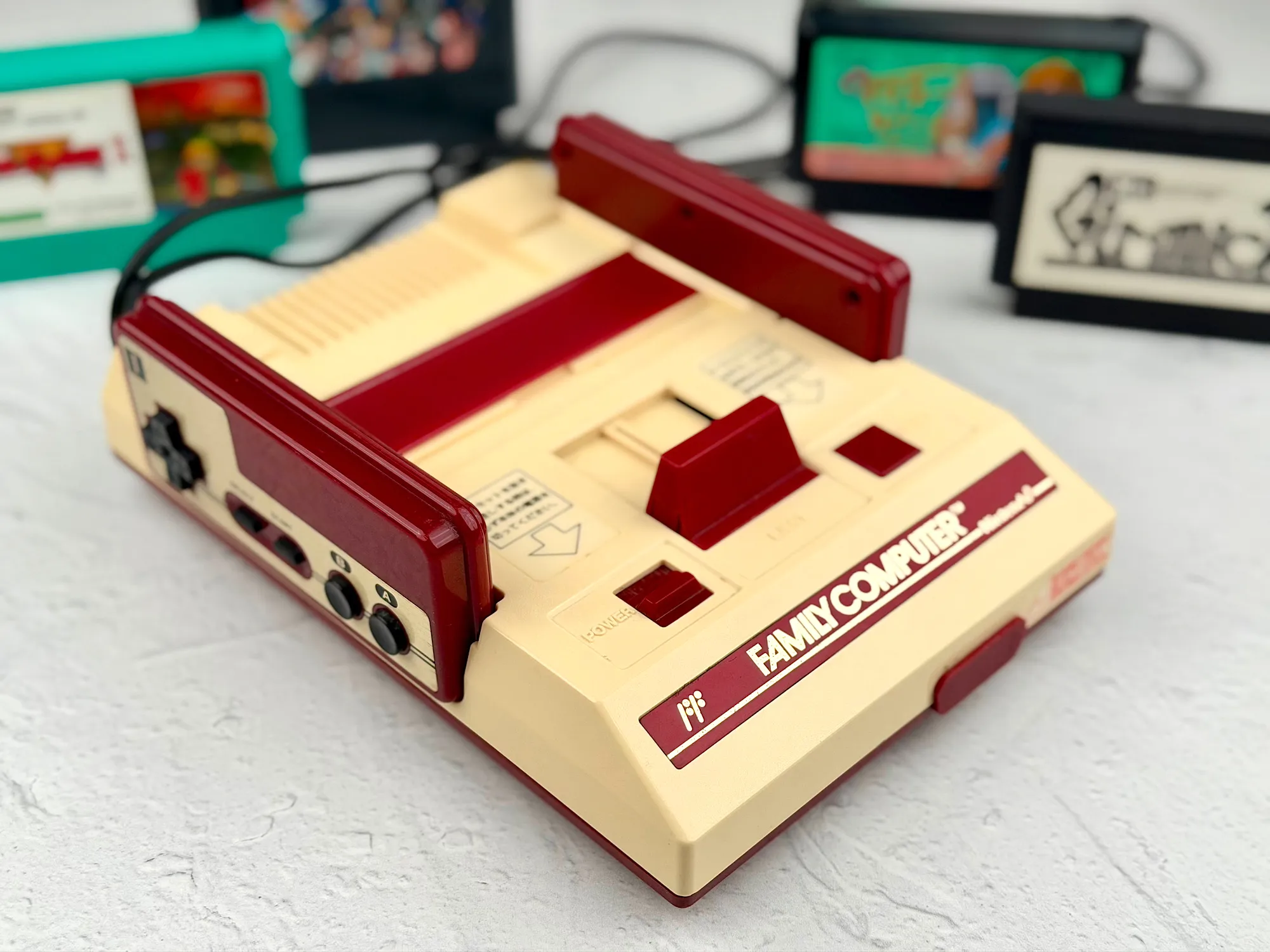
At that time, only the wealthiest could afford authentic Nintendo products. Meanwhile, the consoles officially supplied by Steepler quickly won children's hearts, thanks to their perfect balance of price and quality.
Today, when nostalgia calls, many are surprised to discover that Nintendo actually released a whole range of original consoles—each with its own unique strengths and weaknesses.
In this article, let's take a closer look at Nintendo's very first cartridge-based console: the Family Computer, which made its debut way back in 1983.
But before we dive in, I want to say a big thank you to Ruslan—famous in certain select circles. He provided all the consoles for this review, and for that, my sincere gratitude.
Where to buy Famicom?
These days, a complete Famicom set can really only be found on second-hand marketplaces: eBay, Avito, or Japanese auction sites like Yahoo Auctions and Mercari. Quite often, you'll come across consoles that have already been modded—with upgraded video output instead of the standard RF. This is a great choice if you don’t want to mess around with DIY modifications (but more on that later).
You can also find Famicom consoles on AliExpress, though these are usually just the “bare” console—no box, no original accessories, and more often than not, already modified with AV output.
Before you buy, always check the condition of the console, what’s included, and how it connects to your TV—otherwise, you might end up hunting for adapters or dealing with unexpected repairs.
Package contents
The Family Computer console came in a stylish and memorable box:
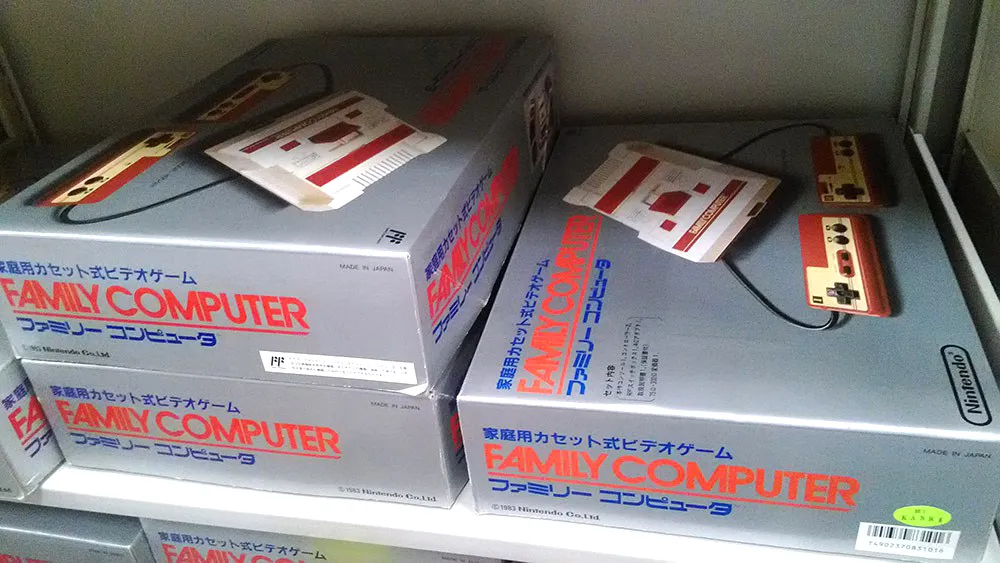
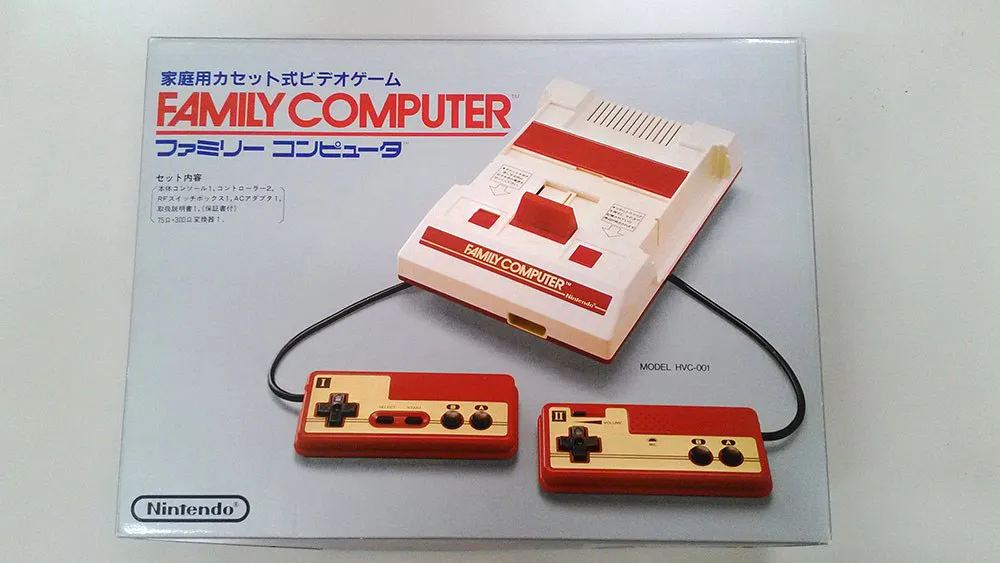
At first glance, the kit might look pretty standard by today's console standards, but it had its own unique twist—a special antenna adapter with a cable and a 75Ω/300Ω converter, something you hardly ever see nowadays.
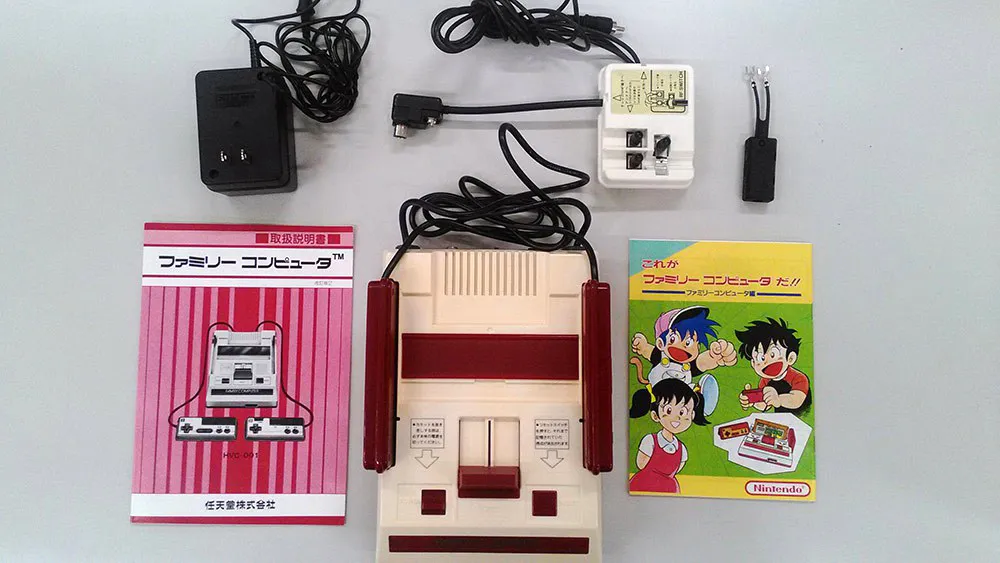
The basic set included everything you needed to get started:
1. Family Computer console
2. Power supply
3. Instructions and other paperwork
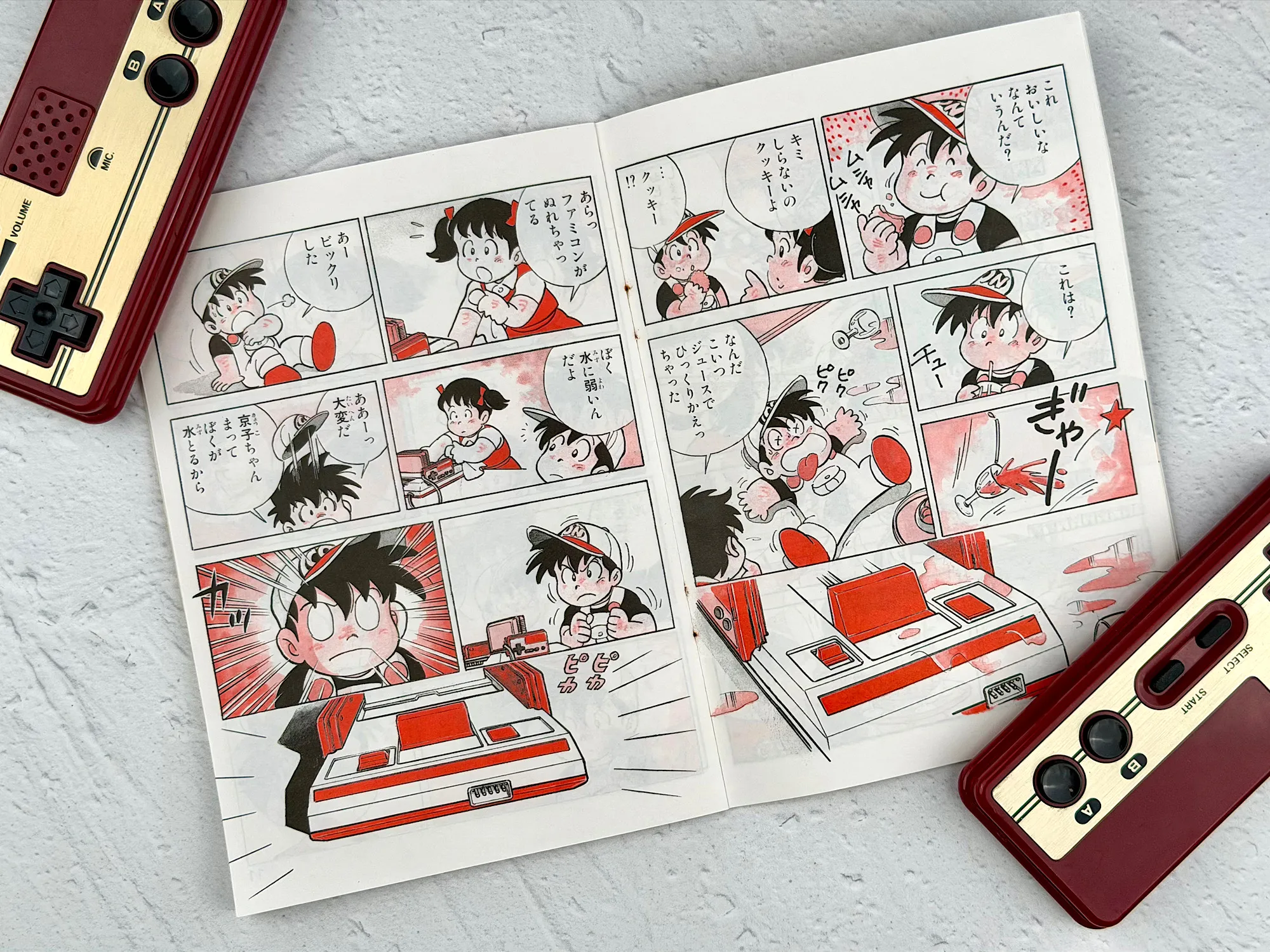
The comic-style instruction manual deserves a special mention. Nintendo actually designed the setup and startup guide as a real comic book for kids—just look at this:
4. Antenna splitter/switch—lets you quickly switch your TV between normal broadcasts and playing on the console
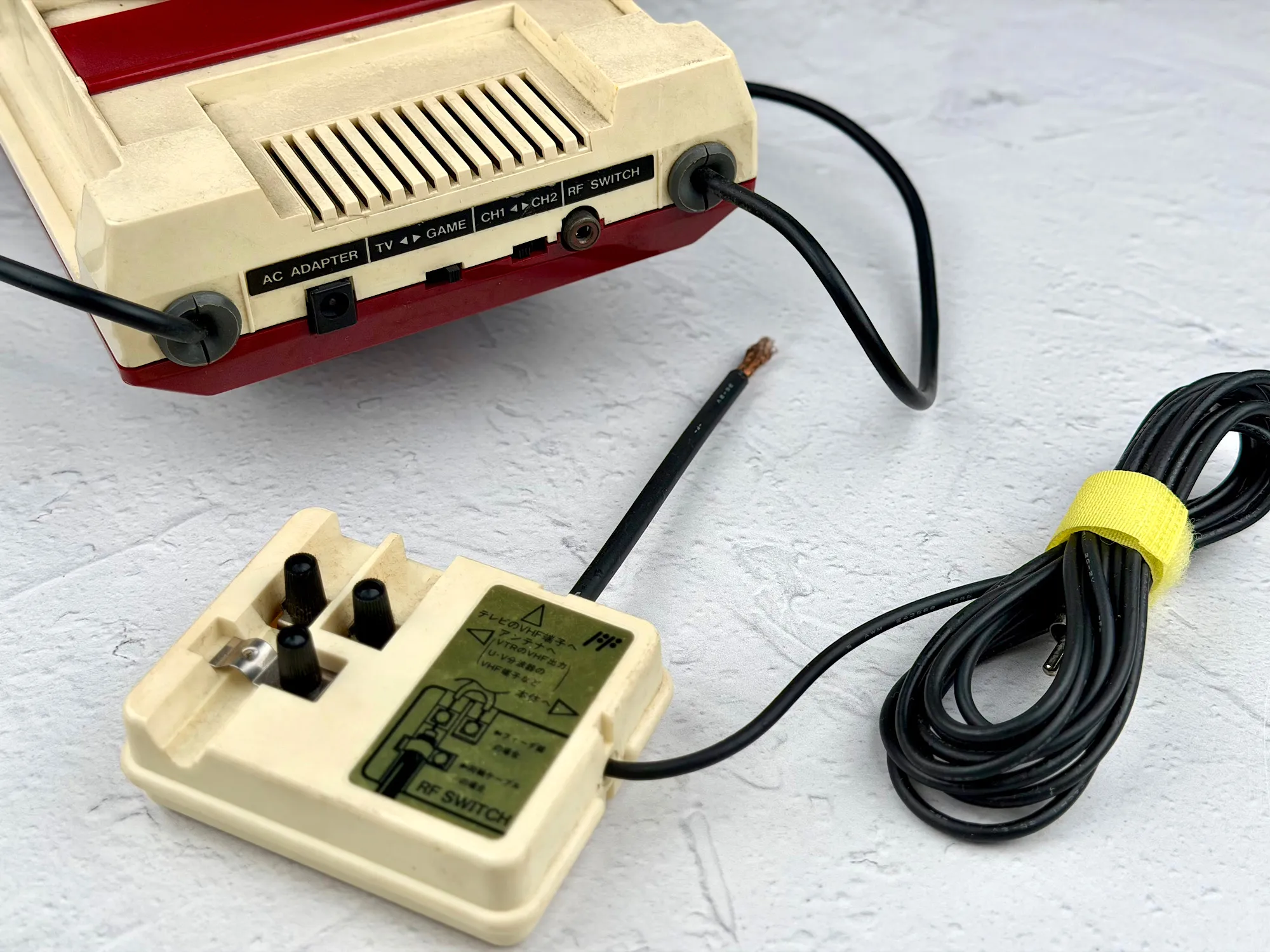
5. 75Ω/300Ω converter—needed for connecting to old Japanese TVs that didn’t have a standard coaxial input
This bundle of adapters and cables meant you could get started easily, no matter what kind of TV you had at home.
Let’s take a closer look at the Famicom itself.
Console
Visually, the Nintendo Family Computer immediately stands out among the consoles of its era: a cream-colored case with red accents, compact dimensions, and a design that was truly unique for the 80s. It’s pure Japanese style—a look that still feels unusual and even a bit futuristic today.
The Famicom’s size is also impressive—this console is genuinely compact:
Length: 220 mm
Width: 150 mm
Height: 60 mm
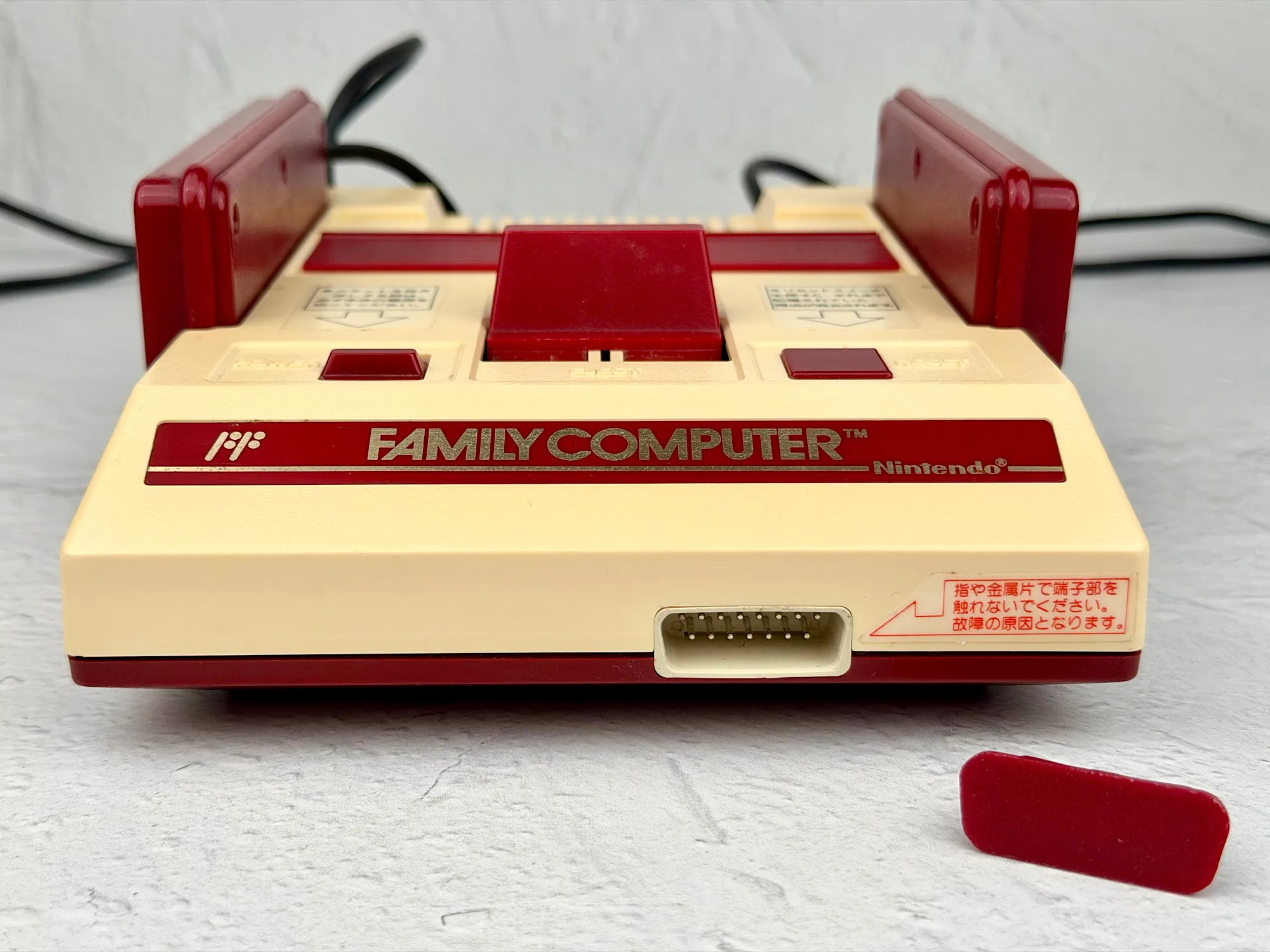
Front panel
The front features a large logo and a connector for accessories.
Top panel
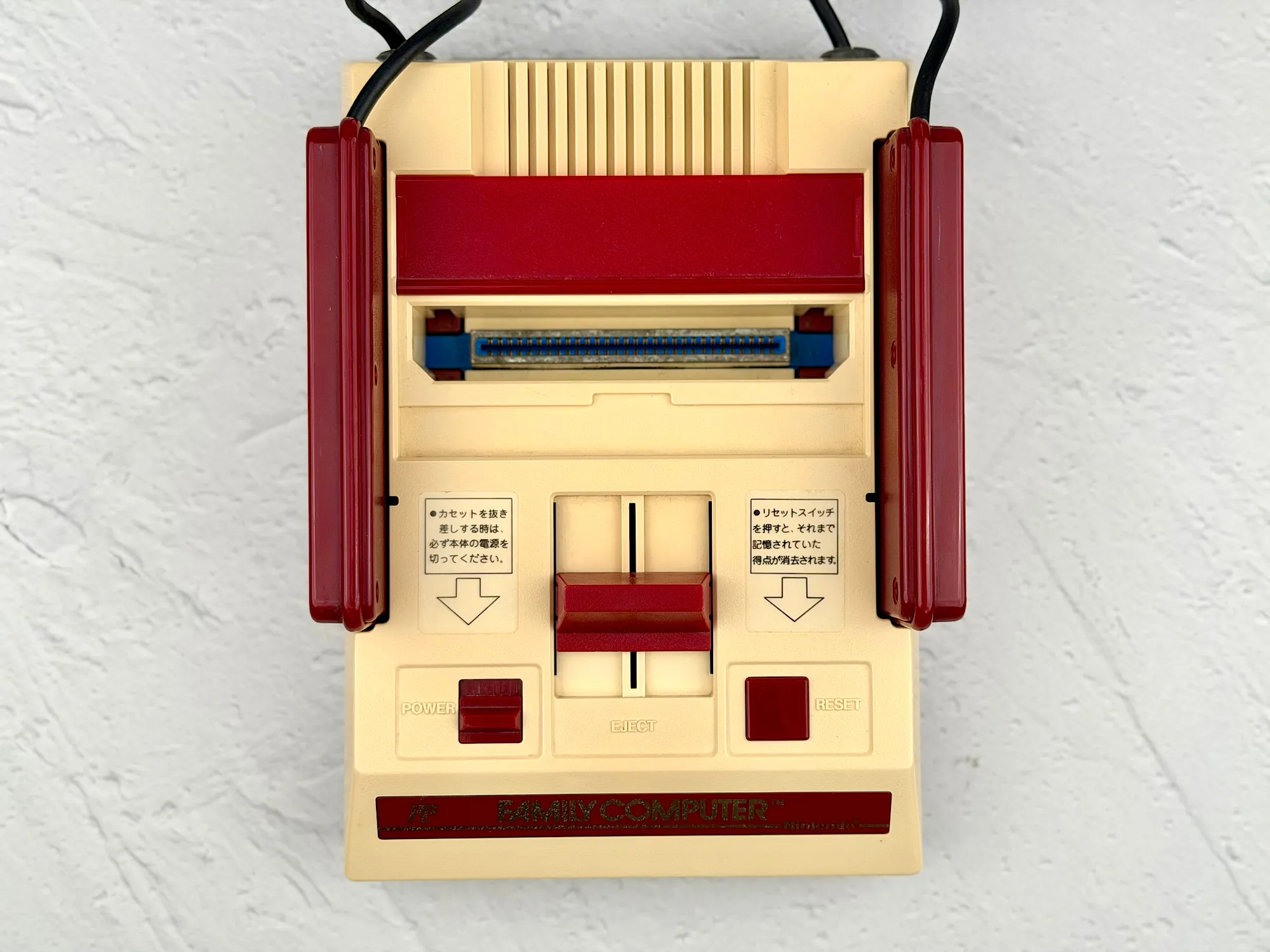
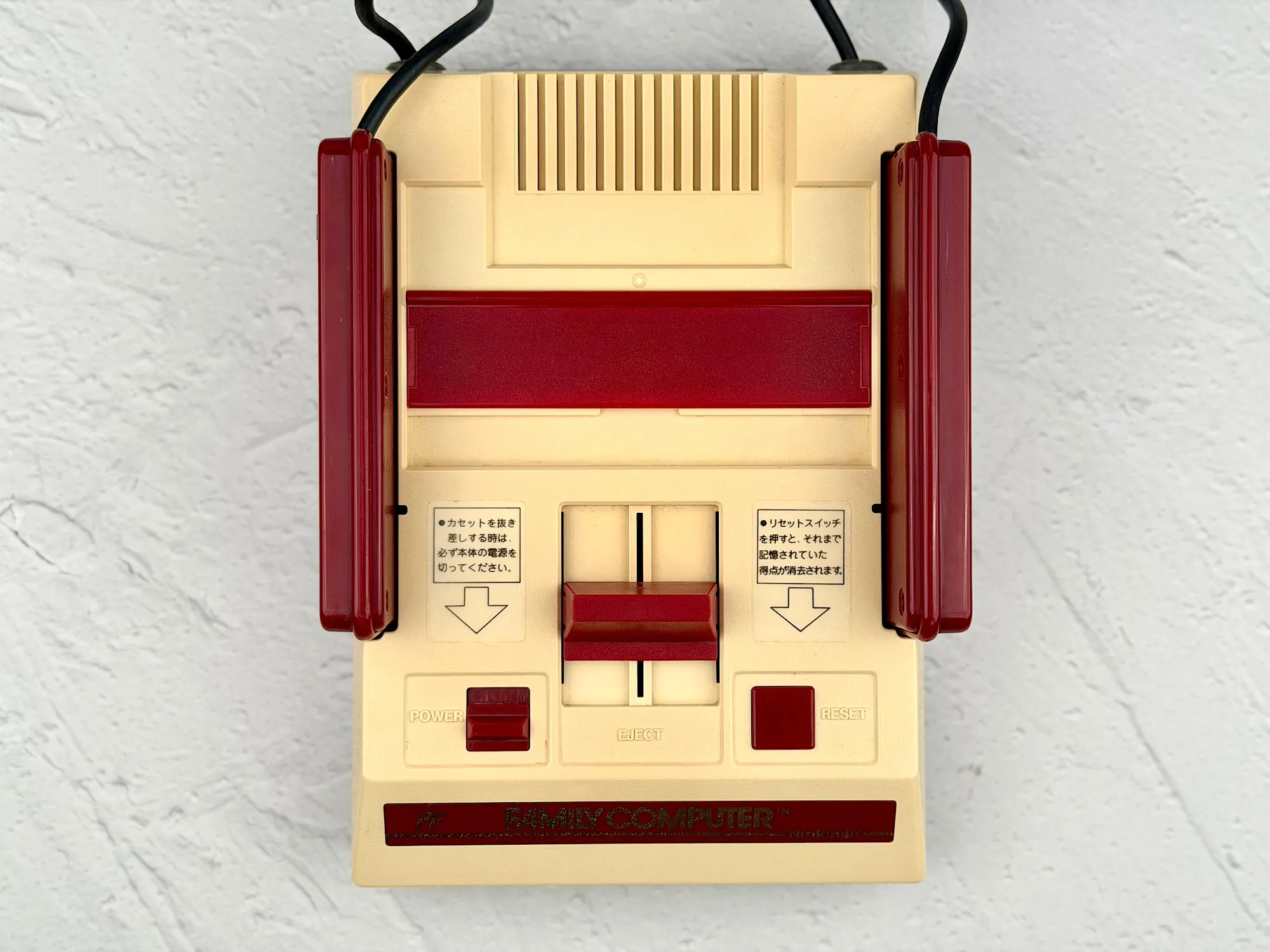
From above, you’ll spot the Power and Reset buttons, a handy Eject lever for removing cartridges, and the cartridge slot itself, covered by a dust flap.
Side panels
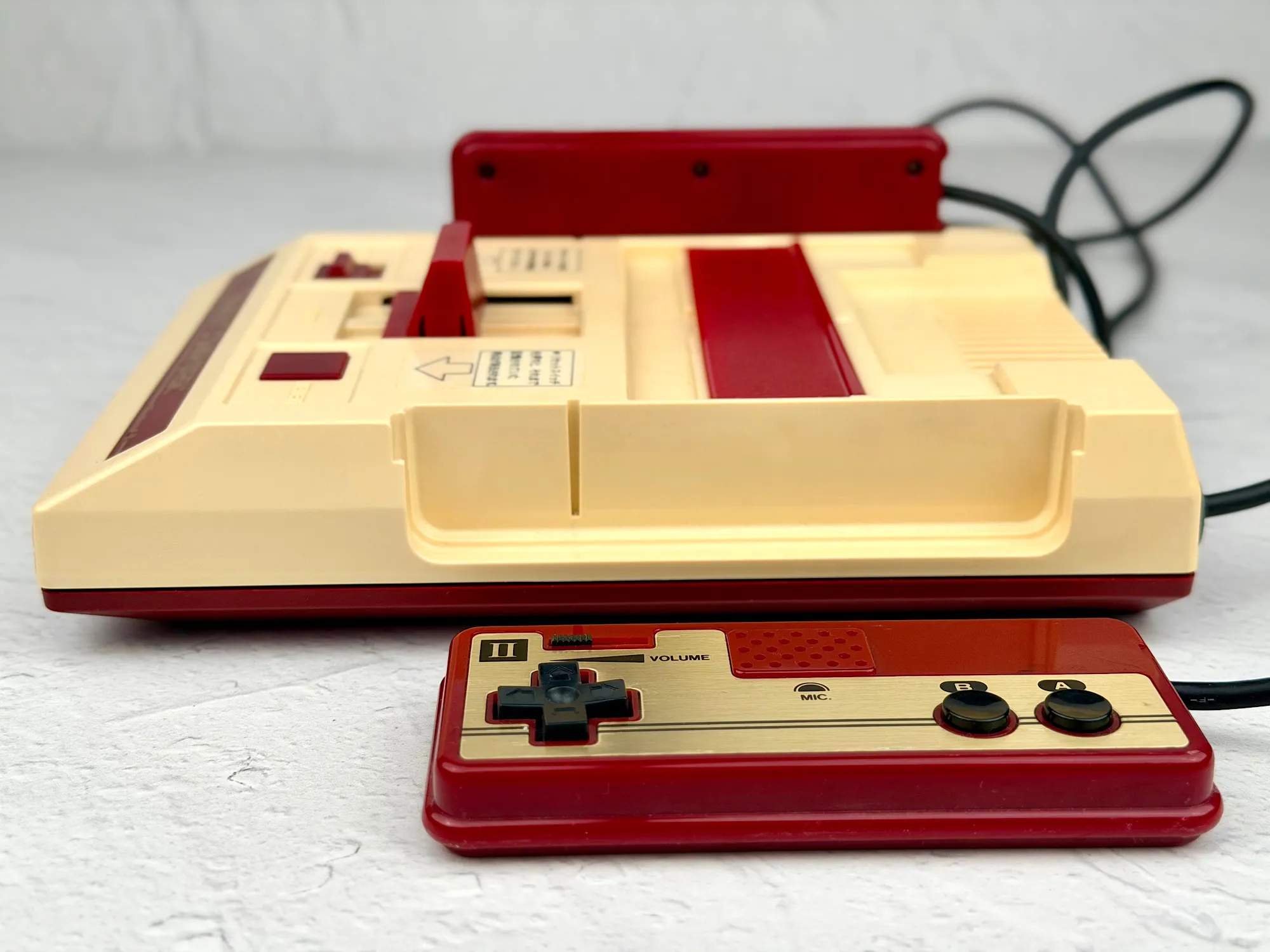
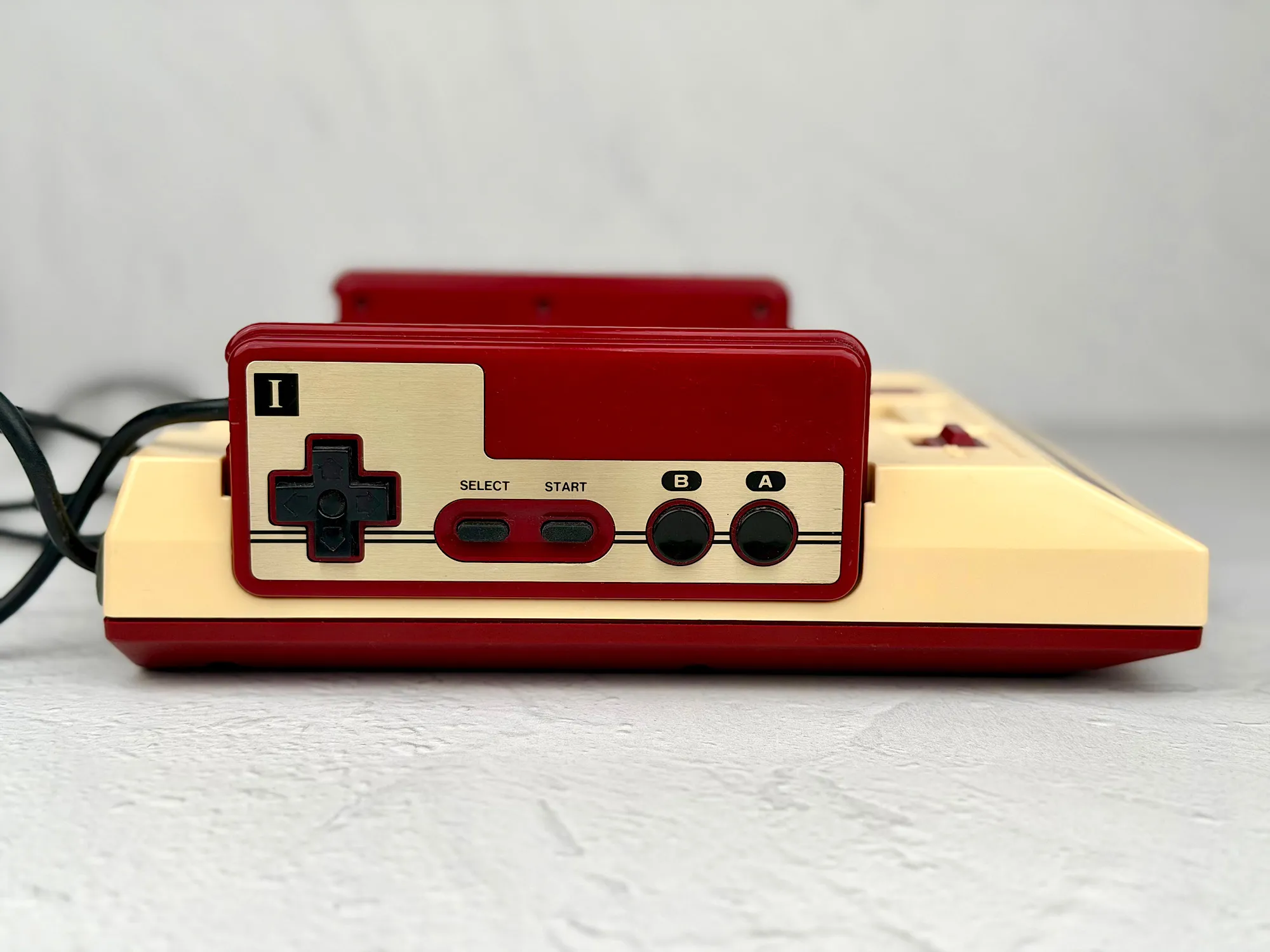
The sides are home to the built-in controllers, which tuck neatly into special slots—making storage especially convenient.
Comparing controllers
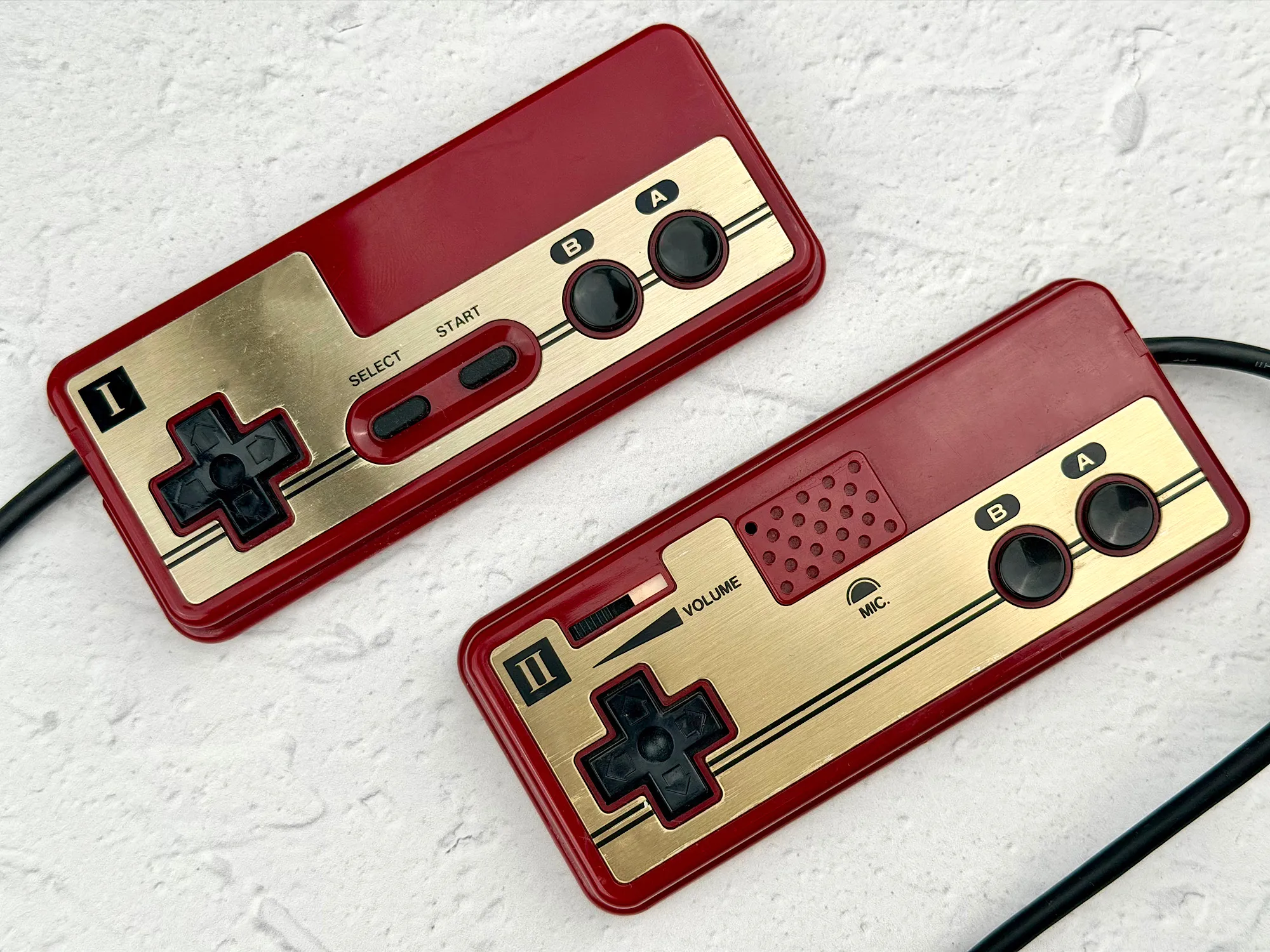
Famicom controllers deserve a special mention. The first controller features a D-pad, Start, Select, A, and B buttons—the classic gaming setup. But the second controller is a little unusual: instead of Start and Select, it has a built-in microphone and a volume dial. This quirk is unique to the Japanese versions.
Rear panel
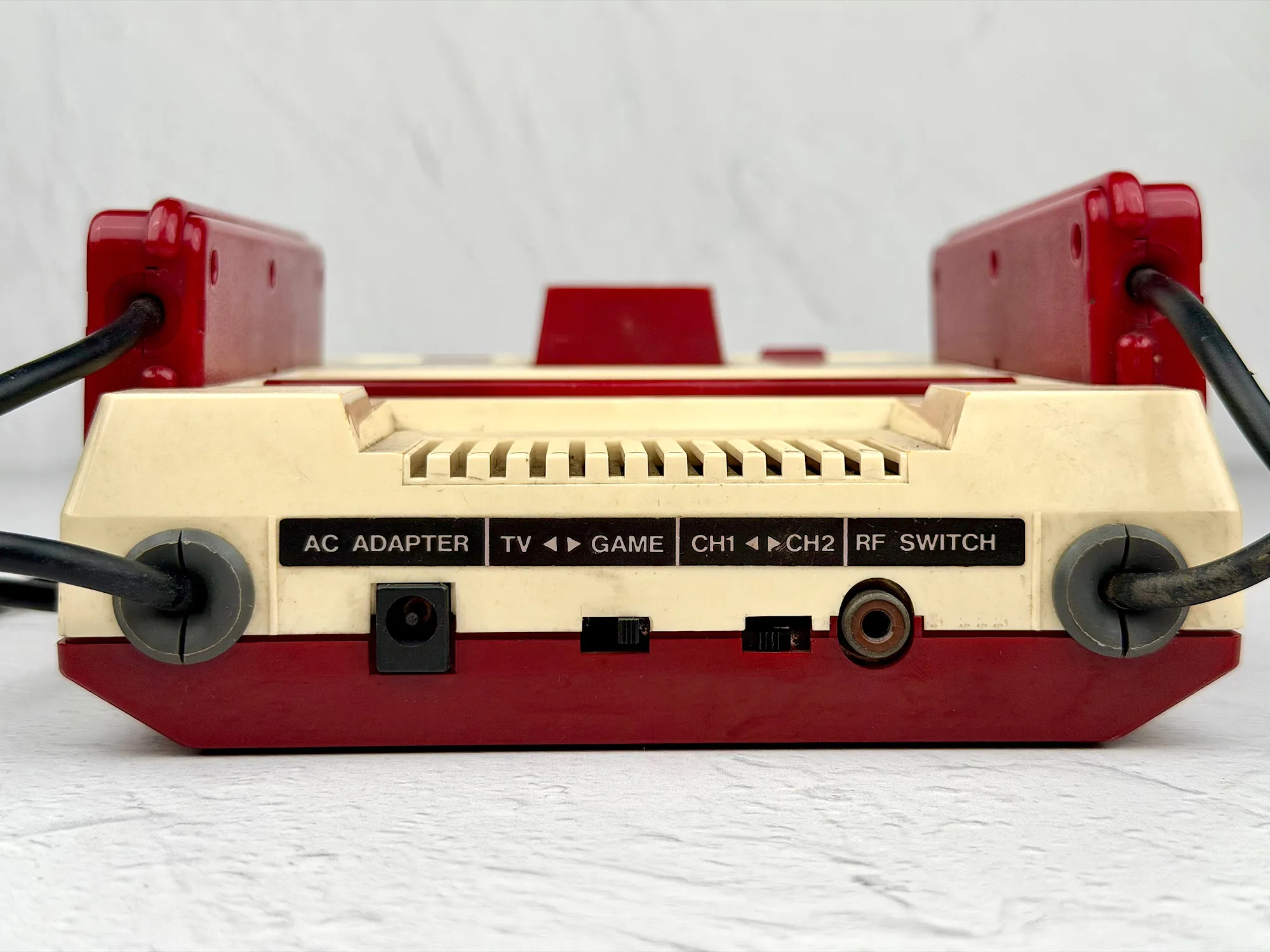
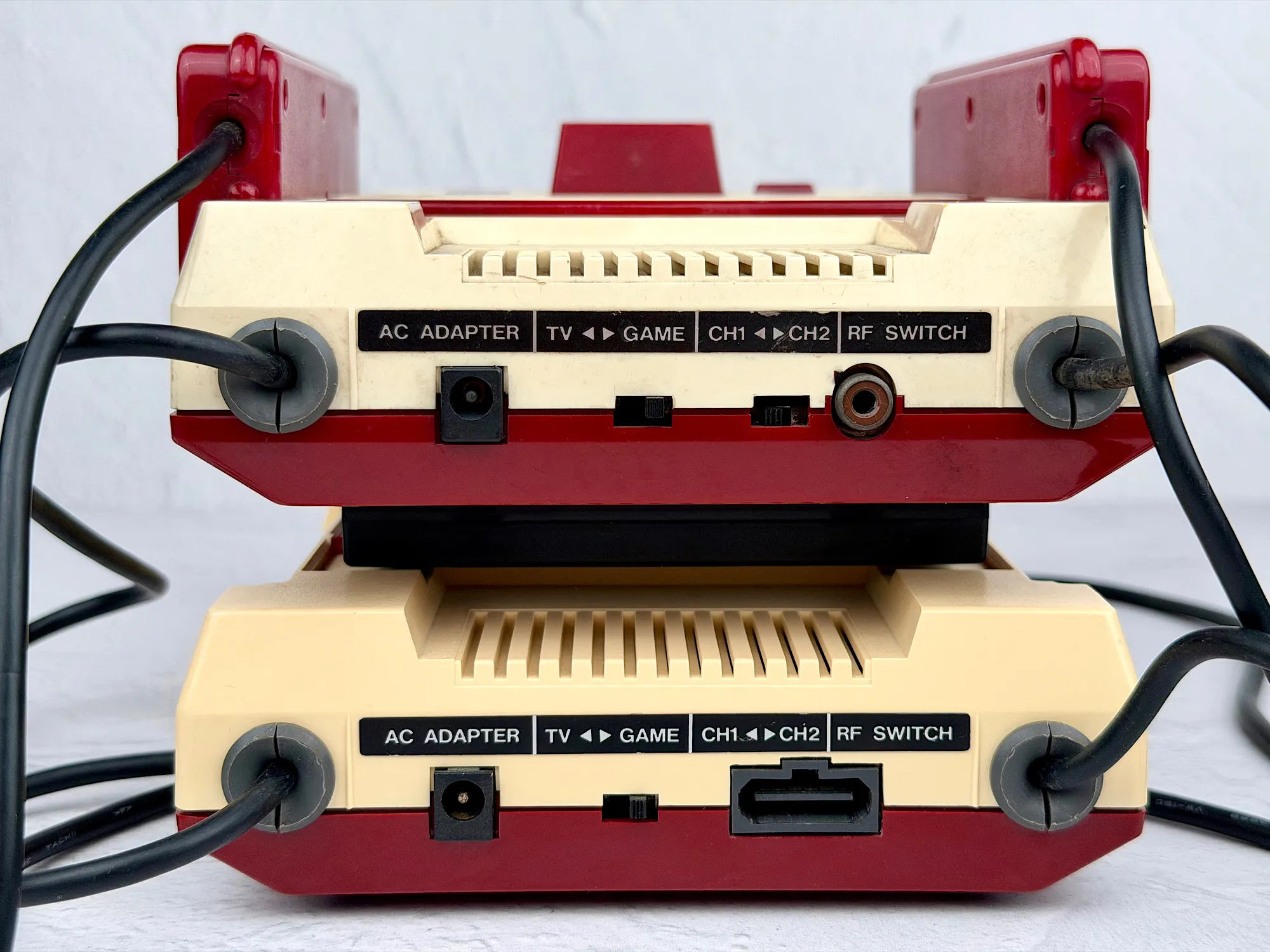
On the back, you’ll find ports for the power supply (AC) and RF (antenna) output, as well as a special "TV — Game" switch for quickly changing your TV mode.
Bottom panel
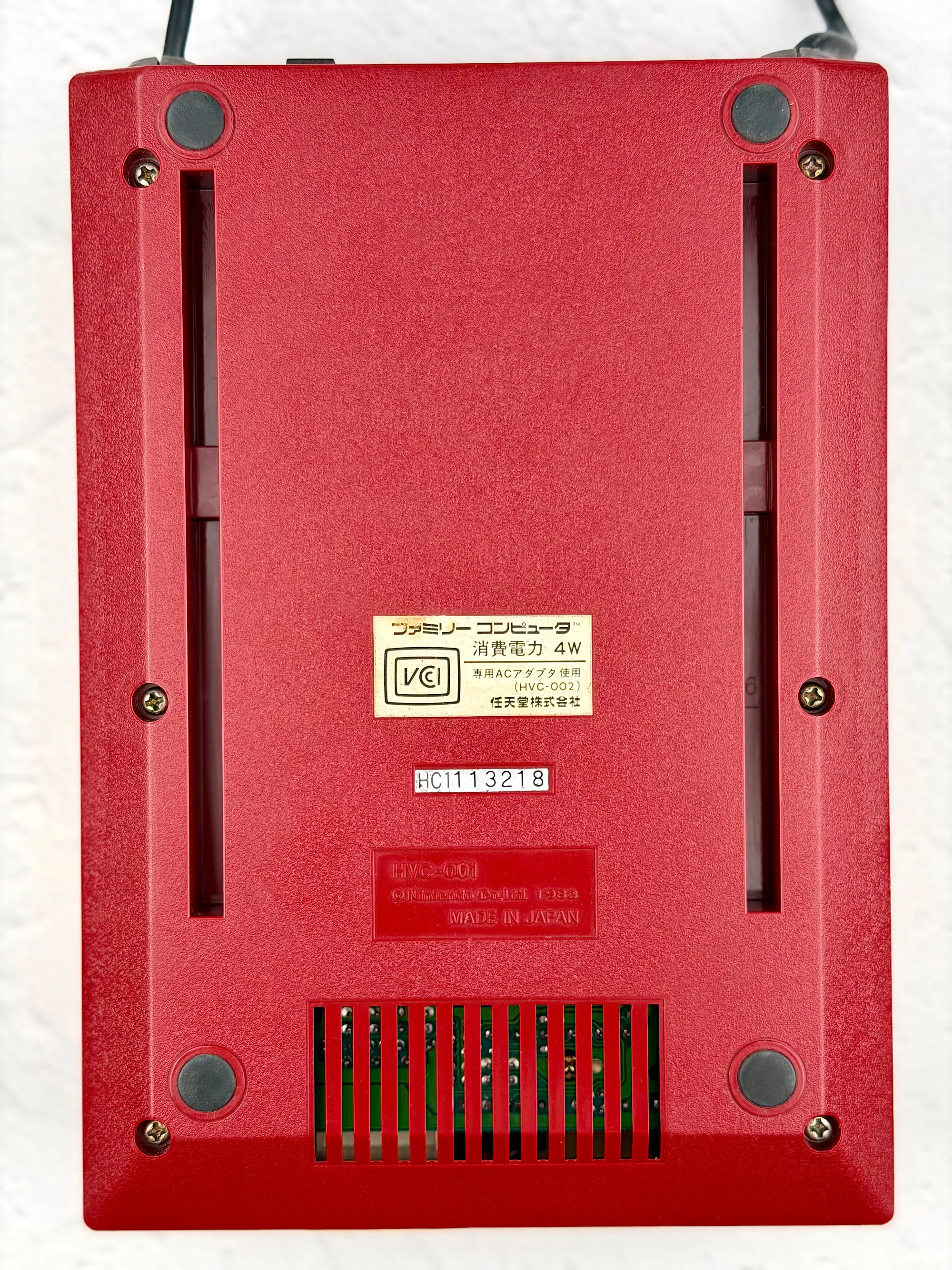
The underside of the console carries the legal text, serial number, and some mysterious indentations—meant for connecting accessories like the Famicom Disk System.
Now that we’ve taken a close look at the Famicom’s design and build, it’s time to talk about its pros and cons.
Pros and Cons
For Nintendo’s first real cartridge-based console, the Famicom turned out to be an impressive debut. You could safely call it a solid “B”—but of course, it came with its share of drawbacks.
Cons
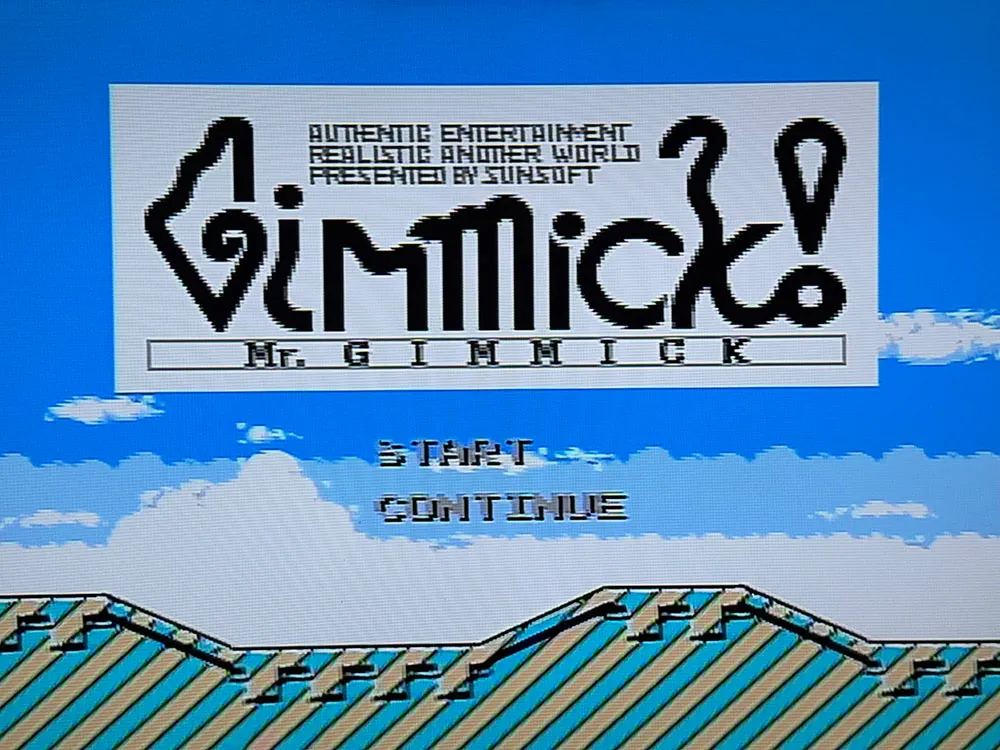
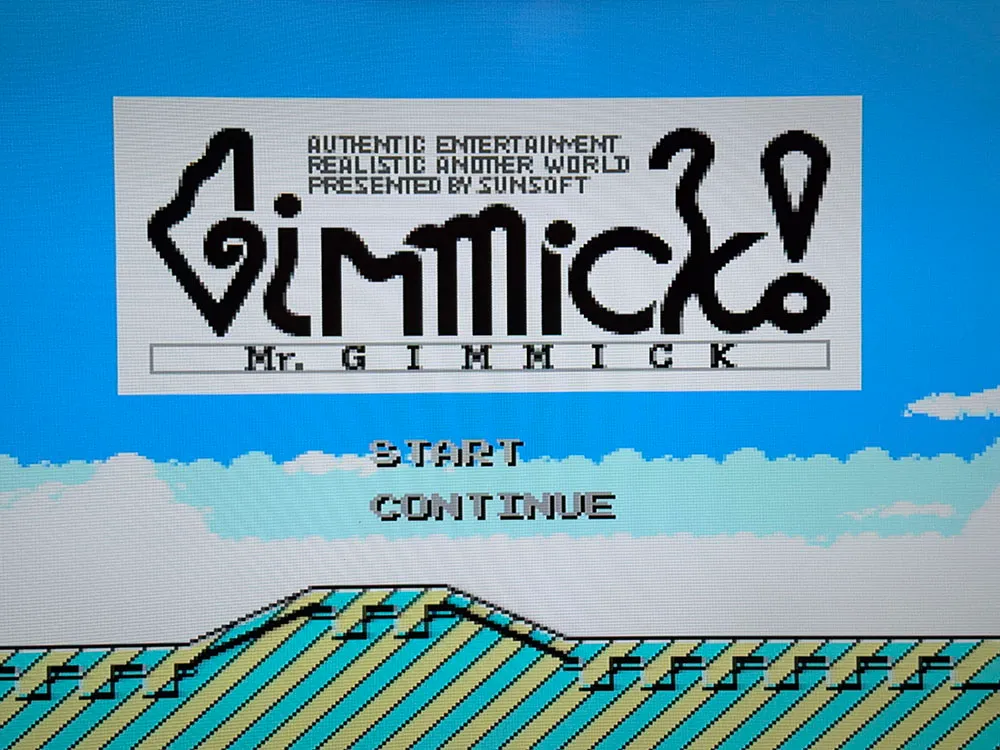
1. RF connector — the biggest headache with this console. In the 80s, this was normal, but in 2025, connecting your console to a TV using only an antenna input is a real challenge. RF is a radio signal that just can’t deliver decent picture quality, and the Famicom doesn’t offer any alternatives out of the box.
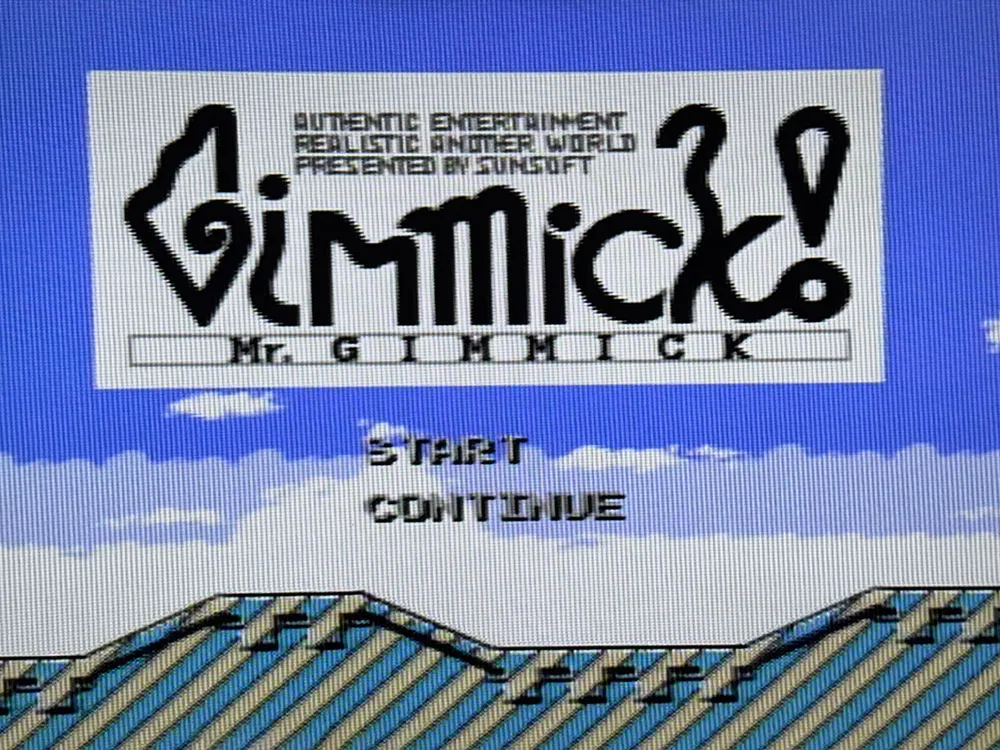
Photo of connection options: 1 — RF to TV, 2 — AV (composite) to TV, 3 — SCART (RGB) via upscaler to TV.
2. Non-removable controllers. Maybe not a dealbreaker at first, but if one of them breaks, replacing it isn’t exactly easy.
3. Very short controller cables—just 76 centimeters. And to make things worse, they plug into the back of the console, so you have to sit almost right next to the TV and the Famicom. Not exactly ergonomic by today’s standards.
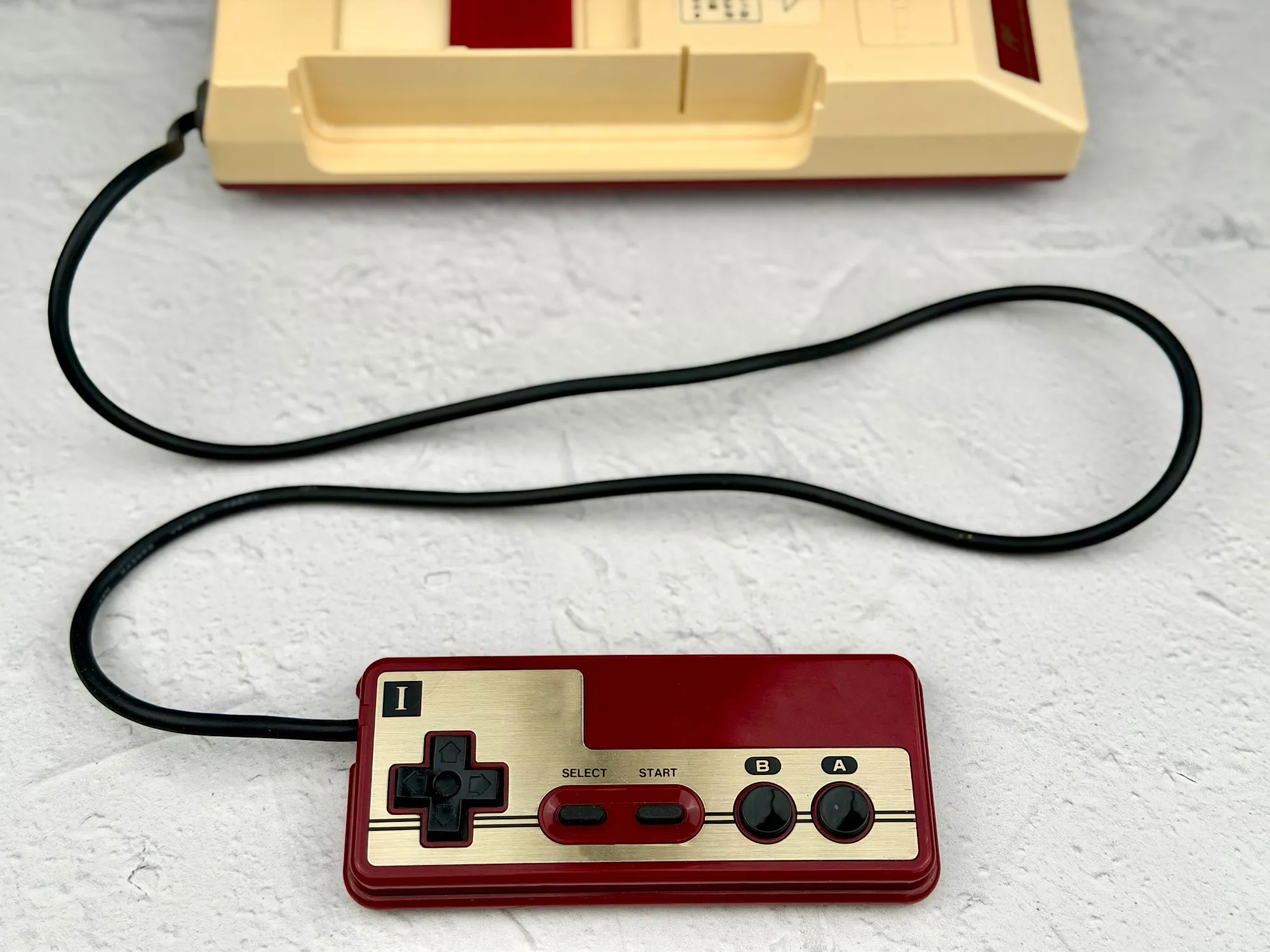
4. The second controller lacks Start and Select buttons. That limits what you can do in many games—especially when playing together.
5. Hard to connect to modern TVs. Without upscalers, playing is a struggle—the picture is way too “noisy,” and getting a clear image is almost impossible.
Pros
1. The most affordable version of the original console. Out of all the options, the Famicom is the most budget-friendly way to experience real Nintendo history. Especially great for anyone who likes to experiment or mod old hardware.
2. Perfect for modding. The Famicom is easy to modify: add an AV output, replace old parts, or even create a custom case—the possibilities for tinkerers are huge.
3. Tons of accessories. There was a flood of add-ons for the Famicom: light guns, dance mats, robots, keyboards, modems—the list goes on and on.
4. Front accessory connector. You can plug in various devices and controllers directly—no need to open the case or improvise any hacks.
5. Easy connection to the Famicom Disk System—no adapters required.
How to play on Famicom?
The answer to "how to play" might sound simple: just insert a cartridge and start gaming. But like any retro console, the Famicom comes with plenty of quirks and hidden pitfalls.
Original Famicom cartridges
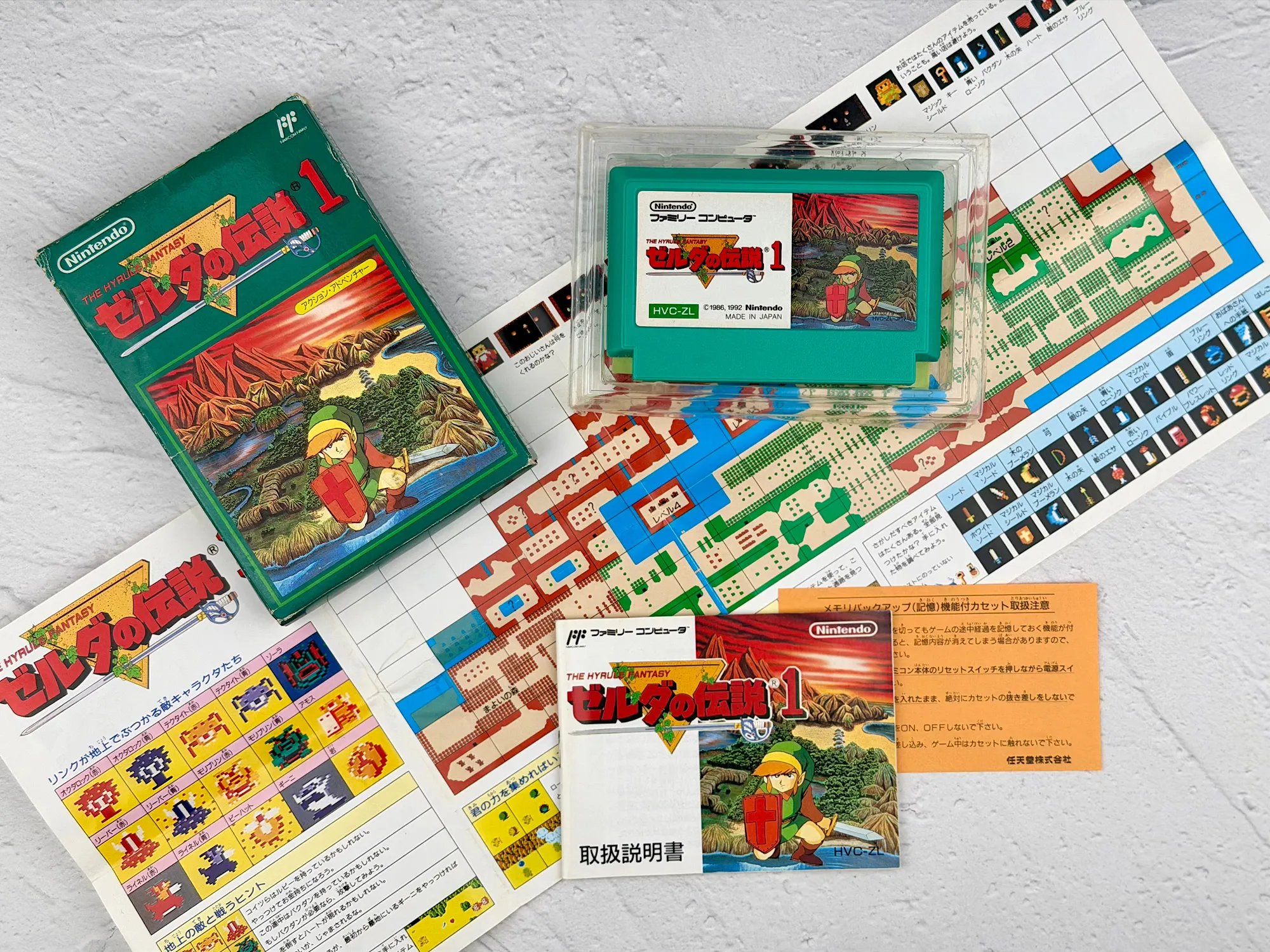
On the surface, this seems like the most “authentic” way to play—the console was made for these cartridges, after all. But in practice, there are lots of nuances:
1. Some original cartridges are extremely rare;
2. You’ll often need to order them from Japan, which adds to the price and wait time;
3. Popular games like Castlevania or The Legend of Zelda aren’t cheap—sometimes they cost more than the console itself;
4. Almost all Japanese cartridges are, unsurprisingly, only in Japanese (sometimes even the menus can be a mystery without a translation).
Original NES cartridges
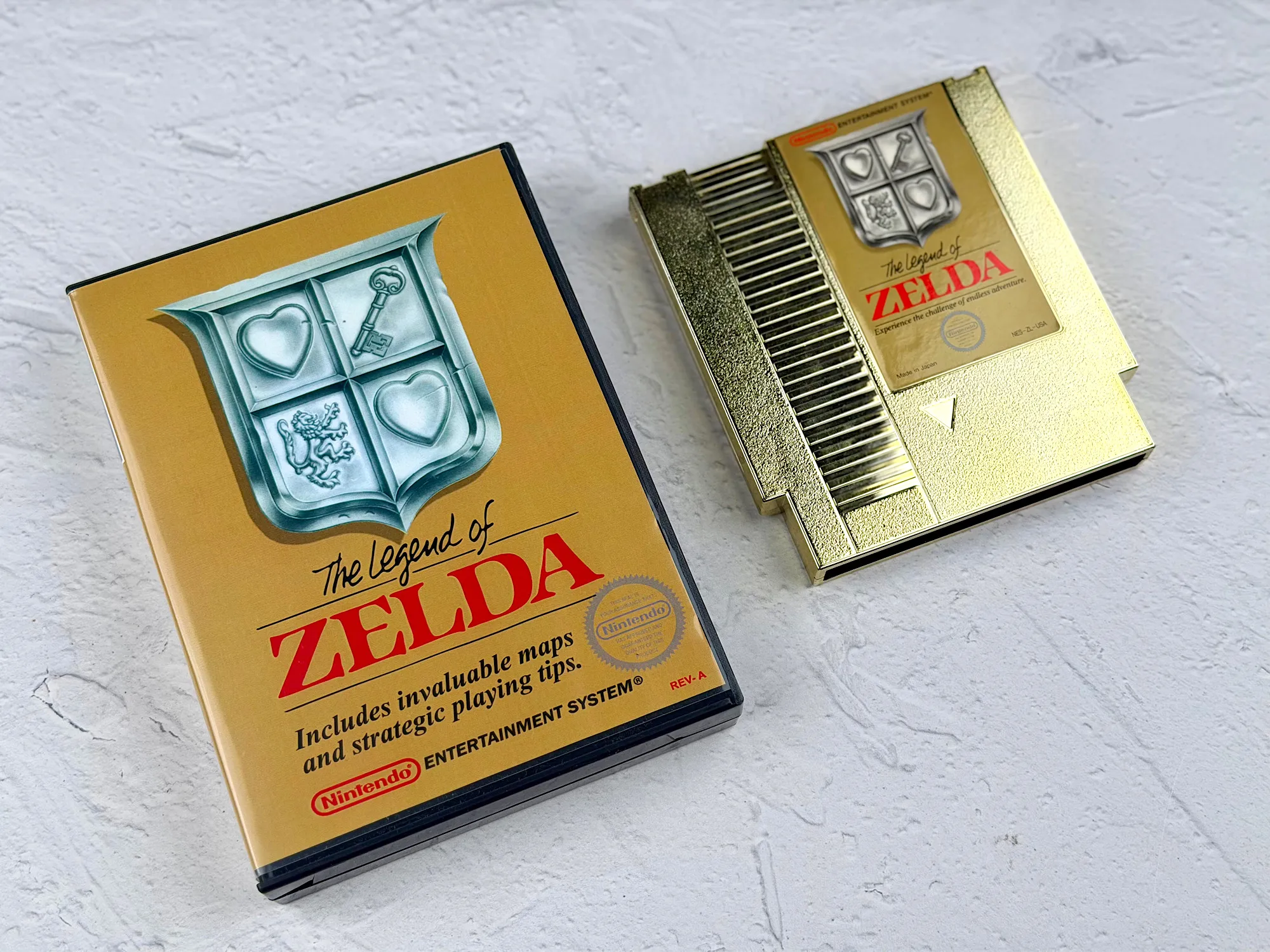
The NES is the American version of the Famicom. At first, it seems logical to buy English-language cartridges, but here’s the catch: Famicom and NES use different cartridge connectors. The Famicom uses a 60-pin (narrow) slot, while the NES uses a 72-pin (wider) slot.
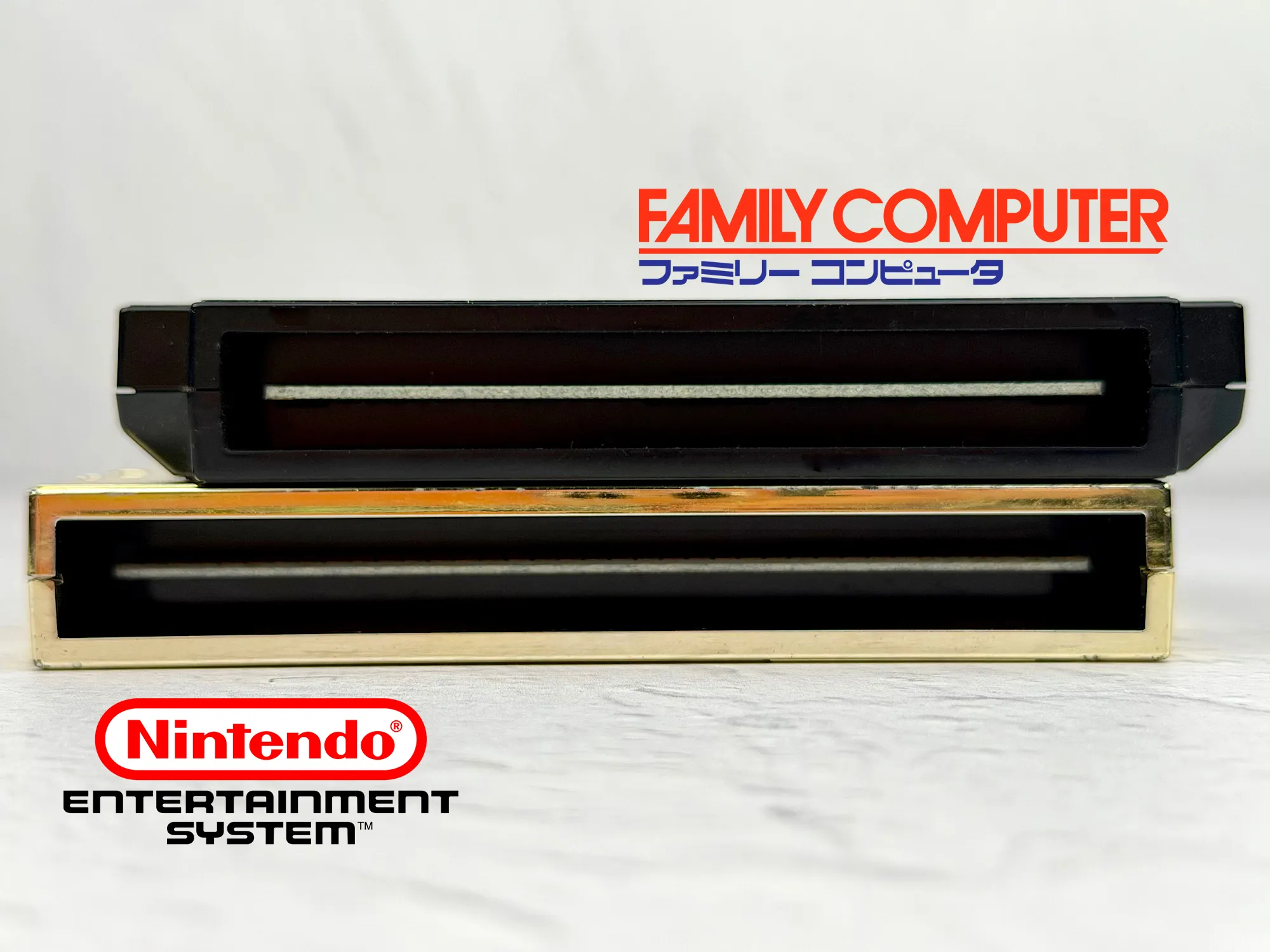
To use NES cartridges on a Famicom, you’ll need a special adapter. These are easy to find—check sites like AliExpress:
Pirate cartridges
Many gamers remember the multi-game “Dendy” cartridges—they’re still easy to find, for example, on Avito. It’s a budget-friendly (though sometimes surprisingly pricey) and accessible (but not always reliable) way to play, but it’s always a bit of a lottery: you rarely know exactly which games are included, or what the quality of the ports will be.
Flash cartridges
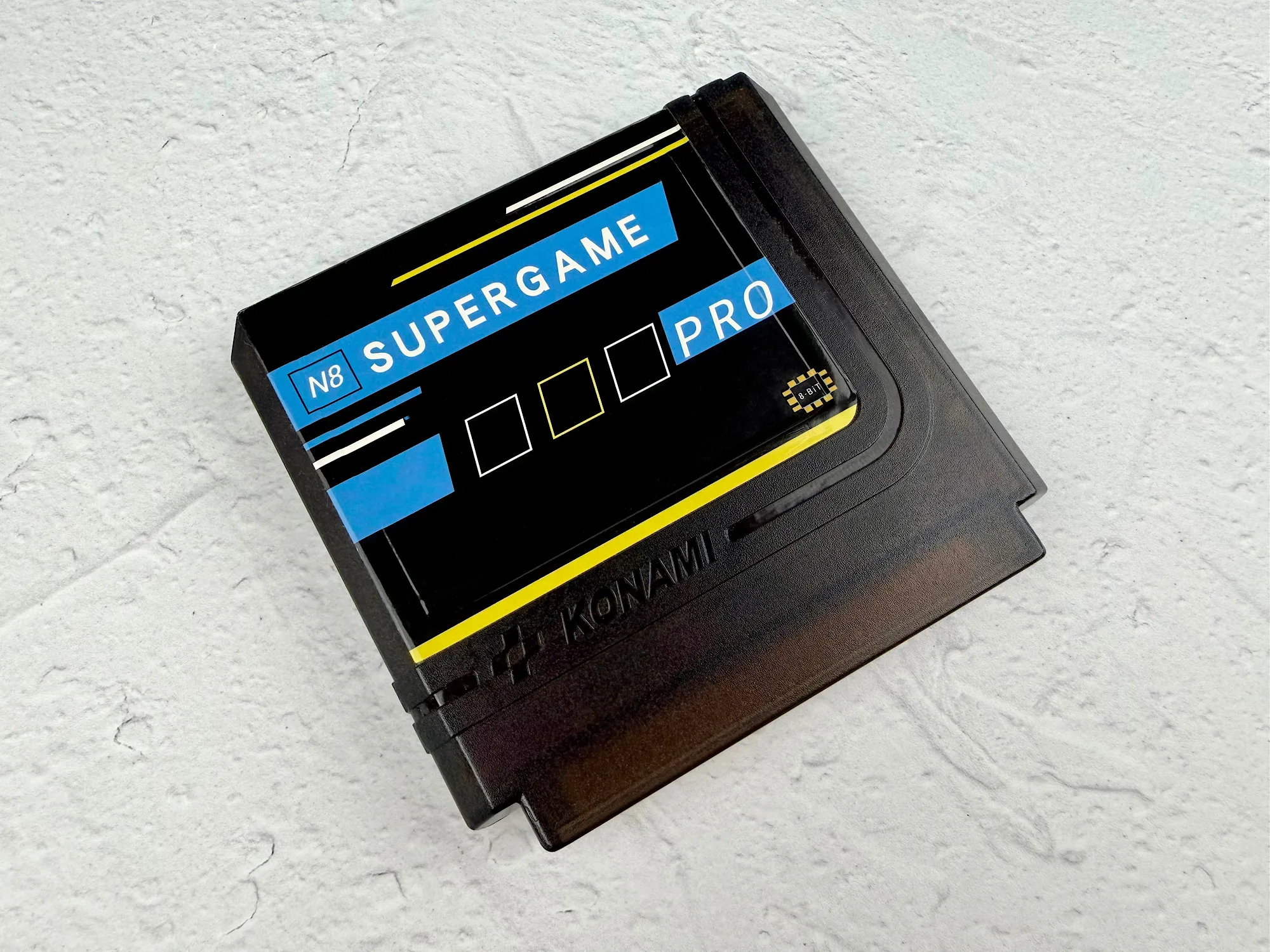
The most convenient and versatile option for modern players is a flash cartridge. With these, you can load any game ROMs onto an SD card and run them directly on the original console.
Flash cartridges are easy to find on AliExpress.
Epilogue
Nintendo truly succeeded in creating a legendary console. The Famicom became an icon and secured its place in video game history forever. But, as time goes on, nothing lasts forever: these days, playing on the original hardware without some serious modding is almost impossible.
Honestly, this hobby isn’t exactly cheap: the console itself will set you back around 5,000 rubles, another 3–5,000 will likely go into mods (AV output, new controllers, and other upgrades), about 3,000 more for a flash cartridge, and if you want a watchable picture on a modern TV, you’ll need an upscaler—which starts from 5,000 rubles and up.
So, the Famicom is an amazing choice for collectors and real enthusiasts who want to experience the genuine 80s vibe and play "the old-fashioned way." But if your goal is just to enjoy a bit of nostalgia, you might be better off with an emulator: it’s free, quick, and you won’t have to mess around with adapters and modifications.

 РЕКЛАМА:
 «ООО АЛИБАБА.КОМ» (РУ),
ИНН: 7703380158