Table of Contents
How to add a battery to an AliExpress cartridge?
Friends, there’s a new article on the site: EZ-Flash Air Review: Features, Limitations, and Comparison with Other Models.
ChisLink - a revolution in the GBA world.
Friends, AliExpress now has:
Cool metal labels for Game Boy Advance consoles. Important: the OMEGA series will no longer be produced — it is being replaced in the lineup by the EZ-Flash Air.
Cool eXtremeRate cases for GBA SP.
Friends, help me buy (if you have) various old stuff: Help me buy.
If you want to rewrite a Game Boy Advance cartridge from AliExpress, you will encounter one problem - if there is volatile SRAM memory, the cartridge does not have a battery installed.
The Chinese have long been using BatteryLess technology, which allows saving directly to the memory chip where the game itself is stored. This also reduces production costs, as there is no need to solder additional components and the battery itself onto the board.
However, it is unknown how they patch the game. MetroidManiac posted his program on GitHub that makes such patches. But it has its own problems, such as the game freezing during saving. And considering that saves are made automatically (without player involvement), you may encounter freezes during gameplay.
In this article, we will talk about how to solder a battery to an AliExpress cartridge. Thanks to Stanislav Slow, who explained and showed me everything in detail!
Unfortunately, simply soldering a battery is not enough for saves to work.
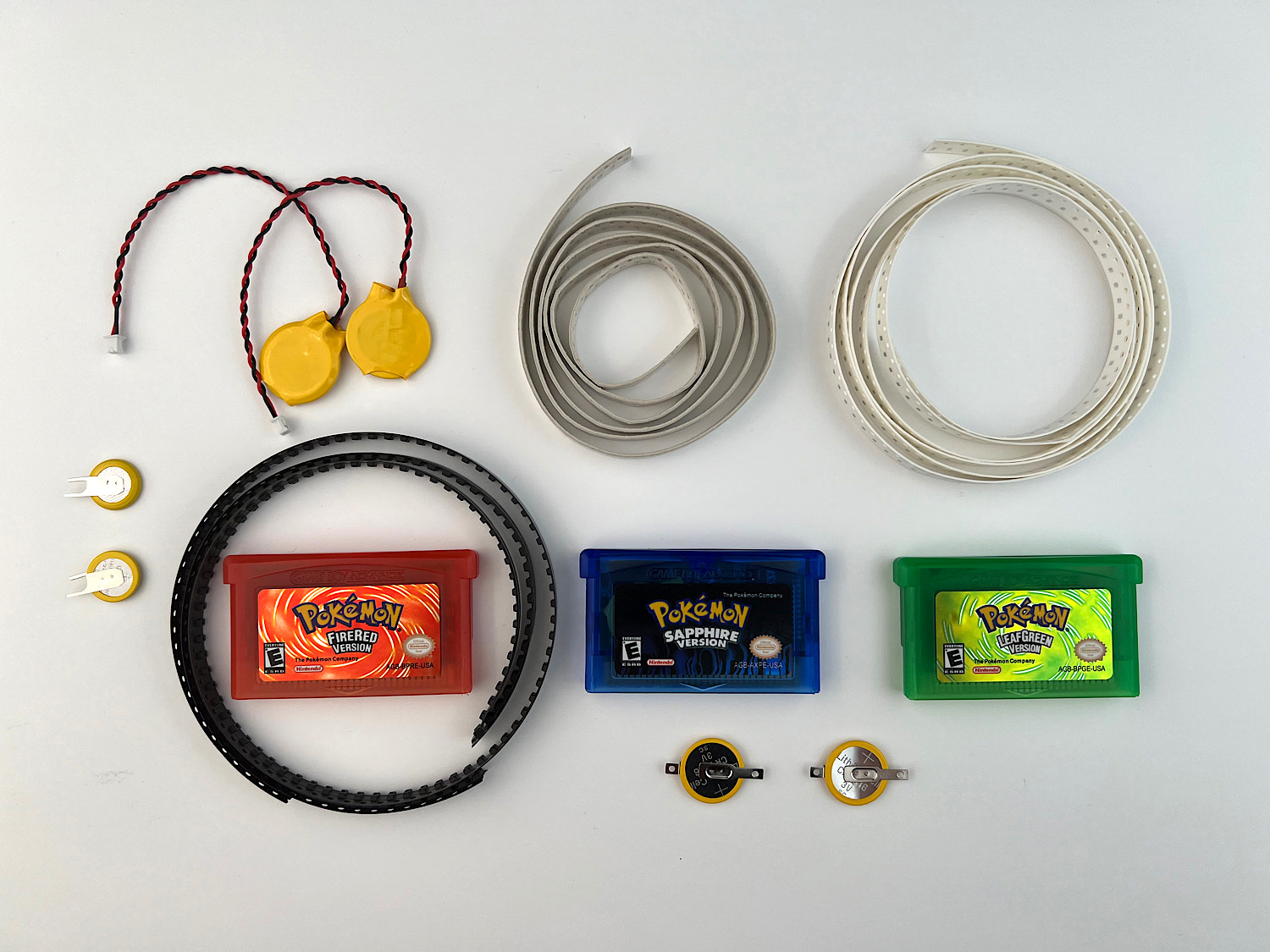
We will need suitable cartridges, diodes, resistors, capacitors, and batteries.
Where to buy?
The first thing we need is the cartridges themselves. I ordered different cartridges, but the best (and easiest to install a battery) were bought on AliExpress:
We also need batteries. I tested many batteries:
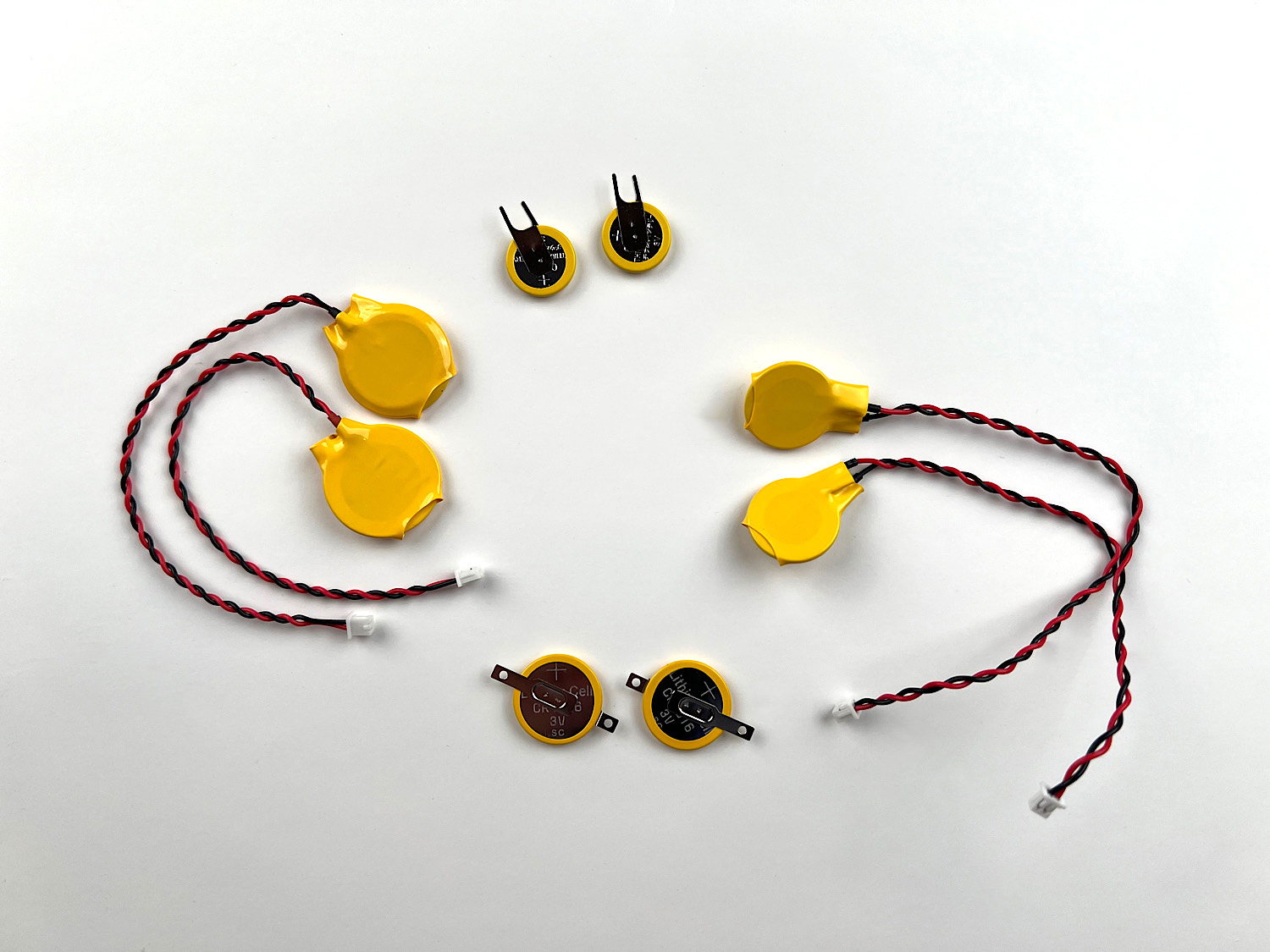
The best fit were those called CMOS CR1616 (in the photo on the right (with wires). It should be understood that the numbers 1616 are the size. The first 16 is the width (16 mm), the second 16 is the thickness (1.6 mm). You can take batteries labeled 2016 (they are wider and the same thickness).
You also need to buy:
Now that you have everything, you can start soldering.
Types of cartridges
The main problem is that even when buying cartridges from the same seller, you can get completely different boards. For example, boards 2 and 3 (in the photo below) were bought at the same time on the same product page from the same seller.
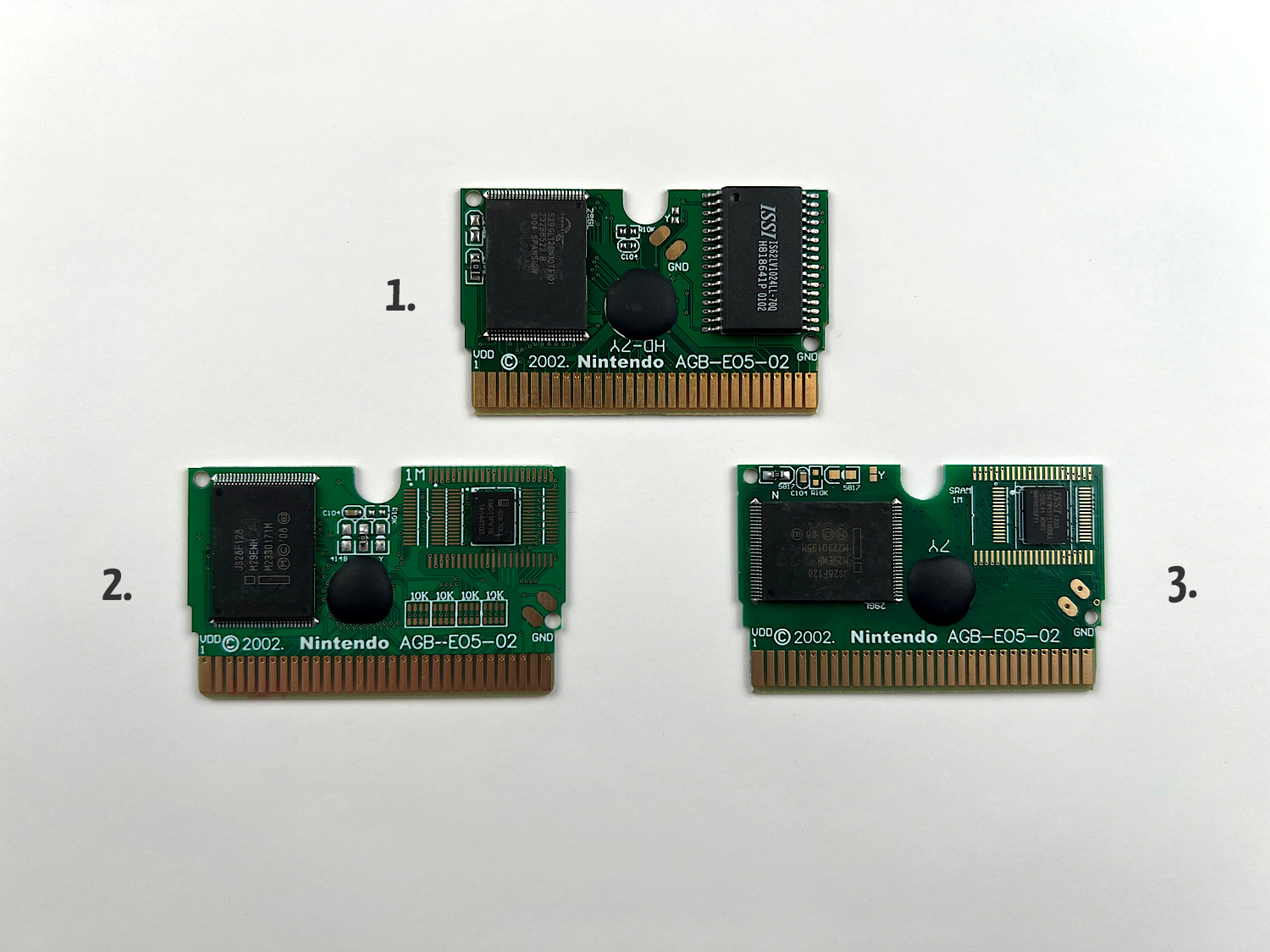
If your cartridge is slightly different from those above, you will most likely still be able to install a battery using the same components. You just need to compare the component markings on the board and find the same ones on yours.
Board 1
Let's start with board 1. This is its view before soldering:
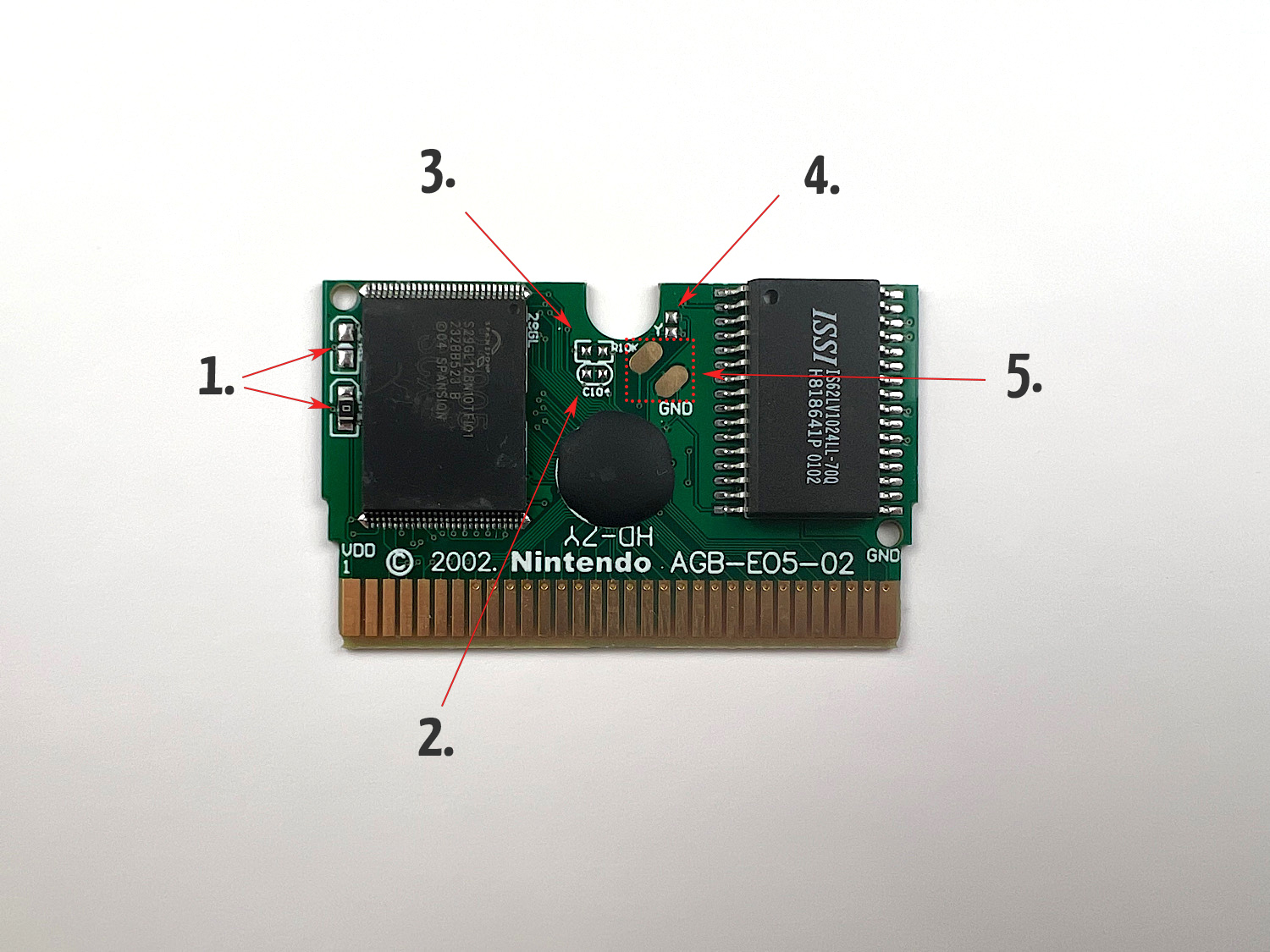
Let's go in order.
In the place marked with the number 1 (see photo above), you need to desolder the jumper labeled 0.
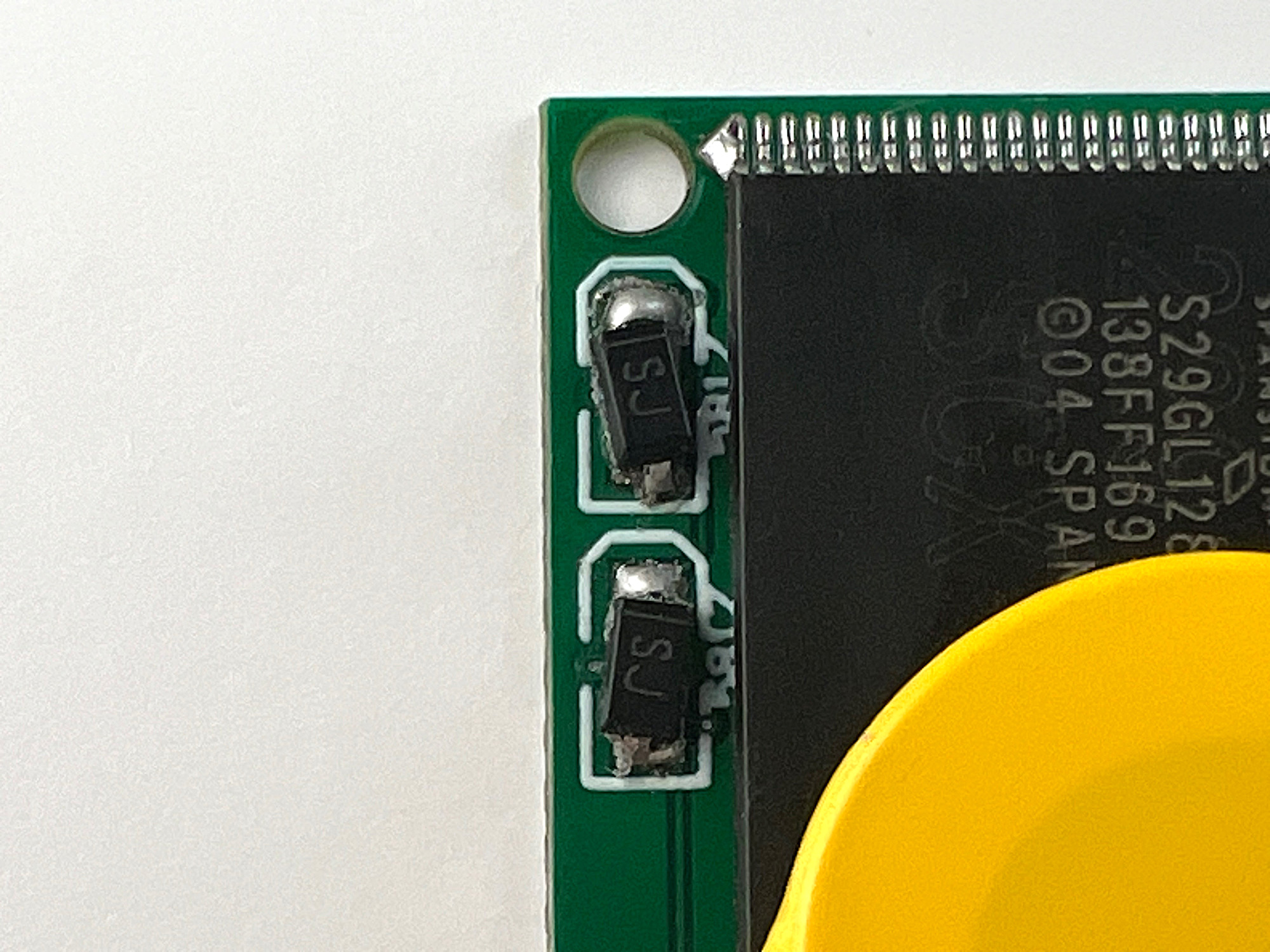
Then you need to solder two diodes. Note that the diode has an SJ marking and a white stripe.
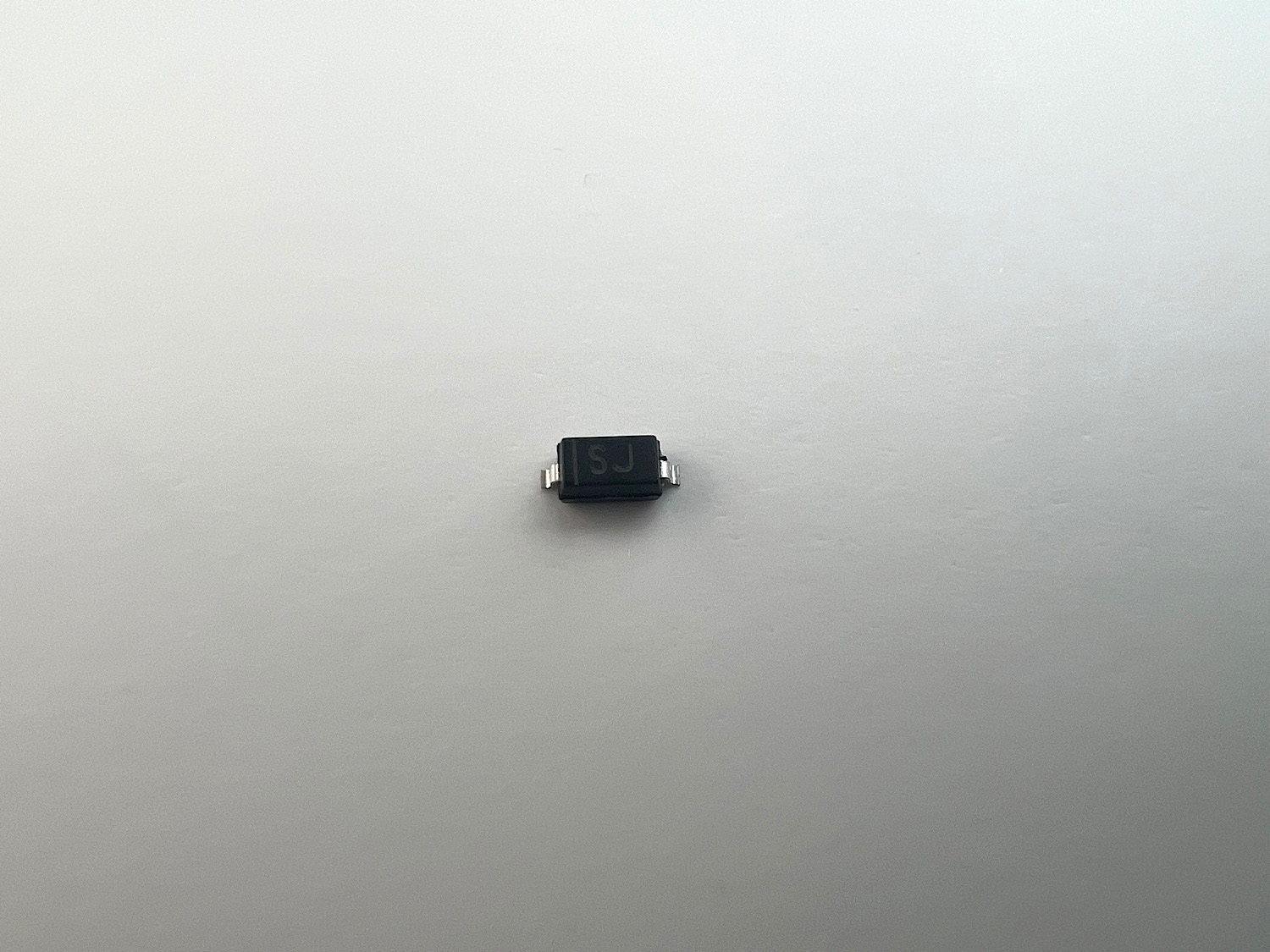
The position of the diode matters, and this stripe should be on top.
In the place marked with the number 2, you need to solder a capacitor.
In the place marked with the number 3, you need to solder a resistor.
In the place marked with the number 4, you need to connect two contacts.
And in the place marked with the number 5, you need to solder the battery. The black wire (minus) to the contact labeled GND (i.e., the lower one), the red wire to the upper contact.
You should end up with this:
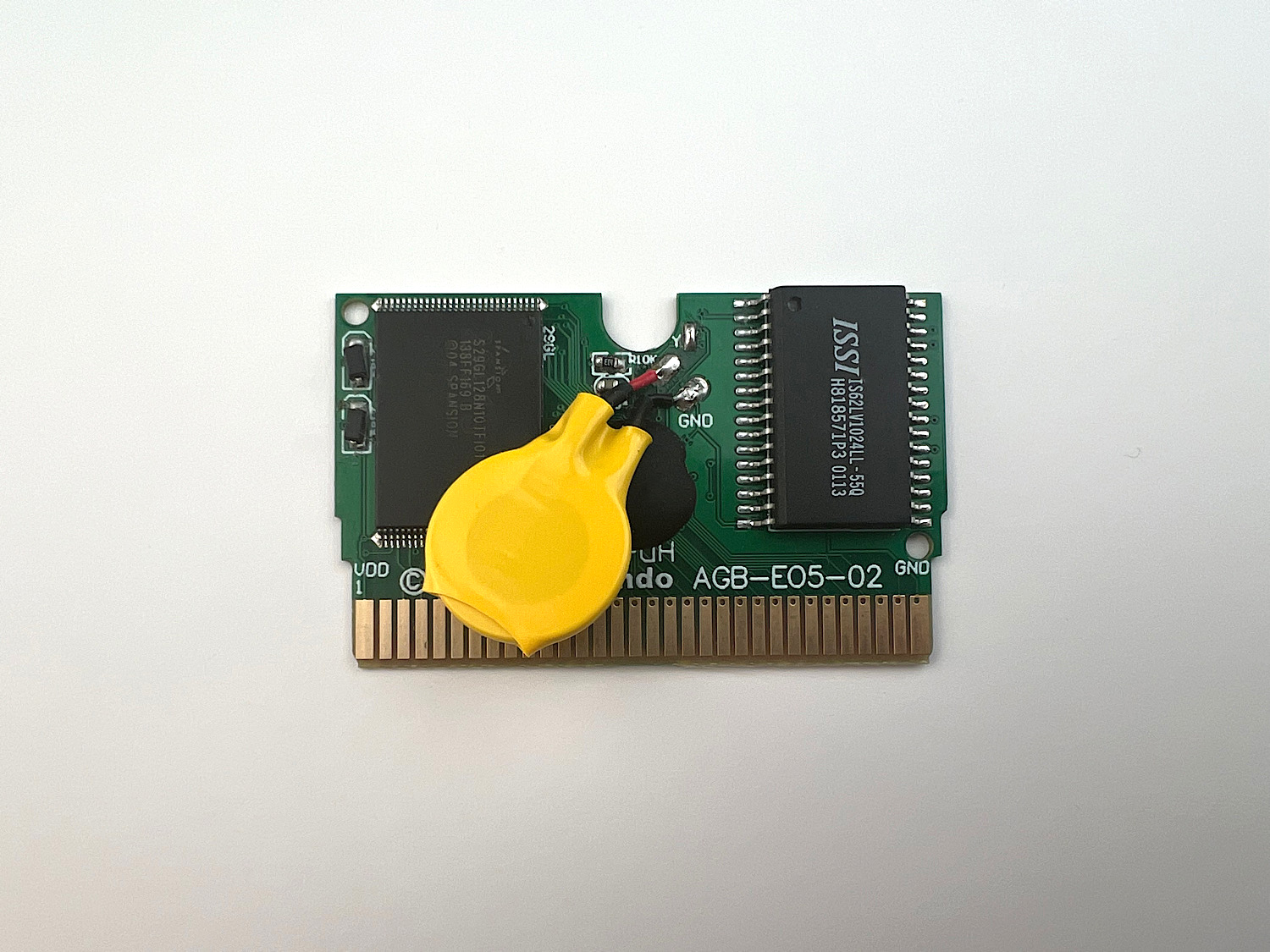
That's it, after this, saves should work.
Board 2
If you got such a board, then everything is a bit simpler because the capacitor is already installed.
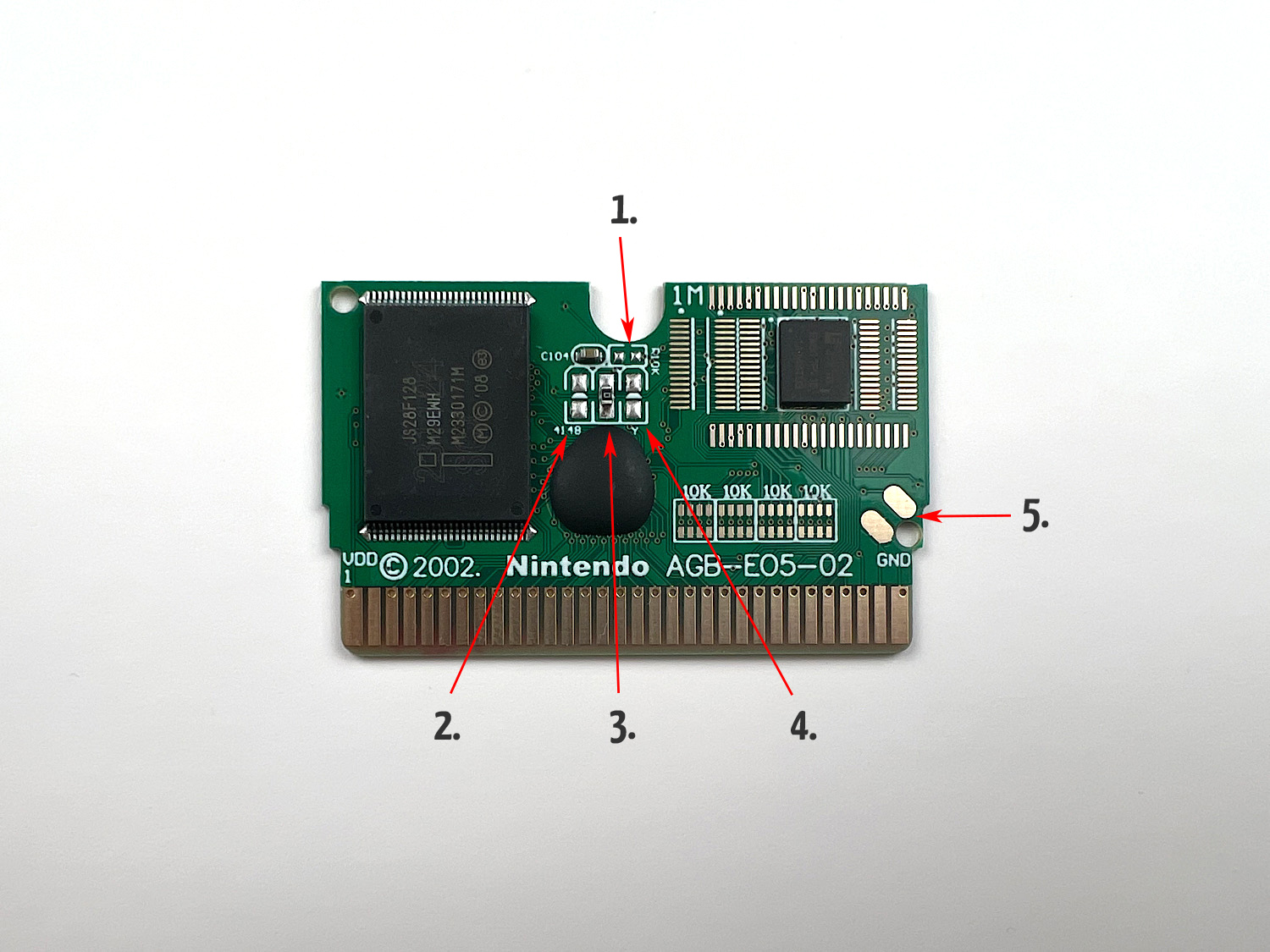
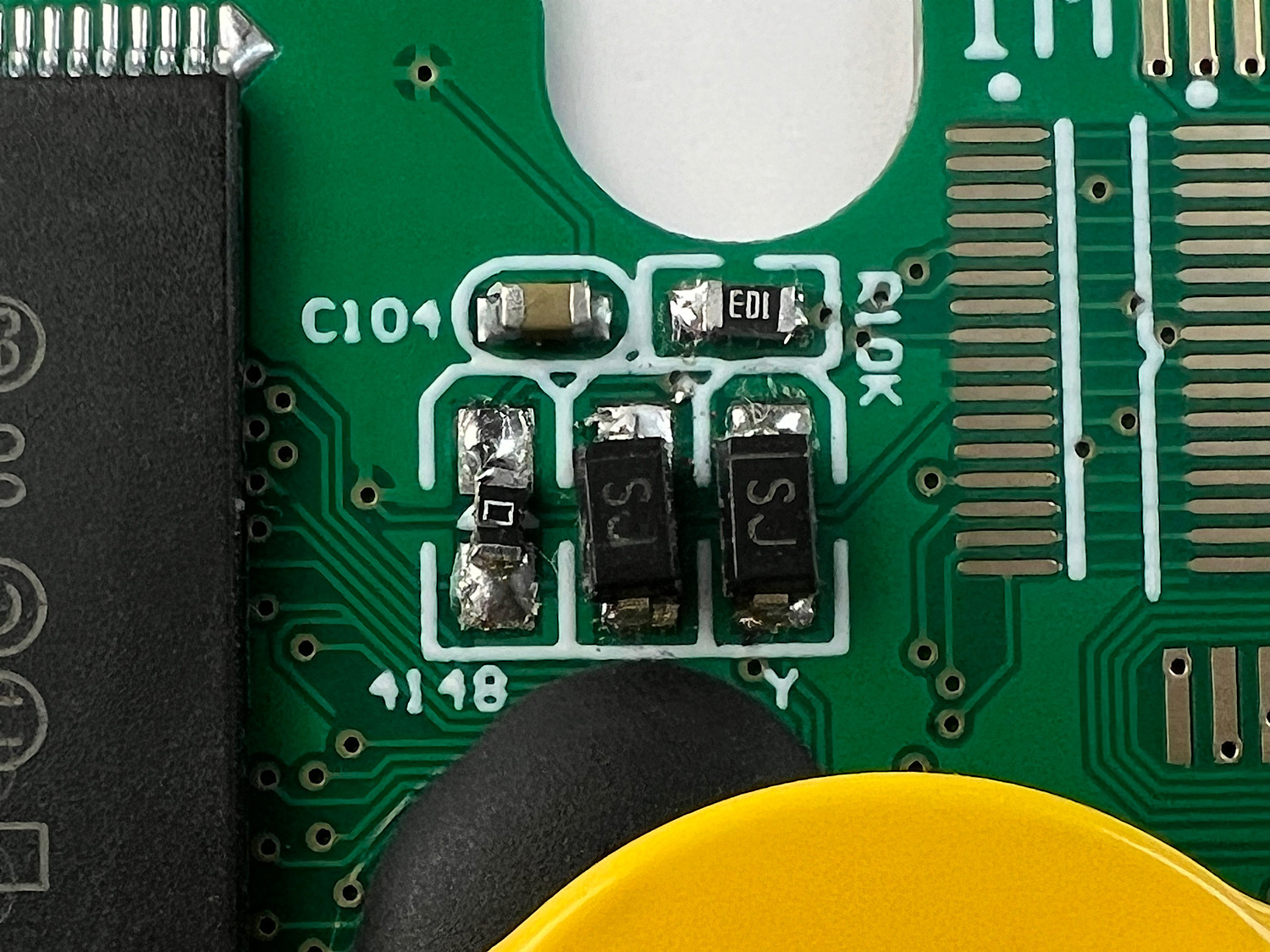
In the place marked with the number 1, you need to solder a resistor.
From the place marked with the number 3, you need to desolder the jumper labeled 0 and solder it to the place marked with the number 2.
Then, you need to solder two diodes in the places marked 3 and 4. As with the previous cartridge, solder them with the stripe facing up.
And in the place marked with the number 5, you need to solder the battery. The black wire (minus) to the contact labeled GND (i.e., the lower one), the red wire to the upper contact.
In the end, it should look like this:
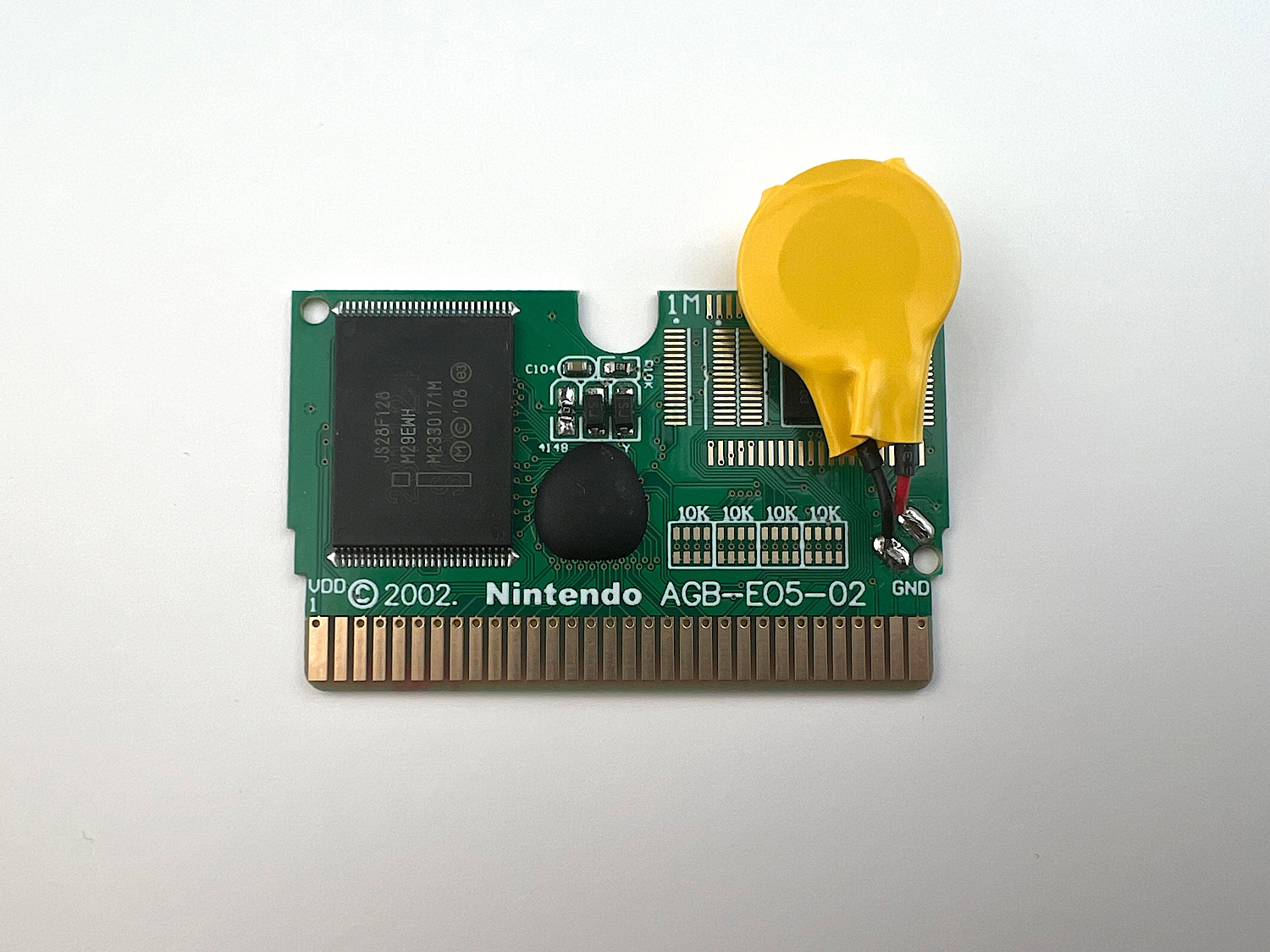
After this, saves should work.
Board 3
Let's move on to the last board. It also has a capacitor already installed, so the installation will be a bit easier.
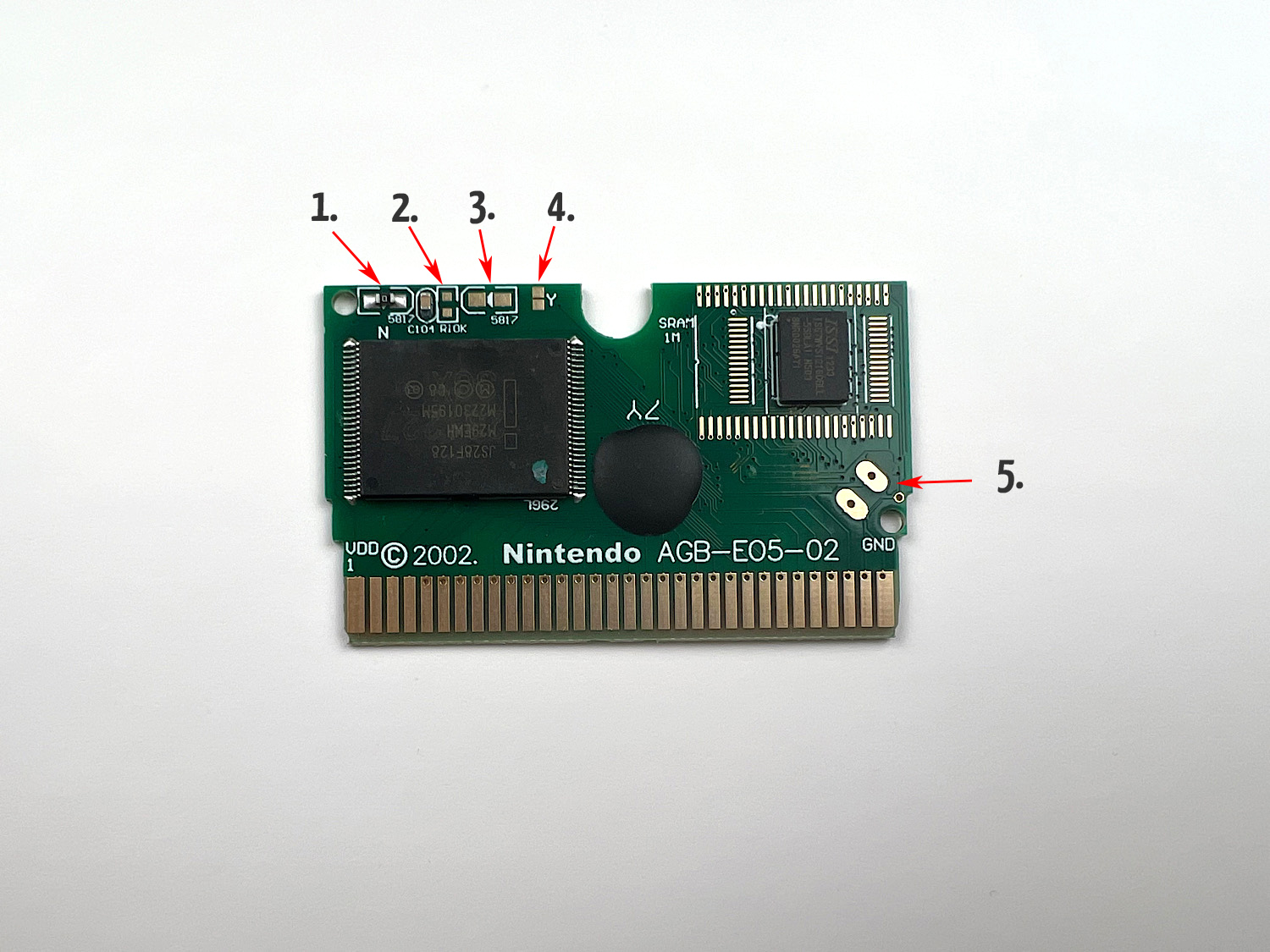
In the place marked with the number 1 (see photo above), you need to desolder the jumper labeled 0.
In the place marked with the number 2, you need to solder a resistor.
Then you need to solder two diodes in the places marked 1 and 3. With the stripes facing each other.
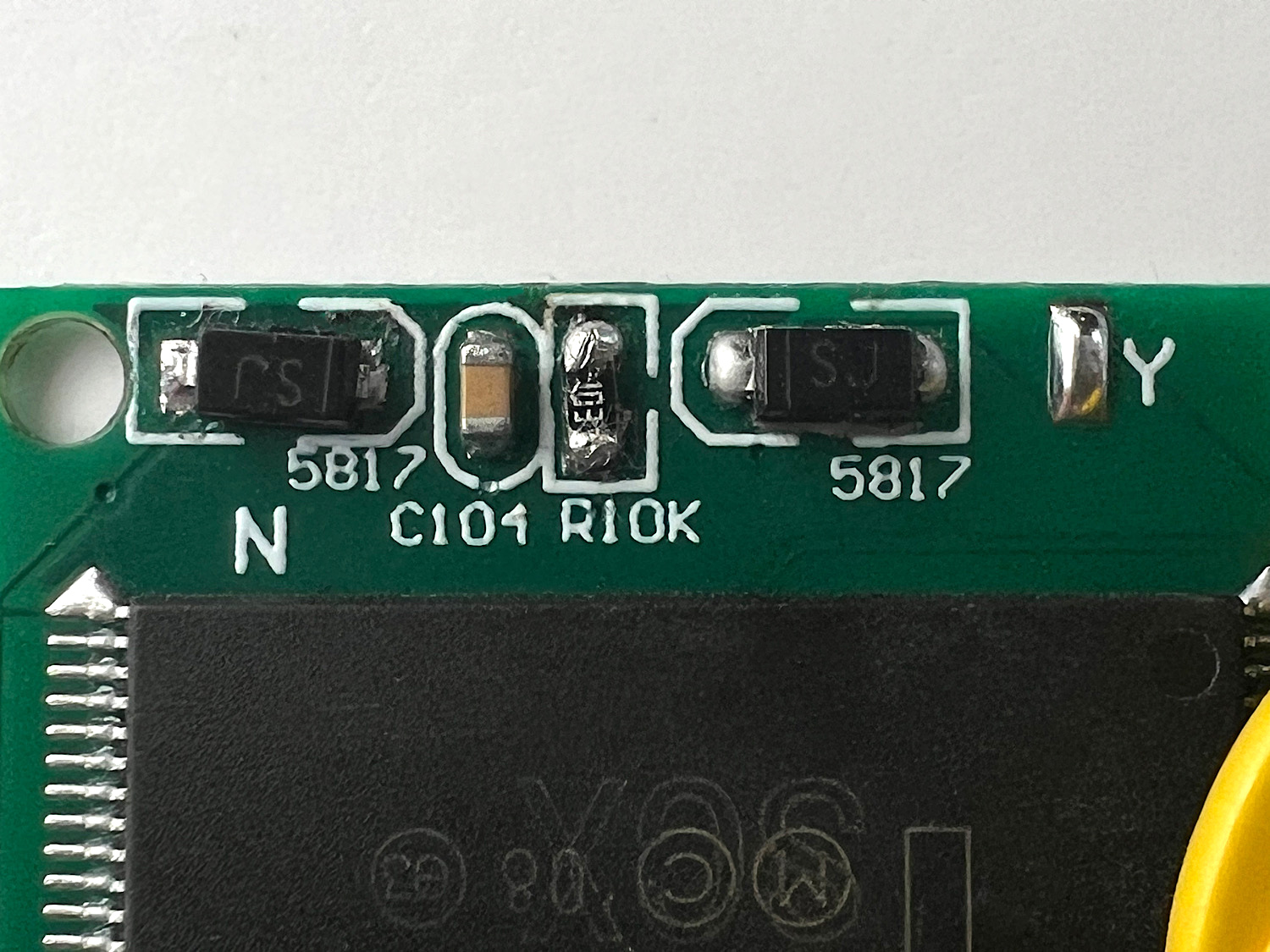
In the place marked with the number 4, you need to connect two contacts.
And in the place marked with the number 5, you need to solder the battery. The black wire (minus) to the contact labeled GND (i.e., the lower one), the red wire to the upper contact.
Result:
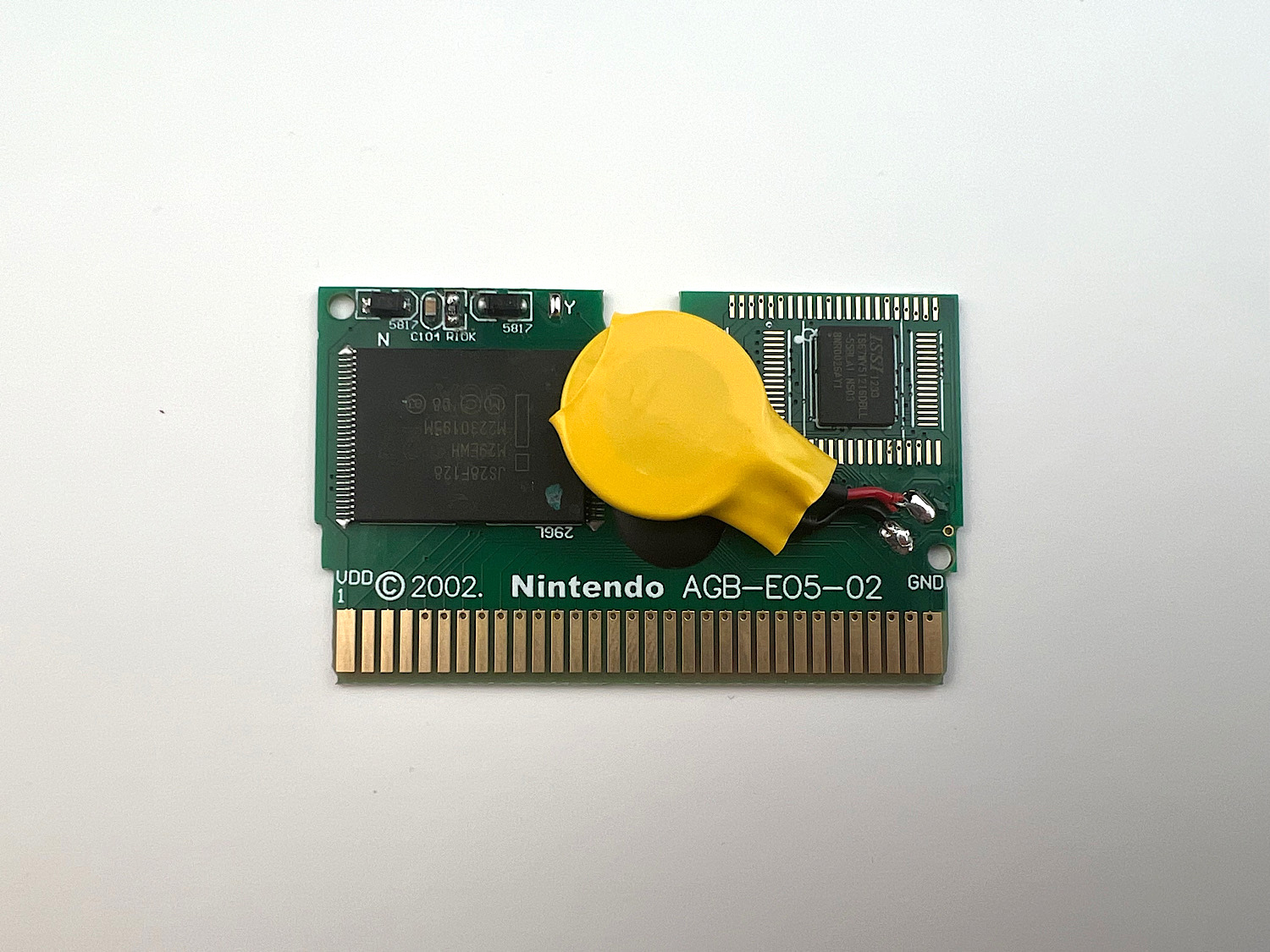
That's it, after this, saves should work.
Epilogue
Of course, soldering various components and batteries is much more difficult than patching a game. But while BatteryLess patching is not perfect, there is not much choice.