Contents
Which Famicom / NES Console Should You Choose?
Friends, there’s a new article on the site: EZ-Flash Air Review: Features, Limitations, and Comparison with Other Models.
ChisLink - a revolution in the GBA world.
Friends, AliExpress now has:
Cool metal labels for Game Boy Advance consoles. Important: the OMEGA series will no longer be produced — it is being replaced in the lineup by the EZ-Flash Air.
Cool eXtremeRate cases for GBA SP.
Friends, help me buy (if you have) various old stuff: Help me buy.
Which Famicom / NES Console Should You Choose?
If in 2025 you decided to buy an original console from the Famicom family, and before that you only dealt with Dendy, you’re in for a surprise: there isn’t just one “original” model. There are several, and they’re all noticeably different. Nintendo alone released four different versions, not counting licensed models and regional redesigns.

Here are the consoles that belong to the Famicom / NES family:
1. Family Computer HVC-001 — the classic red-and-white Japanese version (the one most clones are based on);
2. Nintendo Entertainment System (NES-001) — the American take on the Famicom, with that iconic “VCR-style” case;
3. Nintendo Entertainment System (NES-101) — a compact revision of the NES, also known as the NES Top Loader;
4. AV Family Computer HVC-101 — the last Japanese version with AV output, sometimes called the “Japanese top loader”.
And here’s the fun part: despite having the same roots, these consoles differ a lot. Not just the shell shape, but compatibility, video outputs, controllers, and even the accessory lineup.
That’s why it really matters which model you pick today — especially if you want to actually play, not just put it on a shelf.
Before we start — a separate thank-you to Ruslan!
I have no idea how he pulled it off, but our Tatar guy from the Orenburg steppes (somewhere “not far from Japan”, of course) has what is probably the biggest home console collection I’ve ever seen.
And yes: he didn’t just collect it all — he also kindly provided the consoles for this review, so you can see each one live, with photos, descriptions, and all the little details.
General info
Famicom / NES are 8-bit home consoles of the third generation — a true classic.
From 1983 to 1993 Nintendo released four main models in the Famicom / NES family. The hardware inside was almost the same, but everything around it changed drastically — even the cartridges used different connectors.
Hardware-wise, the Famicom / NES family used the following architecture:
- CPU: Ricoh 2A03 (based on MOS 6502), 1.79 MHz (Japan) / 1.66 MHz (USA);
- RAM: 2 KB system memory + 2 KB video memory (VRAM);
- Graphics: Ricoh 2C02 (PPU — Picture Processing Unit), up to 25 colors on screen from a 54-color palette;
- Sound: 5-channel PSG (2 square channels, 1 triangle, 1 noise, 1 DPCM);
This was the first (and basically the only) Nintendo home console line where the design differed radically by region. The Japanese Famicom looked like a toy: bright red-and-white, soft curves, built-in controllers, and a compact form. The American NES, on the other hand, got a strict rectangular “VCR-style” case, detachable controllers, and a gray-and-black palette.
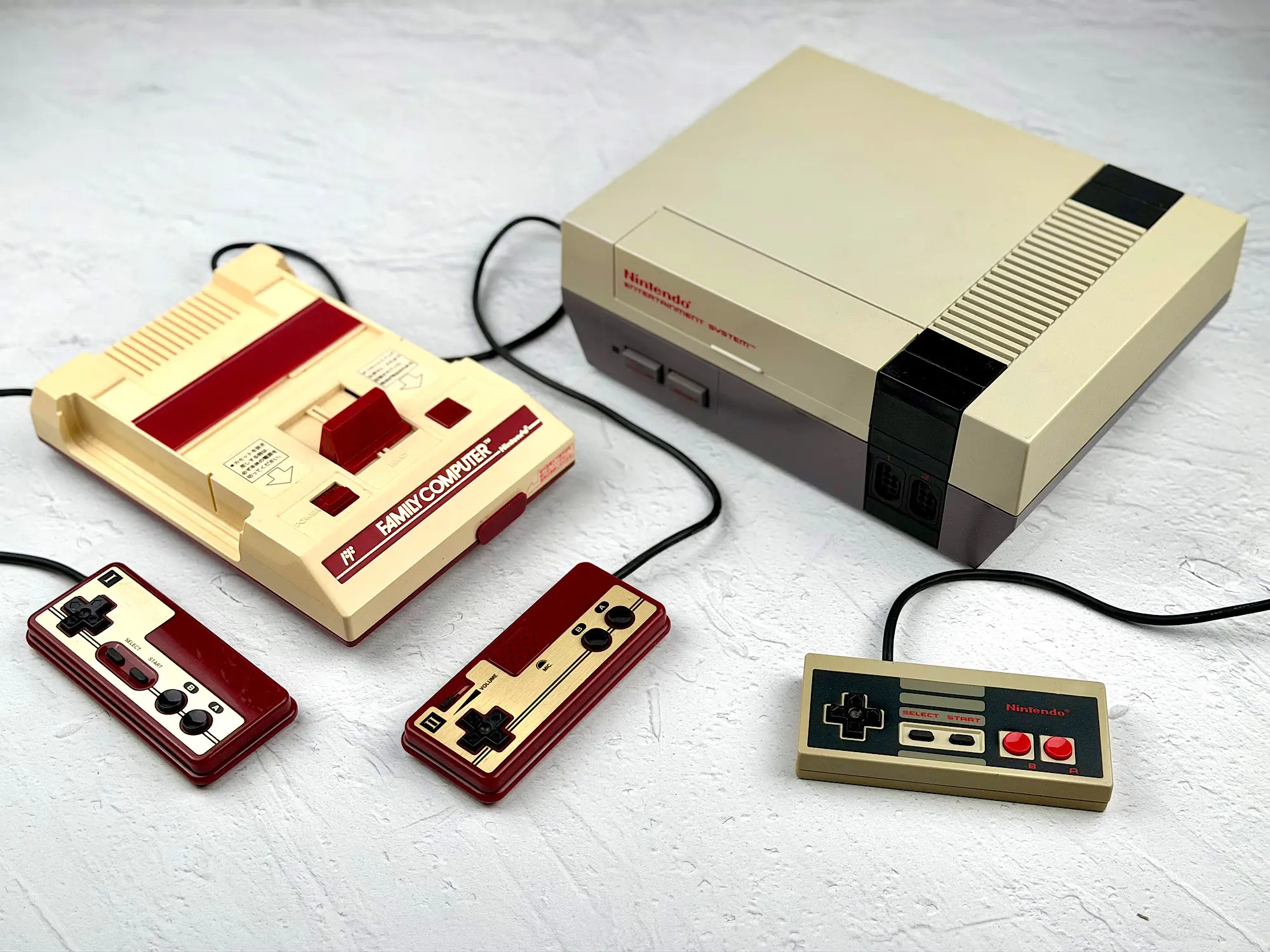
This redesign wasn’t designers being fancy — it was a forced move. In 1983 the US video game industry crashed (the famous Video Game Crash of 1983). There were several reasons:
- Market saturation — too many low-quality consoles (Atari 2600, ColecoVision, Intellivision) and games;
- The legendary failure of E.T. for Atari 2600, which got returned to stores in massive numbers;
- Falling trust from retailers and customers — games started to look like “cheap toys” with questionable value.
Nintendo made a smart move: rename the Famicom to “Nintendo Entertainment System” and sell it not as a game console, but as an “entertainment system”. Hence the VCR-like design, the strict “Control Deck” naming, and weird accessories like the R.O.B. robot — a marketing trick to get into stores that refused to carry “video games”.
What’s really interesting: while the hardware is compatible, Famicom and NES use different cartridge connectors:
- Famicom — 60 pin;
- NES — 72 pin.
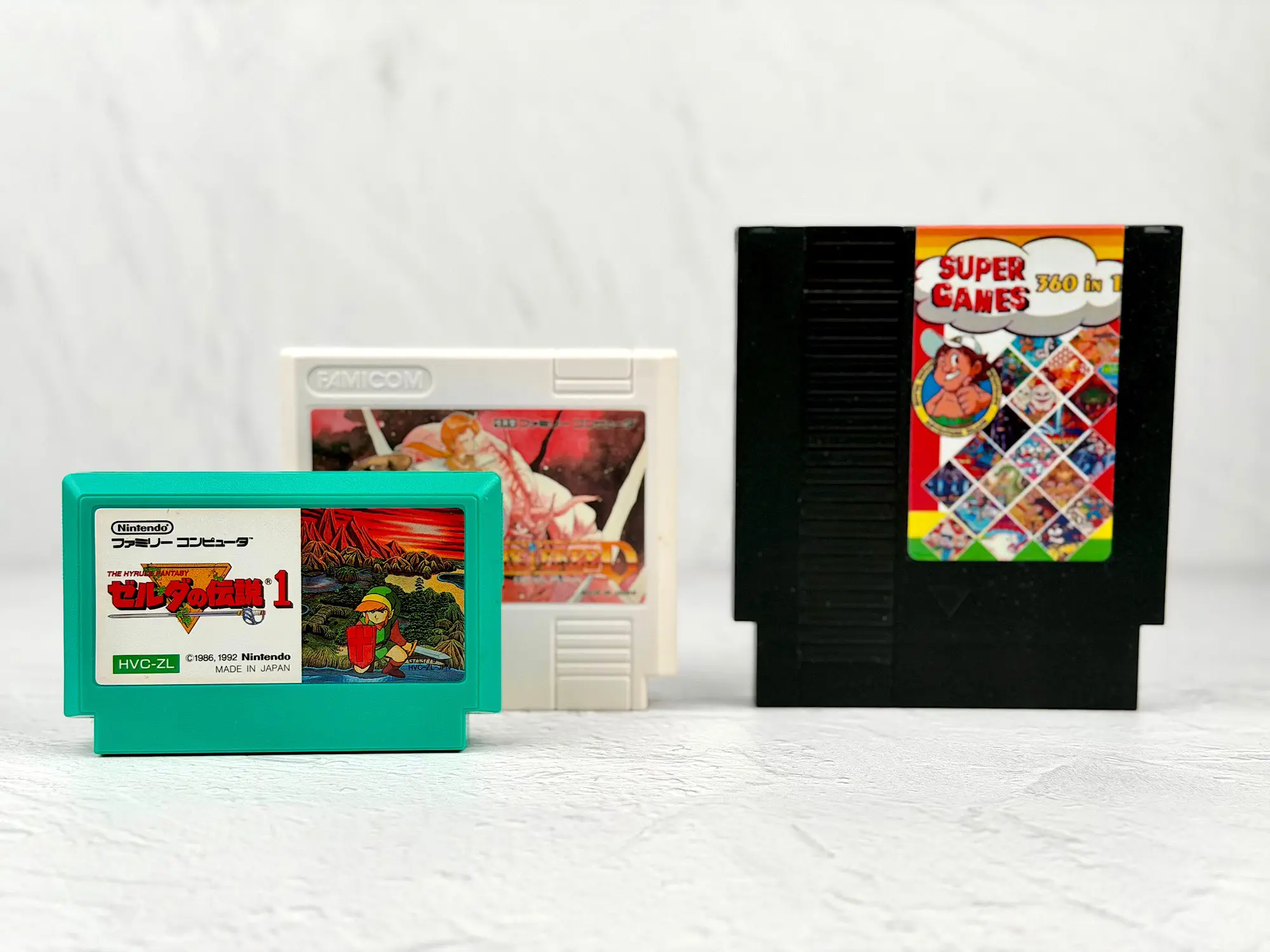
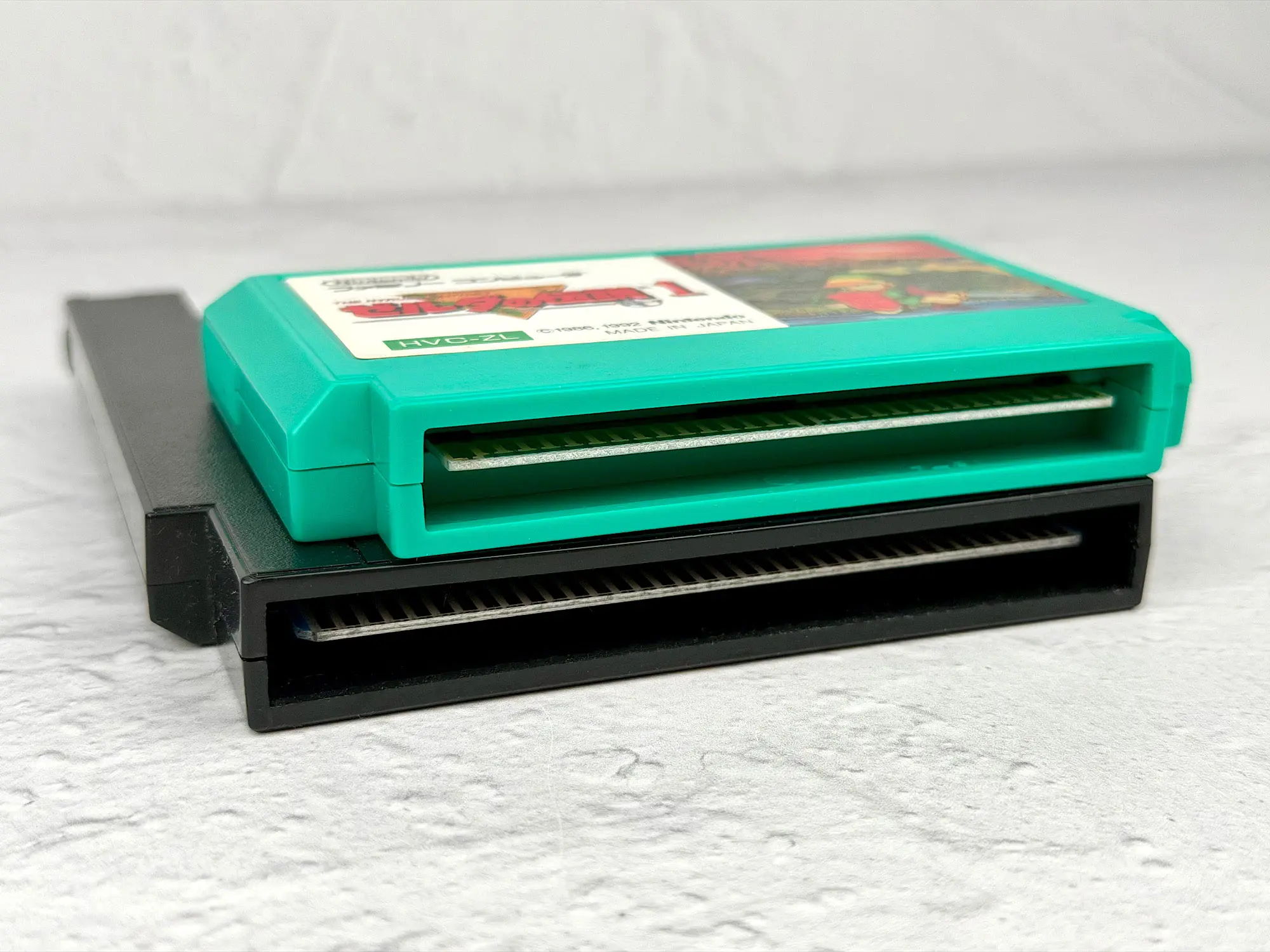
In practice that meant: the games were essentially the same, but you couldn’t insert a Japanese cartridge into an American NES without an adapter.
At first glance it seems like the NES is “better” — more pins, more potential. But reality turned out the other way around: Famicom cartridges actually had more capabilities than NES cartridges.
Why?
On the Famicom, some pins were reserved for an additional audio channel. Certain cartridges (for example, Akumajou Densetsu / Castlevania III) could include their own sound chips to expand the console’s built-in audio.
On the NES those chips didn’t work because the relevant lines simply weren’t connected on the console side. So even if you solder a chip into a cartridge, the NES won’t “hear” it.
And that wasn’t the only example.
Over those two years Nintendo gained experience, got feedback from players and developers, and tried to take it into account in the new system.
That’s why the whole Famicom / NES family ended up so different. Sometimes it’s hard to believe it’s the same platform. Visual design, connectors, accessories, compatibility — the differences are huge.
So let’s start with the very first console: the Japanese Family Computer HVC-001. It pulled the industry out of a slump and became a symbol of the console world’s rebirth.
Family Computer HVC-001
The Family Computer — aka the Famicom — launched in July 1983. That’s 43 years ago! And yet the design is so iconic that basically anyone who has ever touched retro games recognizes its silhouette.
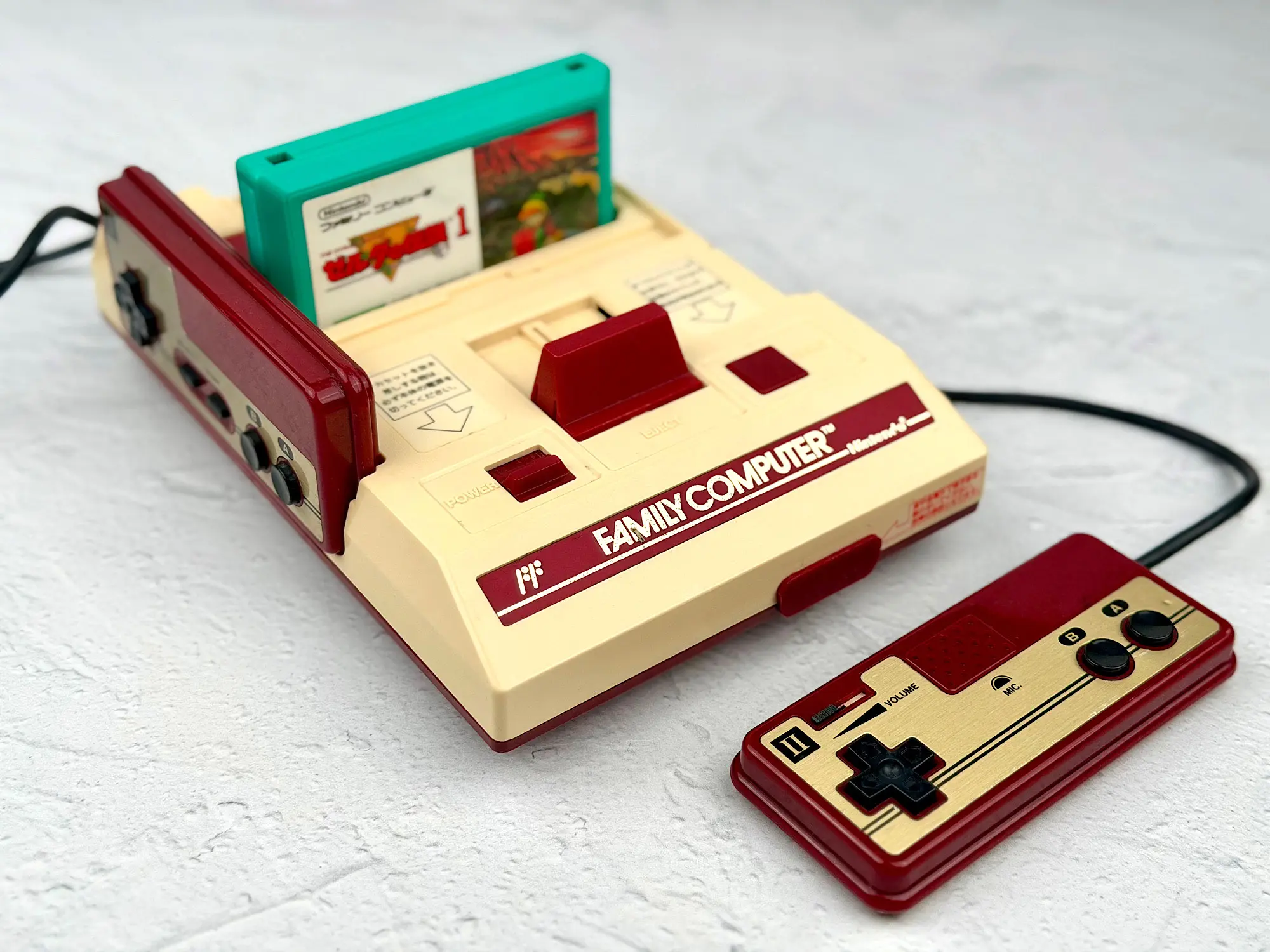
This was Nintendo’s first attempt to enter the home console market — and it was a huge success. The Famicom conquered Japan and then became the foundation for the NES’s global success.
Still, even a legend like this had its weaknesses.
Cons:
1. RF output only
Basically, the Famicom worked like a tiny TV station: it created its own radio channel, and your TV had to “tune in” to show the picture.
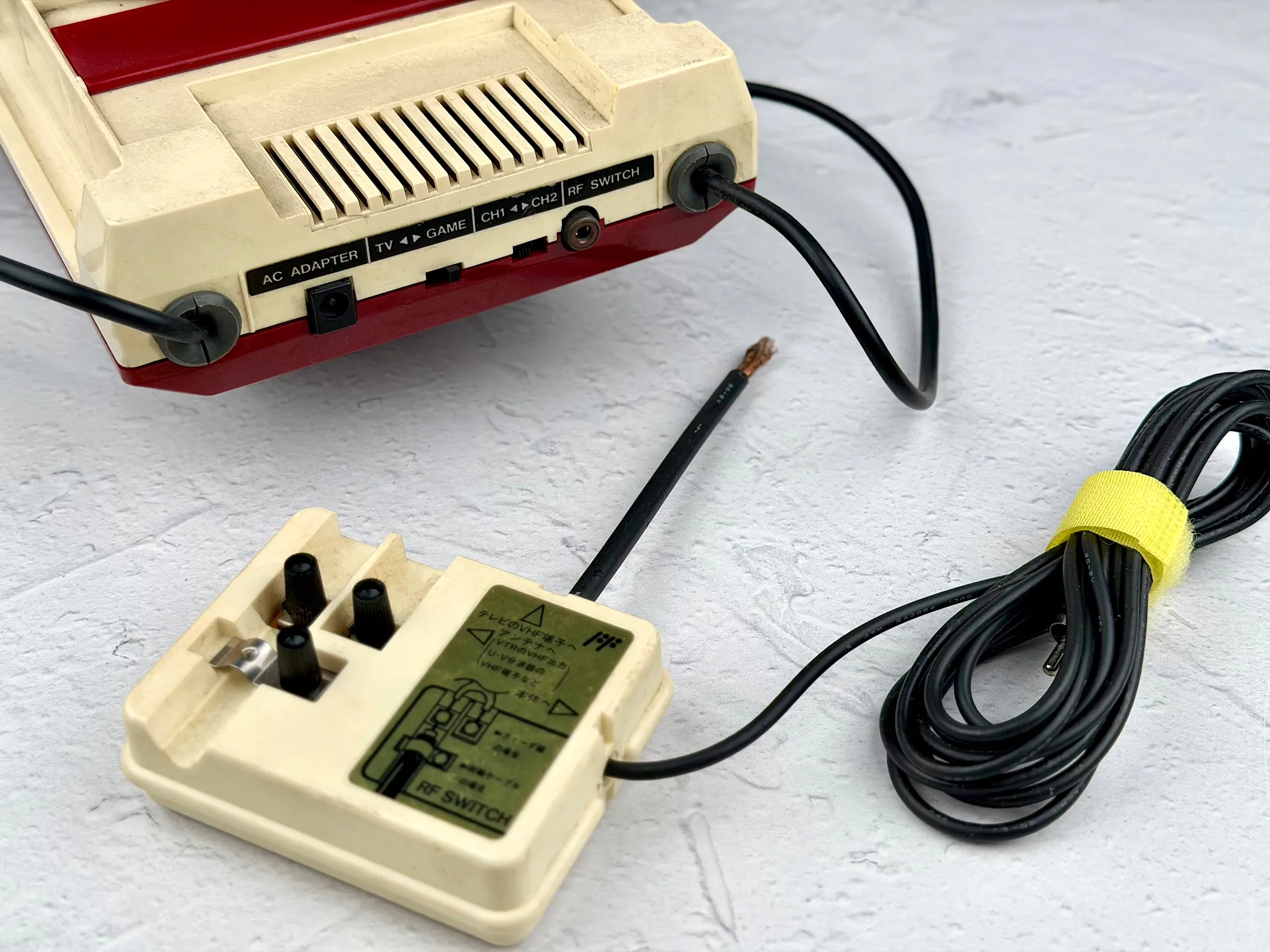
In practice it looks like this:
- RF signal: Console → RF modulator → coax cable → TV tuner → image
- AV signal: Console → AV cable → TV → image
The main problem with RF is double conversion. First the video is modulated into a radio frequency, then the TV demodulates it back. Each stage adds noise and distortion. The result: a blurry image, drifting colors, shaky background — things you simply don’t get with AV.
2. Controllers — that short word hides a whole list of issues.
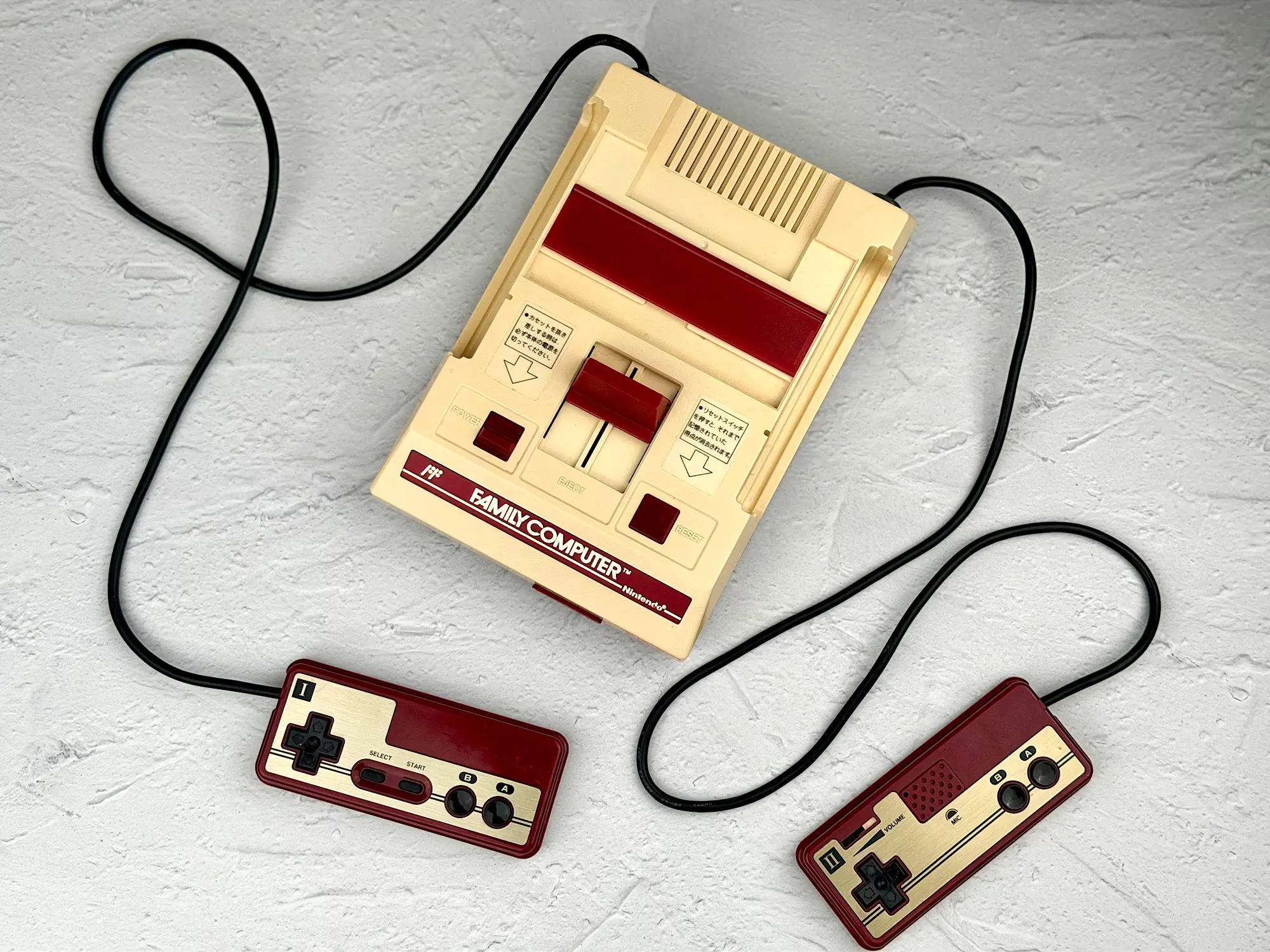
- They weren’t detachable (not a disaster, but if something breaks you have to open the whole console);
- The cable was very short (70 cm), and it plugged into the back. So you had to sit close to the TV;
- The second controller had no
StartandSelectbuttons — so it was incomplete.
3. The console is 43 years old — which usually means yellowed plastic and a rough-looking case. A “like new” unit can be expensive.
To sum up the cons: it’s not all that scary.
The controller situation isn’t perfect, especially for two-player games or if you want the console far from the TV. But it’s manageable.
RF, however, is more serious.
The problem isn’t just mediocre image quality — it’s that not every TV can even handle it.
For the picture to appear, your TV must recognize the signal and demodulate it correctly.
Before buying a Famicom, make sure:
1. Your TV has a coax RF input (RF IN);
2. It supports analog UHF / VHF / cable channels;
3. And most importantly — it can work with NTSC (the Japanese video standard).
If your TV checks all those boxes — you can safely buy the console.
If not — it’s better to either get a modified Famicom with AV output, or look at other models.
Note: you can check all this in your TV manual or on the manufacturer’s website. Here’s a screenshot from my TV manual showing the needed parameters:

But don’t get discouraged — let’s move on to the pros.
Pros:
1. That iconic look
Bright, bold, recognizable instantly. The Famicom is a real symbol of its era — not a faceless gray box (we’ll get to that later).
2. The most affordable price
On the second-hand market you can often find a Famicom “console only” for 3–4 thousand rubles. For comparison: the other models cost at least twice as much — especially if you want a cleaner condition unit or a modded one.
3. Easy to mod
Modders love the Famicom for a reason. It’s easy to open, there are dozens of ready AV mod kits, and you can ditch RF in an evening.
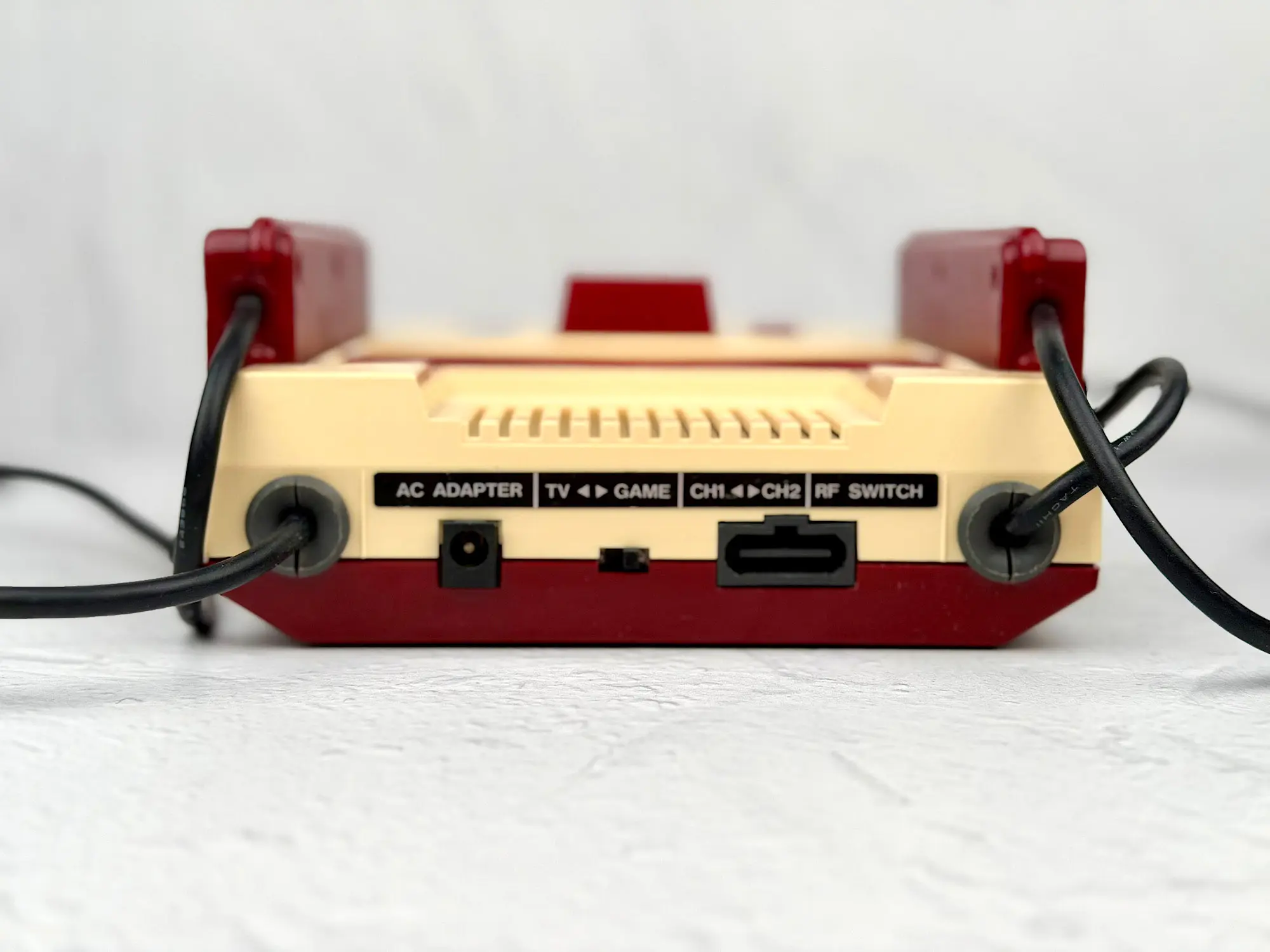
4. Front expansion port
The Famicom had a dedicated expansion connector on the front panel. The NES didn’t.
If you plan to use modems, keyboards, the Disk System, mice, and other accessories — it’s a big advantage.
5. More accessories and peripherals
The Famicom supports a lot of add-ons:
- a microphone in the second controller,
- keyboards,
- Disk System,
- modems,
- robots (R.O.B.),
- and much more.
All of that plugs into the Famicom, not the NES. That’s why for a collector or an enthusiast, the Famicom can be a more interesting platform than its American sister.
And that sister is exactly where we’re going next.
Nintendo Entertainment System (NES-001)
Two years after the classic Famicom, Nintendo decided to enter the American market. In October 1985, a new version appeared in the US: the Nintendo Entertainment System — the NES.
And this is where it gets interesting.
Nintendo wanted to avoid the “game console” label so badly that they thought it was a great idea to use a VCR as inspiration.
Seriously. They looked at a VHS player — the black rectangular slab — and went: “Yep, that’s the vibe.”
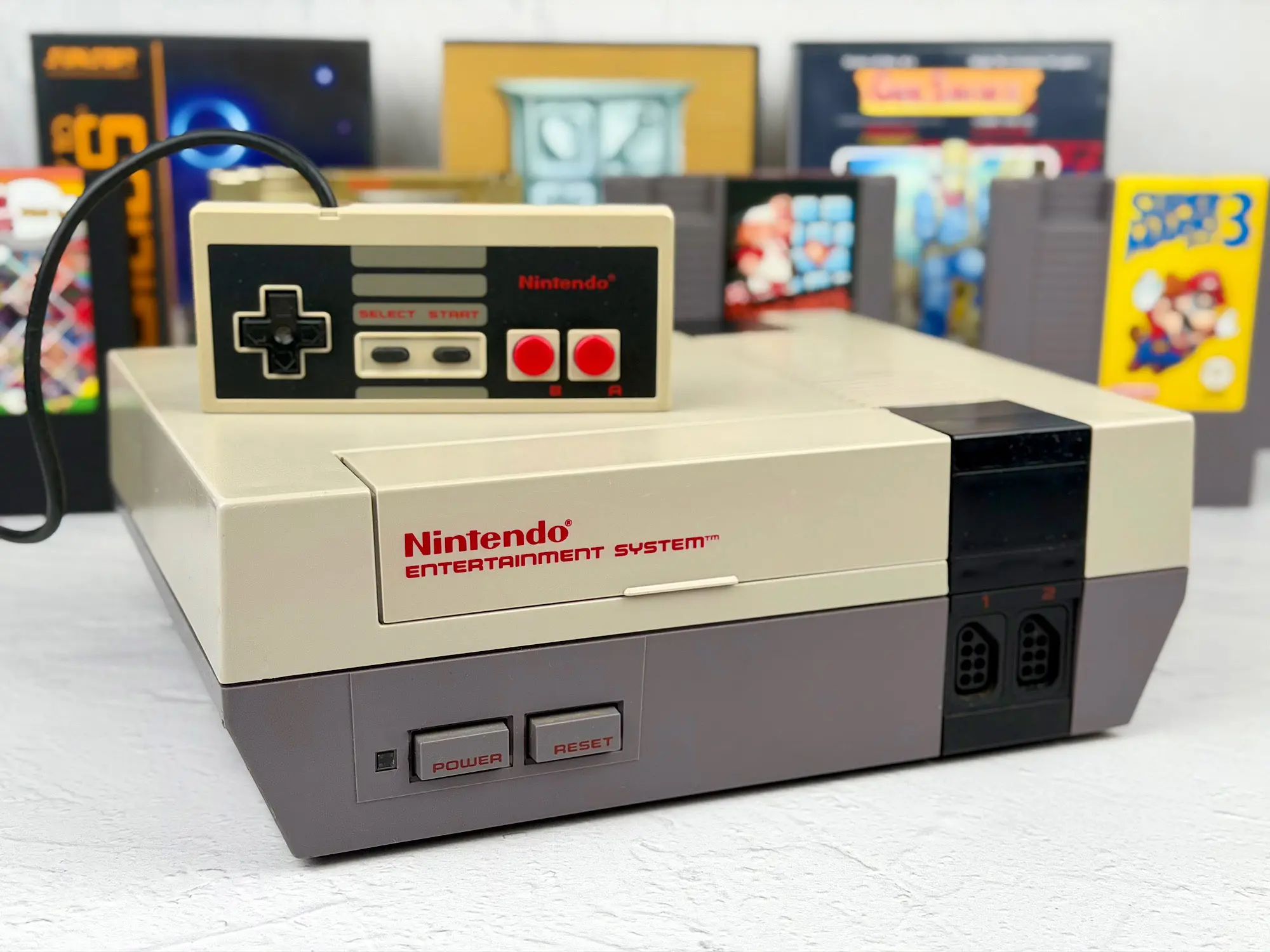
Luckily, they didn’t go full funeral minimalism, and the final console looks strict but still nice.
But these changes came with consequences.
Yes, Nintendo fixed many of the Famicom’s weak points. But the NES also got brand-new problems of its own.
Cons:
1. Front-loading cartridge connector
Honestly, I love the idea: insert the cartridge, push it down, close the lid. Convenient. But the execution was weak: the connector was fragile and wore out quickly.
If you swapped games often, the pins would loosen, you’d get the famous blinking light, and games would stop booting. Sometimes cleaning helped, sometimes only replacing the entire connector did.
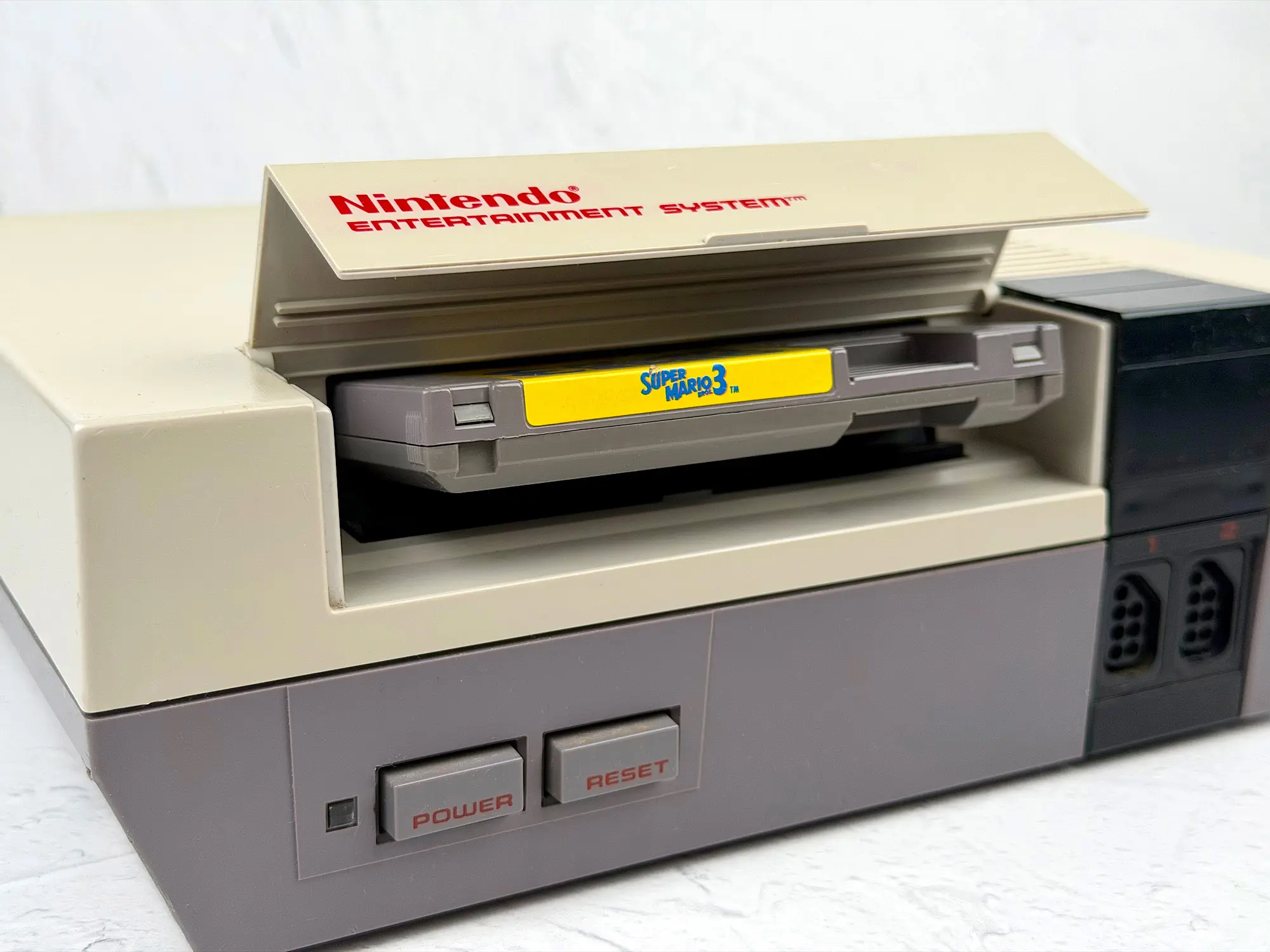
Also, the space inside the slot is tight. If you want to use a Famicom → NES adapter, it will only work with the smallest cartridges.
Try anything non-standard — and you’ll quickly see that no adapter will save you.
2. Lockout chip (10NES)
An anti-piracy chip built into the console. It blocked “unofficial” cartridges: pirates, homebrew, and even some foreign releases.
Disabling it isn’t hard, but you have to open the console and cut a trace on the motherboard — literally cutting the board — which isn’t everyone’s idea of fun.
3. Second-hand price
The NES typically costs about twice as much as the Famicom. And inside it’s basically the same. Maybe it’s rarity. Or maybe it’s just that the console is twice the size.
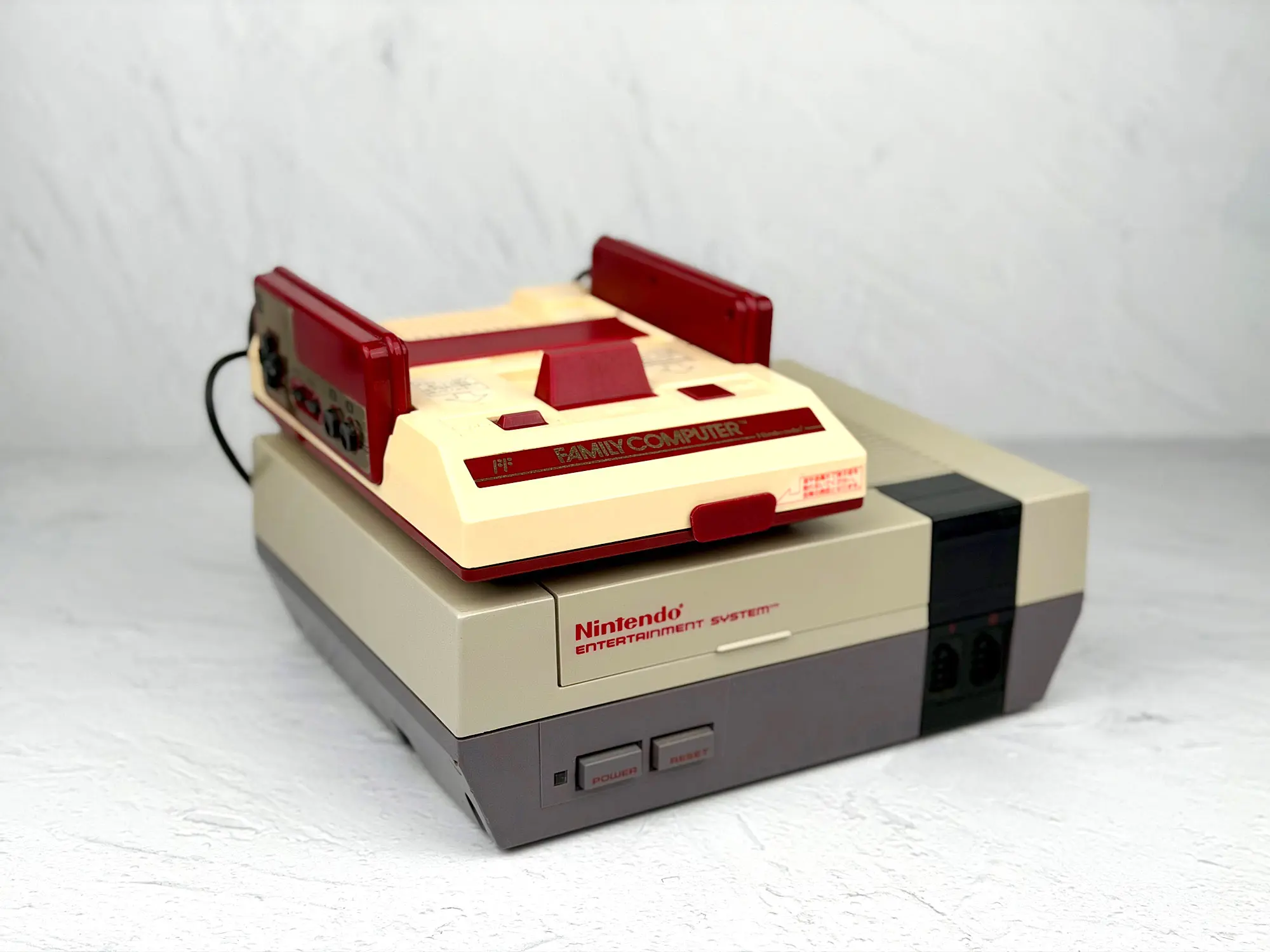
4. No front expansion port
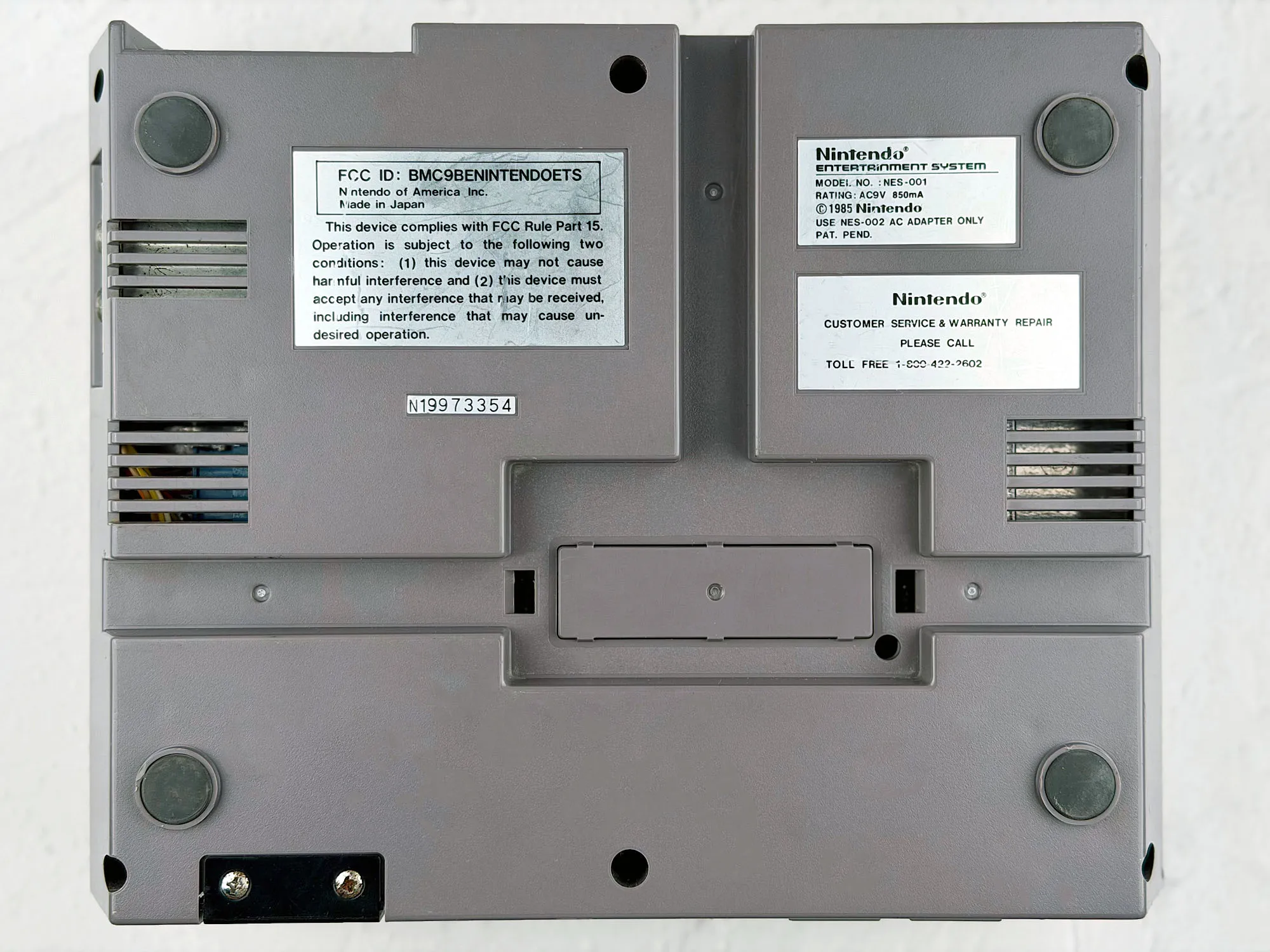
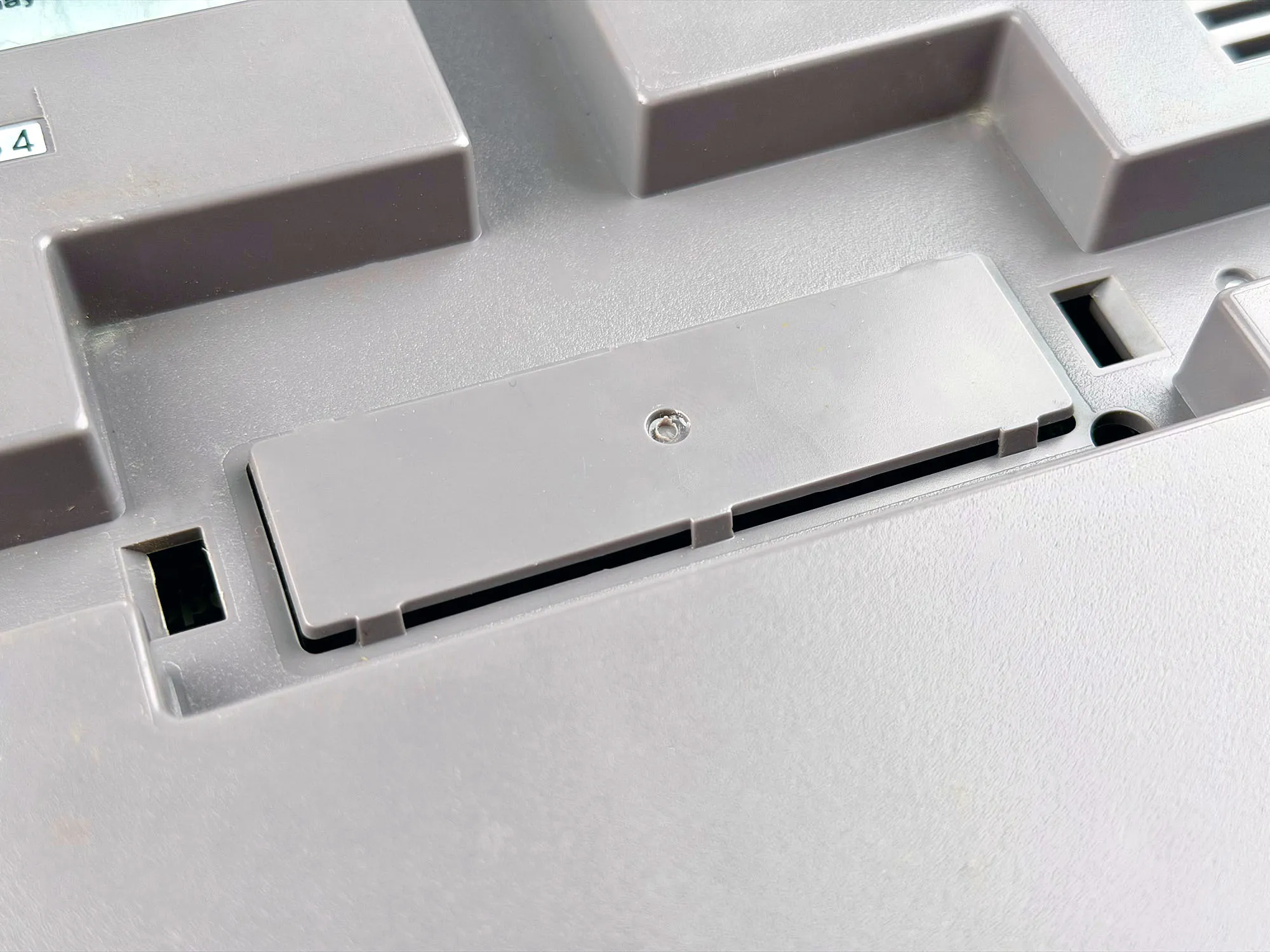
Unlike the Famicom, the NES has no front accessory connector. So most of the rare stuff — keyboards, Disk System, modems, microphones, and other Japanese madness — simply isn’t supported.
There is an expansion port on the bottom, hidden behind a plastic cover, but basically no accessories ever used it.
Pros:
1. Detachable controllers
Nintendo quickly realized built-in gamepads weren’t the best idea.
On the NES, controllers became detachable: standard ports appeared on the console, and the pads themselves became fully featured. Finally, player two got Start and Select, which the Famicom really lacked. The microphone disappeared, but western games barely used it anyway.

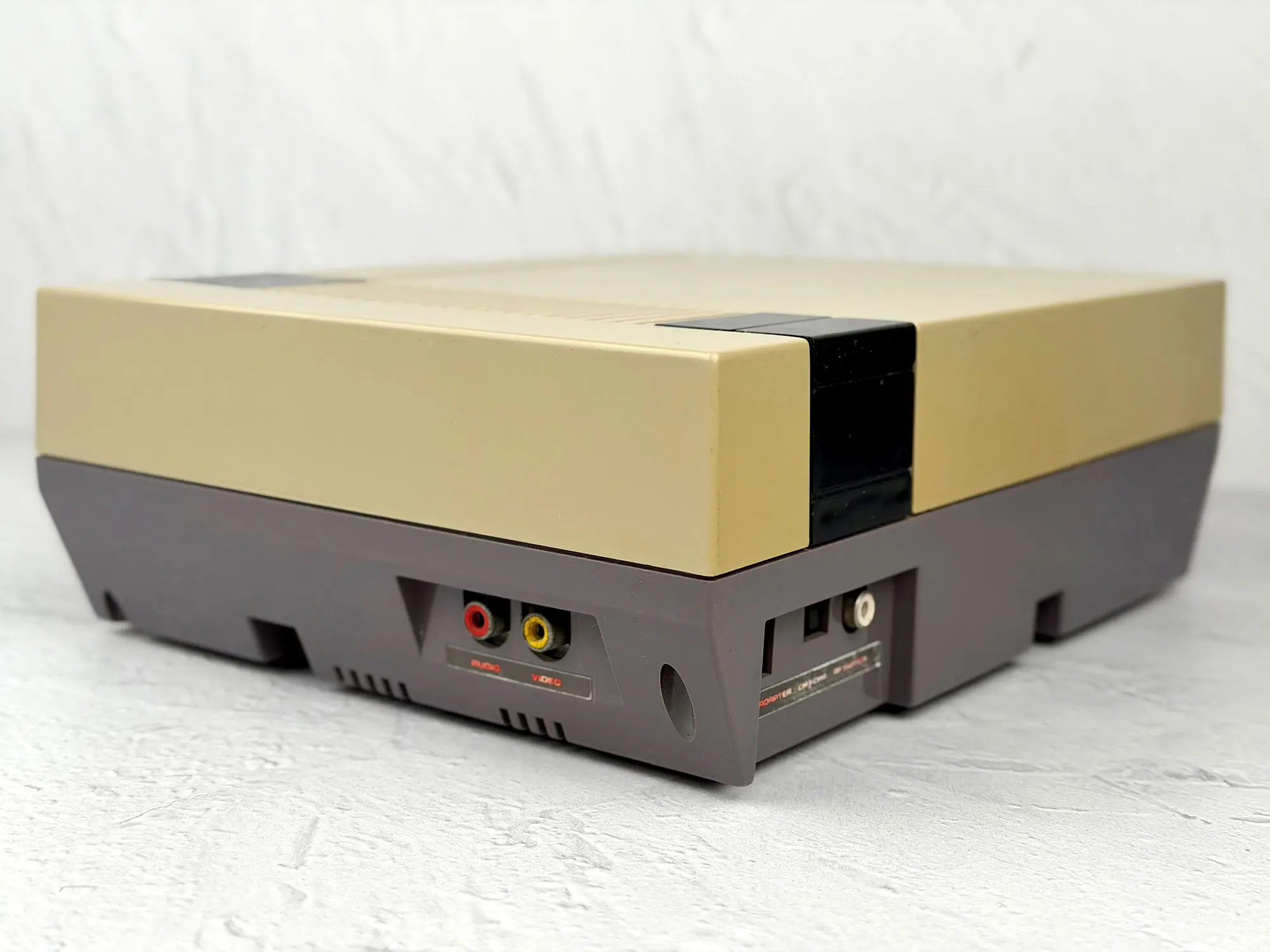
2. AV output
Probably the main technical improvement over the Famicom: a proper AV output.
No RF. No manual channel hunting. No snow, noise, or drifting colors. Plug in the cable — get a clean, stable picture.
3. Games in English
Sounds small — but for many people it matters a lot.
If you buy original NES cartridges, the text, menus, and dialogs are in English.
Even basic knowledge helps you follow the story and understand what’s going on.
With Famicom it’s mostly Japanese (kanji and mystery).
The NES was a success, but as the years passed, by the early 90s an update was clearly needed.
Connectors got glitchy, the case looked dated, and compact Famicoms and newer 16-bit consoles were pushing back visually and technically.
That’s how the redesigned version appeared — the NES-101, better known as the Top Loader.
Nintendo Entertainment System (NES-101)
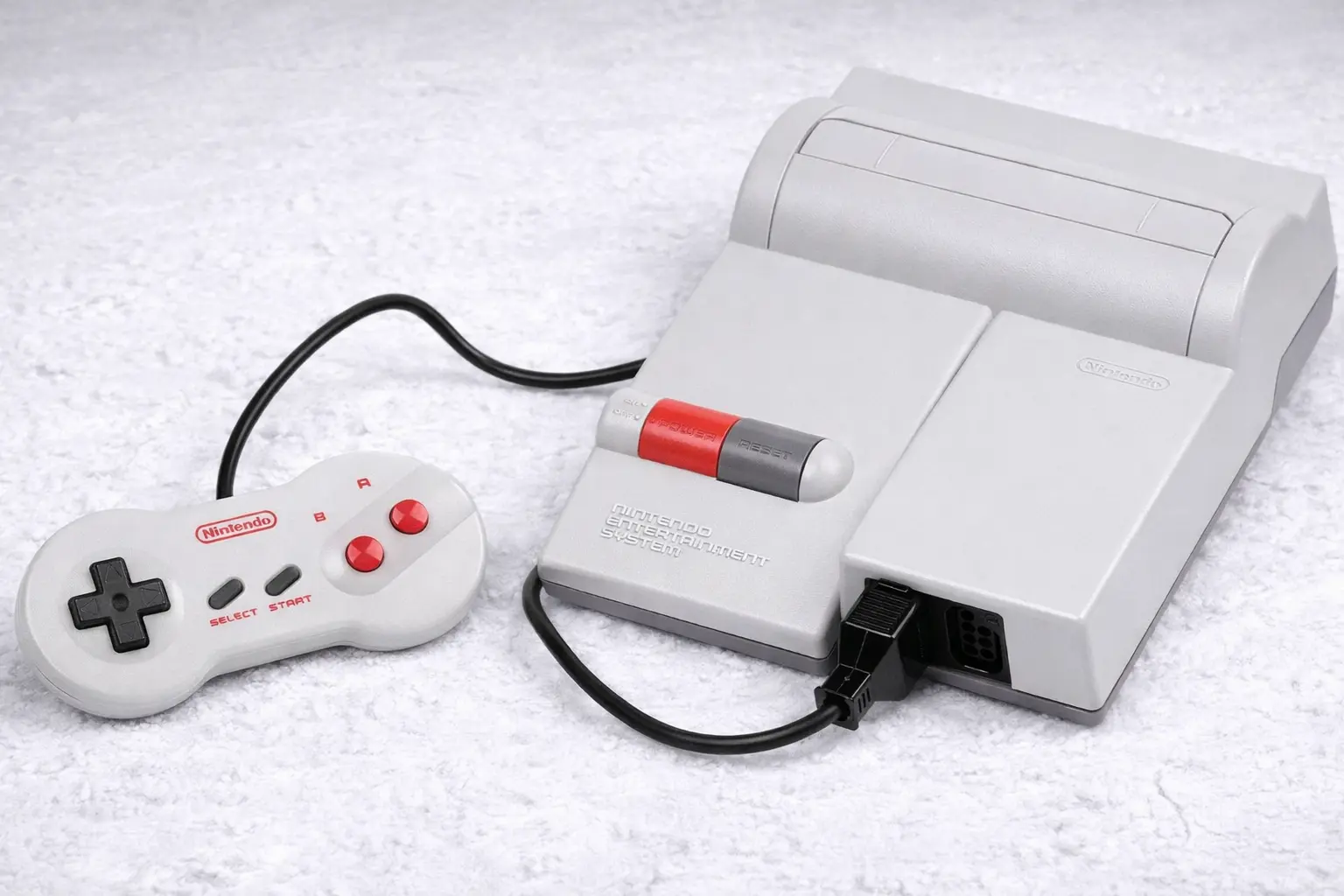
In December 1993, Nintendo released an updated version of the NES in America.
You’d think a revision released 8 years later would be better in every way — but something went wrong.
Cons:
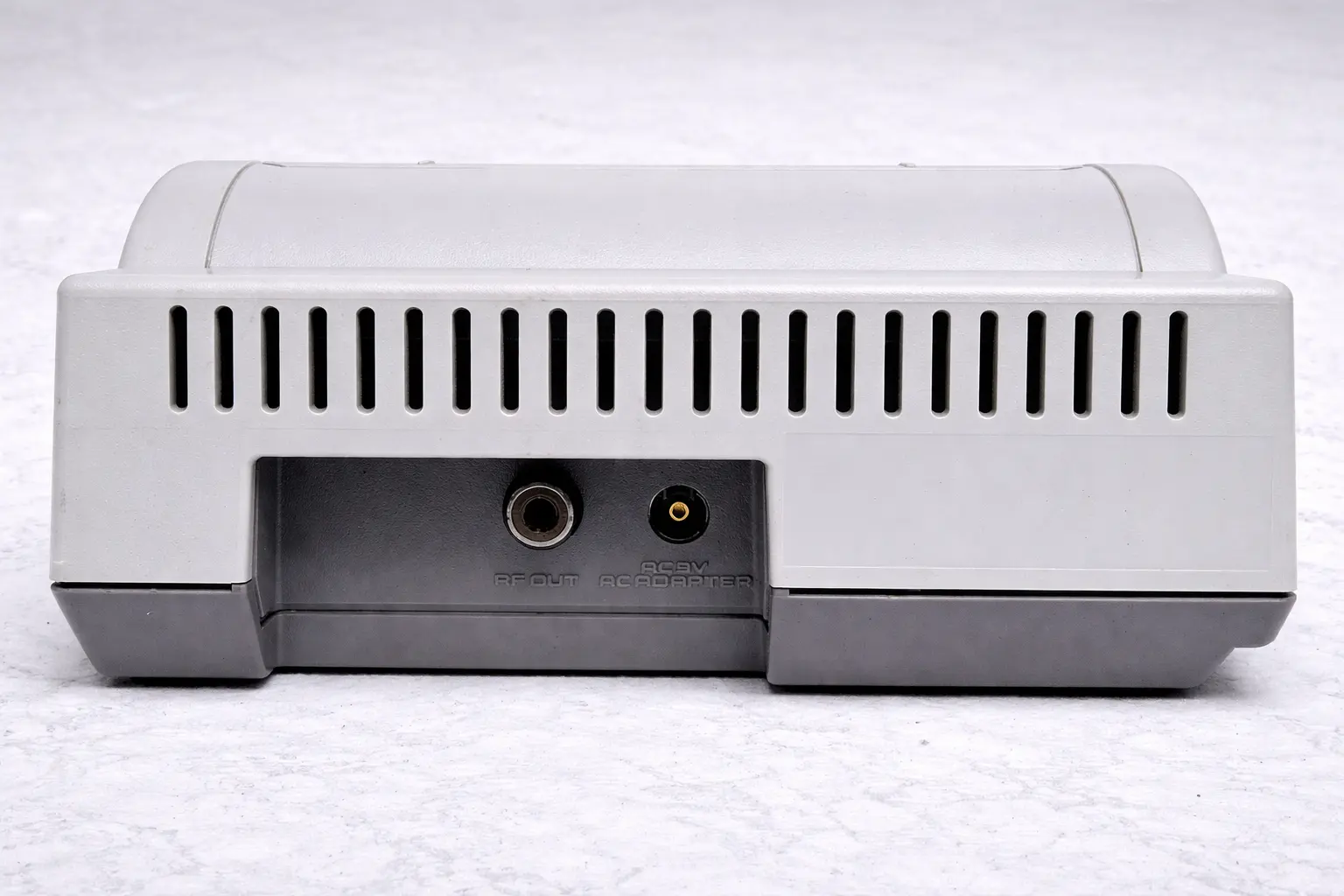
1. RF output only
After eight years of the console’s life, Nintendo decided to do a new revision… and somehow made it worse.
On the NES-101 (Top Loader), the back panel kept only one video output — RF.
This is extra weird because in that same year (1993) Nintendo updated the Famicom — and added AV output there.
More than that: by then, the Super Nintendo (SNES) and other Nintendo hardware had already been using the universal Multi-Out connector, supporting RGB, S-Video, composite — your choice.
It ended up almost like a joke:
- Famicom used to be without AV → they added it.
- NES used to have AV → they removed it.
Rumor has it Nintendo did research before the release: about 90% of American players connected the NES via RF.
So they could save money by removing AV and simplifying the board.
They’d repeat this approach later — for example, when the GameCube lost its digital output to cut costs. But at least there it was tied to weak sales and an attempt to boost interest.
With the NES it was different: the system stayed relevant for almost 15 years after the NES-101 came out.
That’s why removing AV right in the middle of its “second life” looks, at best, strange.
2. Confusing design
The NES-101 design, to put it mildly, raises questions.
If the original NES looked like a serious media device, and the Famicom looked like a bright toy, this one is… unclear.
No charm, no character. Just a rounded gray box with red accents.
Across Nintendo’s home console history, there really wasn’t another model that looked this bland — neither before nor after.
Sure, someone might like the simplicity (Ruslan strongly disagrees with me here) — but against the rest of Nintendo’s revisions and especially their iconic designs, it feels like a temporary prototype someone forgot in a warehouse.
3. Price
With all these odd choices — from removing AV to the bland design — the NES-101 sold slowly. It didn’t become mainstream, and many people either stayed with the regular NES or moved on to the Super Nintendo.
As a result, today the NES-101 is the rarest and most expensive model among all Famicom / NES versions.
It’s not easy to find on the second-hand market, and prices can be painful — especially for a set with the “dog bone” controller and the box.
Pros:
1. Top-loading cartridges
The NES-101 completely reworked the cartridge loading system — back to the classic scheme: insert from the top, like the original Famicom.
No latches, rails, or springs — just insert the cartridge and play.
Visually, I honestly like the first NES slot more with its VHS aesthetic. But in practice: the front-loading system was more complex, more expensive to make, and less reliable. Contacts loosened faster, the mechanism wore out, and that’s where the famous “blinking light of death” came from.
The Top Loader is simpler, more convenient, and more reliable.
2. No lockout chip
This model removed the anti-piracy chip (10NES) that blocked some cartridges on the first version.
Now you can run far more games — including unofficial, fan-made, and regional releases — without mods or soldering.
3. Detachable dogbone controllers
As with the original NES, this model kept detachable controllers — great.
But the main thing is Nintendo completely redesigned the gamepad.
That’s how the famous “dogbone” controller was born, named for its shape.
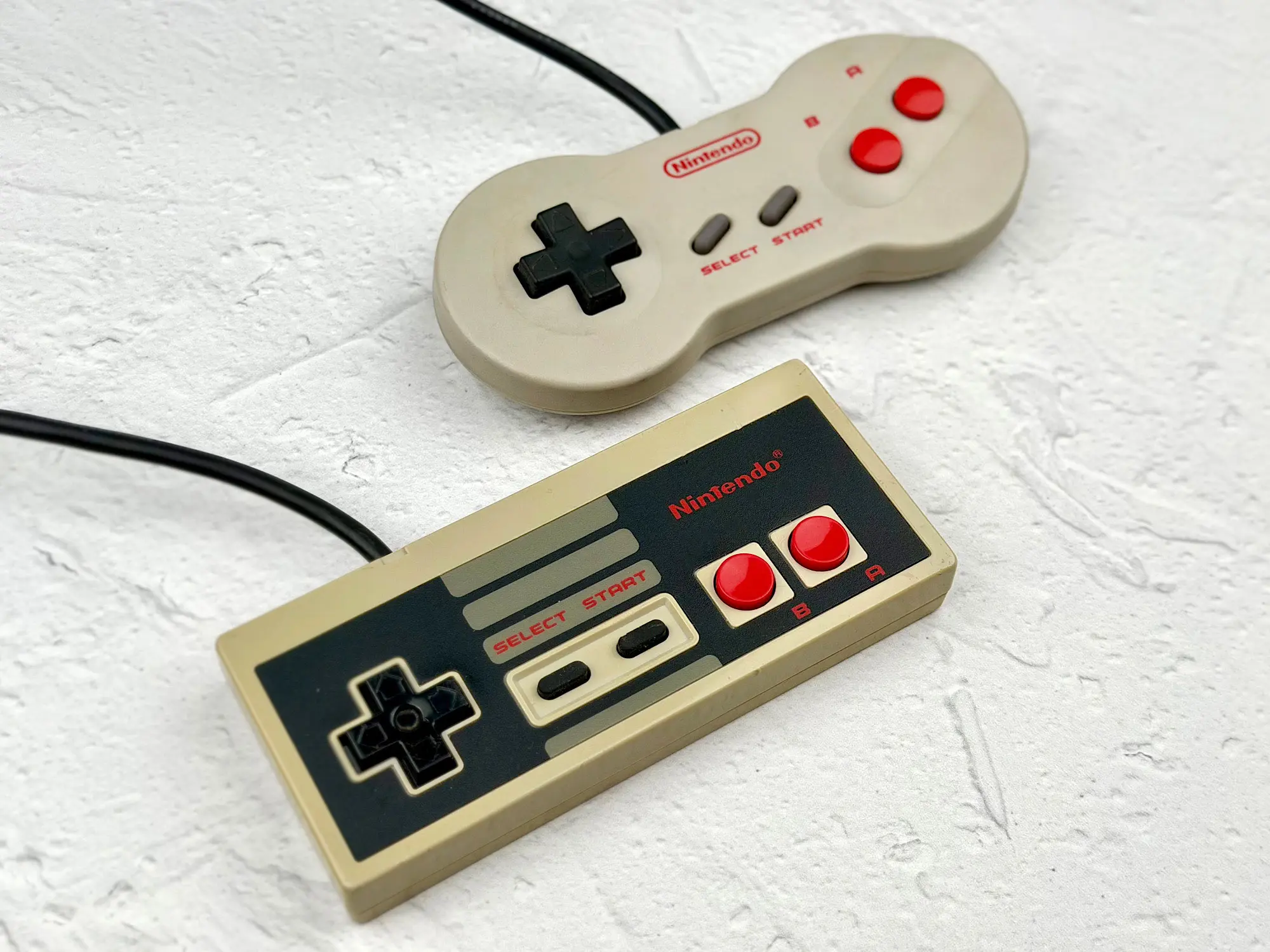
The new pad is compact, ergonomic, and feels nicer in the hand than the angular “brick” from the NES-001.
A lot of players liked it, and even today the dogbone is considered one of the most comfortable controllers of the 8-bit era.
Honestly, the NES-101 has only one truly strong advantage — reliability.
Top loading fixed the connector problem, and the console became more stable.
The rest is mostly downsides:
- The design became more boring and “cheaper” looking than the NES-001;
- AV output was removed, leaving only RF — a step backward compared to the first version;
- You could buy dogbone controllers separately for a regular NES.
Yes, they removed the lockout chip (10NES) — that’s a plus. But on the NES-001 you can disable it too, with a small manual mod.
Considering the NES-101 is the most expensive model today, buying it purely to play isn’t the smartest move.
But for a collection, or as a rare “shelf piece”, it’s a solid item.
AV Family Computer HVC-101
In December 1993, Nintendo decided to refresh the console for the Japanese market too.
That’s how the AV Famicom appeared — and this time it really was an upgrade.
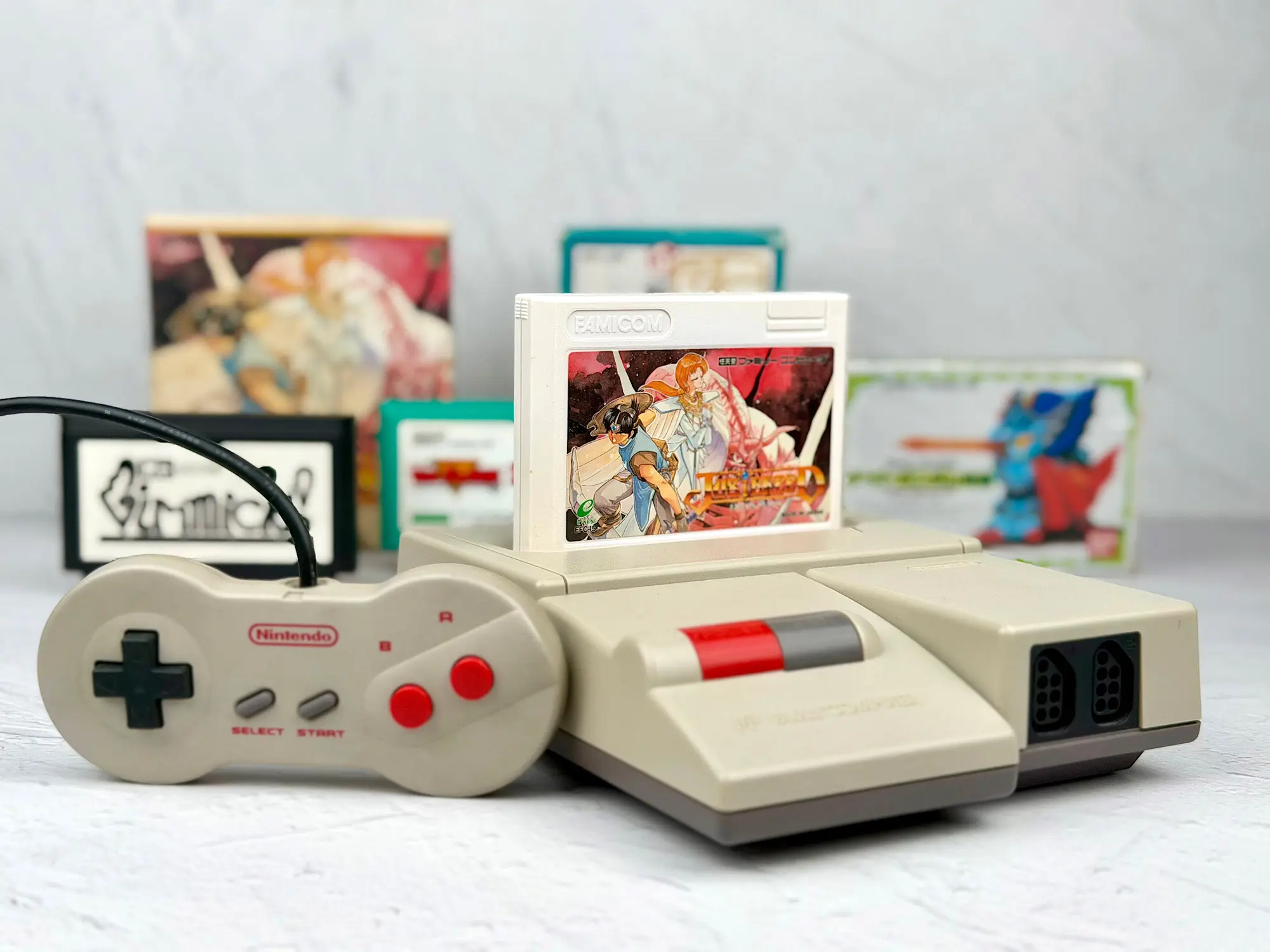
The AV Famicom has basically one noticeable downside: a bland design, almost like the NES-101. Looks like all the top designers were busy with the Super Nintendo at the time.
It’s boring, gray, and without much personality.
But it makes up for that with a lot of advantages:
1. Detachable dogbone controllers
Just like the NES-101, it got the new detachable controllers in the famous “dogbone” shape. They’re more comfortable, more compact, and feel nicer than the angular bricks from the first Famicom.
Also, both controllers are now fully featured — with Start and Select, which player two was missing before. The microphone is gone, but in reality it was used very rarely.
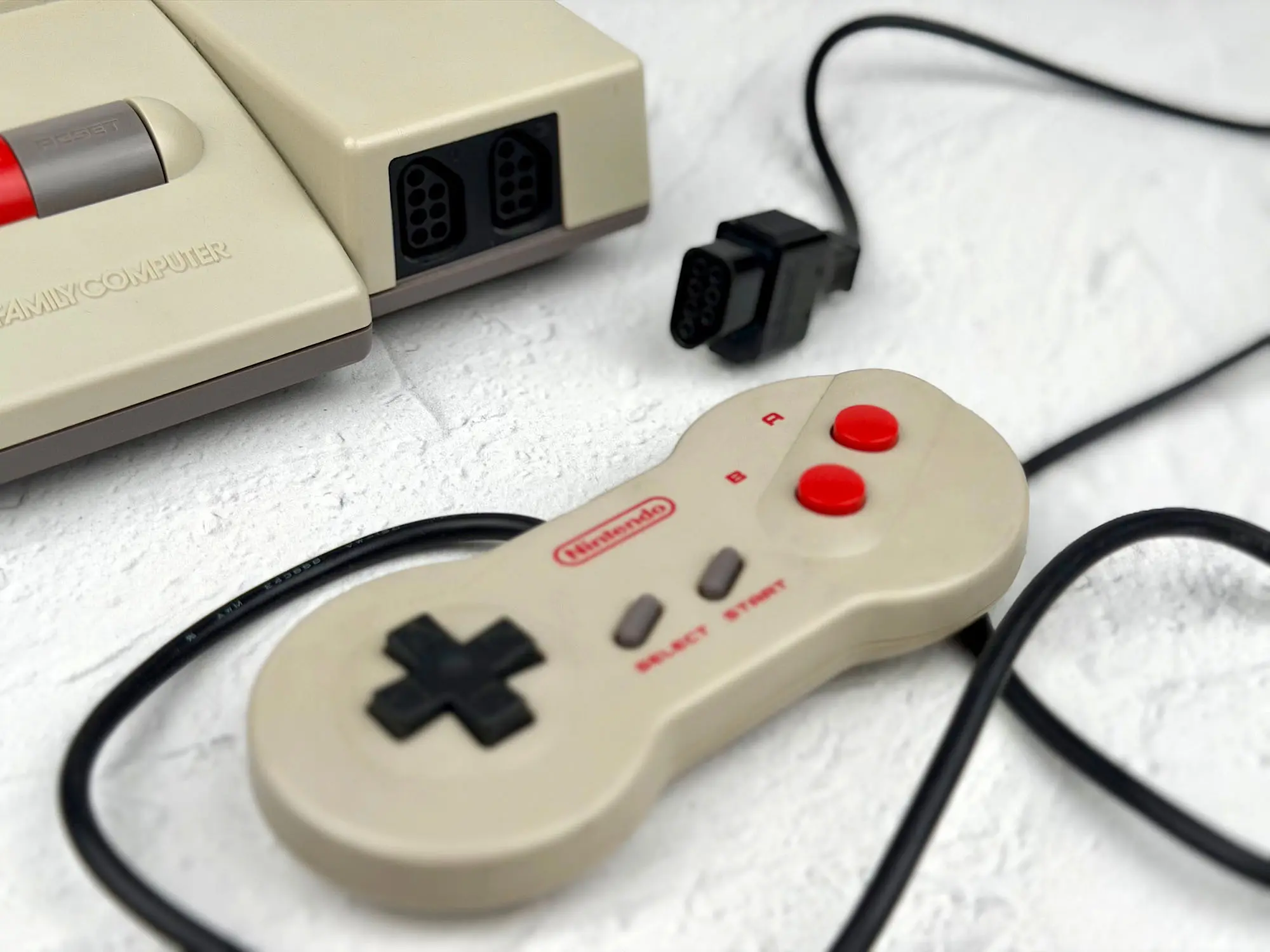
There’s also a nice bonus: the AV Famicom’s controller ports match the NES standard, so you can plug American controllers and accessories into the Japanese system without drama.
2. The accessory port stayed
In addition to NES-style controller ports, the AV Famicom kept the classic expansion connector from the original Famicom — the one used for the microphone, light gun, modem, keyboard, and other Japanese gadgets.

This means the AV Famicom is the only console that supports both Japanese Famicom accessories and American NES ones. In terms of compatible devices, it has no equal. If you love hooking up weird peripherals and experimenting, it’s the perfect choice.
3. Multi-Out connector
Instead of RF — and even instead of the usual RCA AV jacks like on the NES-001 — this console got a proper Multi-Out connector, the same as the Super Nintendo and other later Nintendo systems.
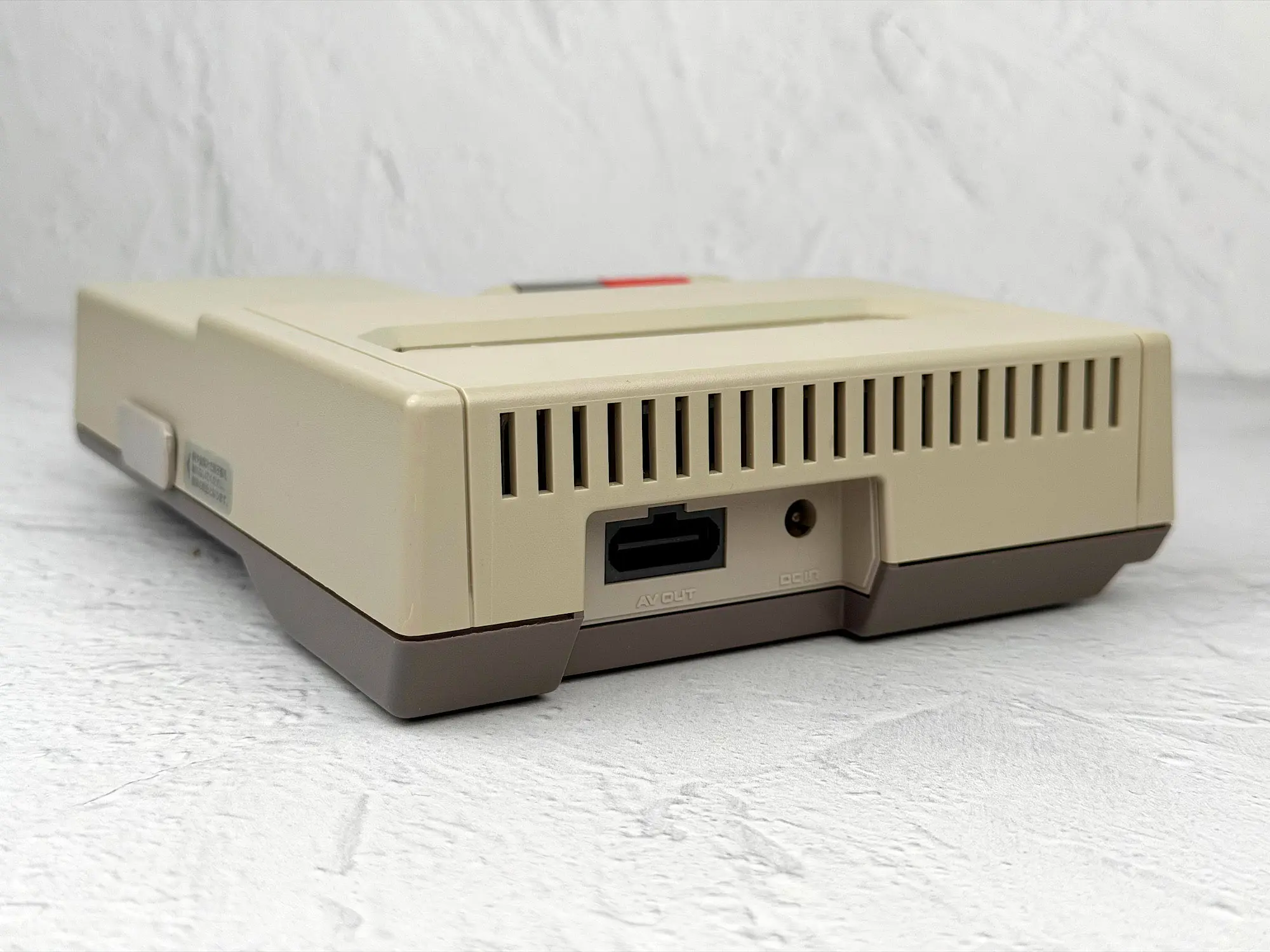
That means the AV Famicom supports Nintendo’s official video cables — from composite to S-Video and RGB (with a mod).
Compared to the NES-101 with only RF, the picture here is on another level: sharp, stable, and without dancing color shadows.
4. Price
Surprisingly, the AV Famicom is still one of the more affordable versions in the Famicom / NES family.
It’s cheaper than the NES-001 and especially the NES-101, and only slightly more expensive than the classic Famicom.
Epilogue
The Famicom situation isn’t perfect — but it’s definitely not like the PSP, where you can’t really call any one version the best.
Here, there is a winner — and it’s obvious: the AV Famicom.
It’s almost all pros: comfortable controllers, Multi-Out, great accessory compatibility, and a reasonable price.
The only con is the boring design — and that’s subjective.
If you want a “buy it and play” solution — it’s the AV Famicom.
At the same time, the classic Famicom isn’t far behind.
The lowest price and a huge number of ready-made mods make it a great option if you’re not afraid of a soldering iron and a screwdriver.
With the NES, it’s more complicated.
The NES-001 is also a pretty ready-to-go choice: AV output, detachable controllers, games in English.
But the cartridge connector issues and the inflated price make you think twice.
And the NES-101 is a complete miss.
Yes, it’s reliable, but it needs a mandatory mod if you want a decent image.
And at its current price, you could buy the other three versions — and still have money left for a couple of cartridges.